

Shopify BOGO: how to set up buy one get one, with or without an app
How to run buy one get one on Shopify with the free Buy X get Y discount or an app, plus the margin math for each BOGO version. Prices checked October 2026.


Short answer
Shopify's free Buy X get Y discount runs BOGO from Discounts in your admin, but shoppers must add the free item to the cart themselves. A BOGO app adds the free item and shows the offer on the product page. Section Store Plus does both for $15 a month at any revenue, and Bundler's free plan includes Buy X get Y.
- Shopify's Buy X get Y discount is free, but it never adds the free item to the cart for the shopper.
- A store can run 25 active automatic discounts, and app discounts count toward that total.
- In our example, buy one get one free on a $40 item cuts profit per order from $22 to $10.
- Bundler's free plan includes Buy X get Y. Section Store Plus is a flat $15 a month.
- At $10,000 of BOGO sales a month, Kaching costs $59.99 and Fast Bundle $139.
To run a Shopify BOGO deal, create a Buy X get Y discount under Discounts in your Shopify admin. The discount is free, but the shopper must add the free item to the cart. A BOGO app adds the free item for them and shows the offer on the product page. We make one of those apps, Section Store, so we say where others beat it. Section Store is a Shopify app with theme sections, bundles, a cart drawer and AI Pages. Section Store Plus is its $15 monthly plan.
What is a BOGO offer on Shopify?
A BOGO offer on Shopify gives the shopper a free or cheaper item when they buy another. BOGO stands for "buy one, get one". Shopify calls it a Buy X get Y discount. X is what the shopper buys. Y is what they get free or at a discount.
Four versions cover most stores: buy one get one free, buy one get one 50% off, buy two get one free, and buy one item to get a different item free. Y can be more of the same product or a different product.
Can you run BOGO on Shopify without an app?
Shopify runs BOGO without an app through its built-in Buy X get Y discount, at no cost. These steps follow Shopify's help center for the desktop admin.
- In your Shopify admin, go to Discounts and click Create discount.
- Pick Buy X get Y.
- Under Method, choose Automatic discount and enter a title, like "Buy 1, get 1 free". Choose Discount code instead if only people with the code should get the deal.
- Under Customer buys, choose a minimum quantity of items, enter 1 and pick the product or collection.
- Under Customer gets, enter 1 and pick the free product. Under At a discounted value, choose Free. For 50% off the second item, choose Percentage and enter 50.
- To give one free item per order, check Set a maximum number of uses per order and enter 1. Leave it unchecked to give one free item for each qualifying item.
- Set eligibility, combinations and active dates. Click Save.
- Tell shoppers about the deal on the product page with a banner or a line in the description. Then add both items to a cart and check the price.
The catch. Shopify's help center says "The free or discounted 'get' item is never automatically added to the cart." The shopper has to find the free item and add it. Without it in the cart, the discount doesn't apply.
Where does Shopify's Buy X get Y discount fall short?
Shopify's Buy X get Y discount falls short in four ways: the shopper must add the free item, the product page doesn't show the deal, the deal can't stack below Shopify Plus, and stores get 25 active automatic discounts. Each one is a rule in Shopify's help center, checked October 13, 2026.
- The shopper adds the free item. Automatic discounts need every eligible item in the cart, "as well as any items that they get as part of a promotion", per Shopify's automatic discounts page.
- The product page doesn't show the deal. Shopify applies automatic discounts "in the cart and at checkout". The help center doesn't describe a product page display, so you write the deal into the page yourself.
- No stacking below Shopify Plus. On other plans, "All products that are part of a Buy X get Y discount are ineligible for further product discounts", per Shopify's discount combinations page.
- A cap of 25. A store can have 25 active automatic discounts, and "This total includes app-based discounts." Every BOGO app that uses automatic discounts shares the same 25 slots.
Shopify's free discount is enough when the deal is simple and shoppers add the units anyway. "Buy 2, get 1 free" on socks works if your banner says "Add 3 pairs to your cart." Use an app when Y is a different product, or when you want the offer in the buy box.
How do you set up BOGO with an app?
A BOGO app shows the deal on the product page and helps the shopper get the free item into the cart. Most apps follow the same six steps.
- Pick an app by what its bill grows with. The cost table below compares them.
- Create a Buy X get Y offer. Choose the products that trigger it.
- Choose the free item. Give more of the same product, or a different product as a gift.
- Set the value. Make Y free, a percentage off or a fixed amount off.
- Add the app's block to the product page in the theme editor.
- Test on your phone. Add the paid item, check the free item shows in the cart at $0, and run a test checkout.
Example: BOGO in Section Store Plus
Section Store Plus adds the free item when the shopper adds the paid one. The discount runs as a Shopify automatic discount through Section Store's Discount Function, so the checkout price matches the cart.
- In Section Store, open Bundles and click Add Bundle.
- Choose the Buy X, get Y (BXGY) deal preset. Or describe the offer in a sentence and let the AI Bundle Assistant build it.
- Set the buy and get quantities, for example buy 1, get 1. The free units are more of the same product. To give a different product, add it under Free gifts.
- Pick the products or collections, choose a design and click Publish.
- Add the Bundle block to your product template in the theme editor, then test a checkout.
Drafts are free. Publishing needs Section Store Plus, $15 a month with a 14-day trial. If your store already has 25 active automatic discounts, Section Store saves the bundle as a draft and asks you to turn one off in Discounts. Section Store's Buy X get Y always makes Y free. For 50% off the second item, set a 2-item quantity break at 25% off. It charges the same total.
Our guide to creating bundles on Shopify covers the other bundle types step by step.
Which BOGO offer fits your store?
Buy one get one free fits clearance and low-cost items. Buy one get one 50% off fits everyday offers, because it gives away half as much per unit. Buy two get one free suits consumables, and a different free item suits product trials.
| Offer | Example | Shopper saves per unit | Best for | Shopify's discount alone? |
|---|---|---|---|---|
| Buy 1 get 1 free | 2 shirts for $40 | 50% | Clearing stock, low unit costs | Yes. Shopper adds both |
| Buy 1 get 1 50% off | 2 shirts for $60 | 25% | Everyday offers that protect margin | Yes. Shopper adds both |
| Buy 2 get 1 free | 3 pairs of socks for the price of 2 | 33% | Consumables and multipacks | Yes. Shopper adds all 3 |
| Buy X, get a different Y | Buy a shirt, get socks free | Depends on Y | Trying a new product, gifts | Yes, but the shopper must find Y |
All four work with Shopify's discount. An app helps most with the last one, because the shopper never has to hunt for Y. For gift offers by cart total, see free gift with purchase on Shopify.
How do you price BOGO without losing margin?
Price BOGO from your profit per order, not the discount percentage. Buy one get one free gives away a whole unit cost on every order. The example below shows what each version leaves you.
| Offer | Units | Shopper pays | Your cost | Profit per order |
|---|---|---|---|---|
| Full price, 1 item | 1 | $40 | $12 + $6 = $18 | $22 |
| Buy 1 get 1 free | 2 | $40 | $24 + $6 = $30 | $10 |
| Buy 1 get 1 50% off | 2 | $60 | $24 + $6 = $30 | $30 |
| Buy 2 get 1 free | 3 | $80 | $36 + $6 = $42 | $38 |
| Buy 1, get $10 socks free ($3 cost) | 2 | $40 | $12 + $3 + $6 = $21 | $19 |
Three things stand out in this example.
- Buy 1 get 1 free halves the profit. It leaves $10 an order against $22 at full price. Ten full-price orders make $220. It takes 22 BOGO orders to make the same.
- Buy 1 get 1 free has a loss point. Here it loses money once the unit cost passes $17. That's where $40, minus two units and $6 of shipping, hits zero.
- Partial deals can earn more per order. 50% off the second ($30) and buy 2 get 1 free ($38) beat one full-price sale ($22). They lose only when the shopper would have paid full price for every unit anyway.
A different, cheaper free item is the gentlest version. The socks cost $3, so profit drops by $3, not $12. Swap in your own price, unit cost and shipping before you launch. For the wider picture, read how to increase average order value on Shopify.
What do Shopify BOGO apps cost?
Shopify BOGO app plans cost $0 to $299 a month, and most bills grow with your sales or orders. Bundler is free with no cap. Section Store Plus is a flat $15 and adds the free item for the shopper.
The table shows each option's price range, what the bill grows with and how the free item reaches the cart.
| App | Rating | Price per month | Bill grows with | Free item in the cart |
|---|---|---|---|---|
| Section Store Plus | 4.9 (2,976) | $15 | Nothing. Flat | Added with the paid item |
| Shopify Buy X get Y | Built in | $0 | Nothing | Shopper adds it |
| BOGOS | 5.0 (4,484) | $0–109.99 | Shopify plan and BOGOS orders | Auto-add or gift popup |
| Kaching Bundles | 5.0 (6,281) | $14.99–299 | "Additional revenue" | Shopper picks a Buy X, get Y bar |
| Fast Bundle | 5.0 (3,542) | $19–139+ | Monthly bundle sales | Shopper picks it in a widget or pop-up |
| Vitals | 4.9 (2,991) | $29.99 + usage | Vitals-attributed sales, no cap | One button adds both |
| Bundler | 4.9 (2,729) | $0–19.99 | Nothing. Flat | Not stated |
| BOGO+ | 4.7 (187) | $0–77.99 | Shopify plan | Not stated |
"Not stated" means the listing doesn't say how the free item reaches the cart. Ask the vendor or test it on a development store.
What does a BOGO app cost at your size?
At $10,000 of BOGO sales a month, the bills in this table run from $0 to $139. Section Store Plus stays at $15.
| Option | $3,000 of BOGO sales, 100 orders | $10,000 of BOGO sales, 300 orders |
|---|---|---|
| Shopify Buy X get Y | $0 | $0 |
| Bundler (Free plan) | $0 | $0 |
| Section Store Plus | $15 | $15 |
| BOGO+ (Basic) | $17.99 | $17.99 |
| BOGOS (Basic, 300 orders included) | $29.99 | $29.99 |
| Kaching Bundles | $29.99 | $59.99 |
| Vitals | $39.99+ | $39.99+ |
| Fast Bundle | $49 | $139 |
Vitals adds usage fees "from $10/mo" once Vitals-attributed sales pass about $1,000. Its pricing page lists $40 to $90 for $1,000 to $10,000 of "direct revenue assists", but doesn't say which meter BOGO sales count toward. BOGOS charges $0.05 for each BOGOS order past the plan's cap. Fast Bundle prices plans above $10,000 inside the app.
Our picks by need:
Free item added, one flat price
Section Store Plus
$15 a month at any revenue, with bundles, quantity breaks and a cart drawer in the same plan.
A free app
Bundler
Buy X get Y on the free plan, with no revenue or order cap.
The most BOGO tools
BOGOS
Auto-add or a gift popup, POS offers and 4,484 reviews at 5.0. Priced by Shopify plan and orders.
No app at all
Shopify Buy X get Y
Free and built in. Shoppers add the free item themselves.
Other apps beat Section Store Plus in places. Bundler is free. BOGOS has more BOGO-only tools, such as gift popups and POS offers, and it has been listed since 2014. Kaching Bundles has 6,281 reviews, more than twice Section Store's. Vitals puts reviews and 40+ other tools on the same bill. Section Store Plus shows one bundle per product at a time, and each live bundle uses one of Shopify's 25 automatic discount slots.
Also considered: Kite Discount, Free Gift, BOGO, free for the first 50 discount orders each month and $29 above that, on plans below Shopify Advanced. For discount apps beyond BOGO, see the best Shopify discount apps. For bundles, see our best Shopify bundle apps comparison.
How do you show a BOGO deal on the product page and in the cart?
Show a BOGO deal in the buy box, then confirm it in the cart. Shoppers decide on the product page, and they check the price in the cart.
- Product page. Put the offer next to the Add to cart button, with both prices. A BOGO app block does this. With Shopify's discount alone, add a banner or a line in the description.
- Cart. Show the free item at $0 with a short label. Section Store's discount names the free units "Buy 1, get 1 free!".
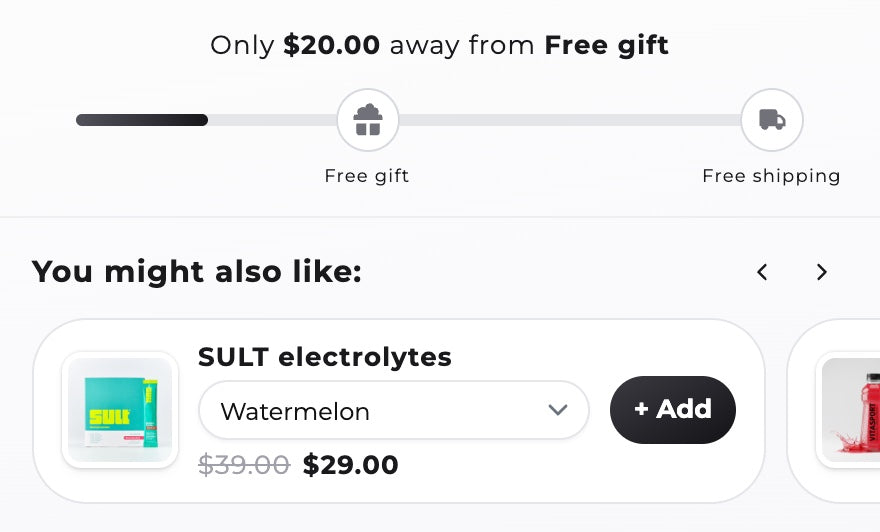
- Cart drawer. A reward bar can count down to a free gift by cart total. The Section Store cart drawer adds and removes that gift on its own. Compare options in our cart drawer apps guide.
How we compared
On October 13, 2026 we read each app's Shopify App Store listing, its pricing page and, where needed, its help docs. Ratings and review counts come from each listing. Prices are monthly billing in USD. The Shopify rules come from help.shopify.com on the same day. We didn't install each rival app. The order in our tables isn't a ranking. We make Section Store, and its facts come from our own product.
Sources: Shopify Buy X get Y, Shopify automatic discounts, Shopify discount combinations, Section Store, BOGOS: Free Gift Bundle Upsell and its pricing, Kaching Bundles App & Upsells and its pricing, FBP | Fast Bundle & Upsell App, its pricing and its Buy X Get Y guide, Vitals: Reviews, Bundles & 40+ and its BOGO page, Bundler » Product Bundles App, BOGO+ Free Gift & Buy X Get Y, and Loop's Kaching setup guide.
Frequently asked questions
How do I set up BOGO on Shopify?
Go to Discounts in your Shopify admin, click Create discount and pick Buy X get Y. Set Customer buys to 1 item, Customer gets to 1 item and the value to Free. Choose Automatic discount so no code is needed. Shoppers still add the free item to the cart themselves.
Why isn't the free item added to the cart with Shopify's Buy X get Y?
Shopify's Buy X get Y discount changes prices but never adds products. Shopify's help center says the free or discounted "get" item "is never automatically added to the cart." The shopper has to add it. A BOGO app, or a cart drawer with free gifts, adds it for them.
Is there a free BOGO app for Shopify?
Bundler's free plan includes Buy X get Y with no revenue or order cap. BOGO+ is free up to $500 of app revenue a month. BOGOS is free for 30 orders in total. Kite is free for the first 50 discount orders each month. Shopify's own Buy X get Y discount costs nothing.
What is the best BOGO app for Shopify?
BOGOS has the most BOGO-specific tools and 4,484 reviews at 5.0. Bundler is the best free option. Section Store Plus is the best flat price at $15 a month, with the free item added for the shopper and a cart drawer included. Kaching Bundles suits stores that already run its quantity breaks.
Can I do buy one get one 50% off on Shopify?
Shopify supports buy one get one 50% off. Create a Buy X get Y discount, set Customer gets to 1 item, choose Percentage under At a discounted value and enter 50. The shopper adds both items. In Section Store Plus, a 2-item quantity break at 25% off charges the same total.
What's the difference between BOGO and buy X get Y?
BOGO means buy one, get one. Buy X get Y is Shopify's name for the wider rule. X and Y can be any quantity or product, and Y can be free or discounted. Every BOGO is a Buy X get Y discount. Not every Buy X get Y deal is a BOGO.
How many BOGO offers can I run at once on Shopify?
Shopify allows 25 active automatic discounts per store, and app discounts count toward that total. Each live Section Store bundle uses one of the 25, and so do other apps' automatic discounts. Turn off old offers in Discounts to free a slot.
Does BOGO work with discount codes on Shopify?
A Buy X get Y discount works with a code only when both discounts allow the combination. On plans other than Shopify Plus, products in the deal can't take another product discount. When discounts can't combine, Shopify applies the best discount for the shopper's cart.
Should I offer buy one get one free or 50% off the second?
Offer 50% off the second item when margin matters. In our example, a $40 item with a $12 unit cost leaves $30 an order at 50% off the second and $10 at buy one get one free. Use free to clear stock or when the unit cost is low.
Prices and features checked on October 13, 2026. We update this page when they change.


