
Section Store Plus • Bundles
Make buying two the obvious choice.
Put quantity breaks, buy X get Y and mix and match right in your buy box. Shopify takes the discount off at checkout.
Try free for 14 days, then $15 a month. Cancel any time.
4.9★ from 3,000+ reviews
Every way to grow your order.
The deals shoppers already know, right on your product page.
Right above Add to cart
This bundle lives in a normal theme, right where shoppers decide.
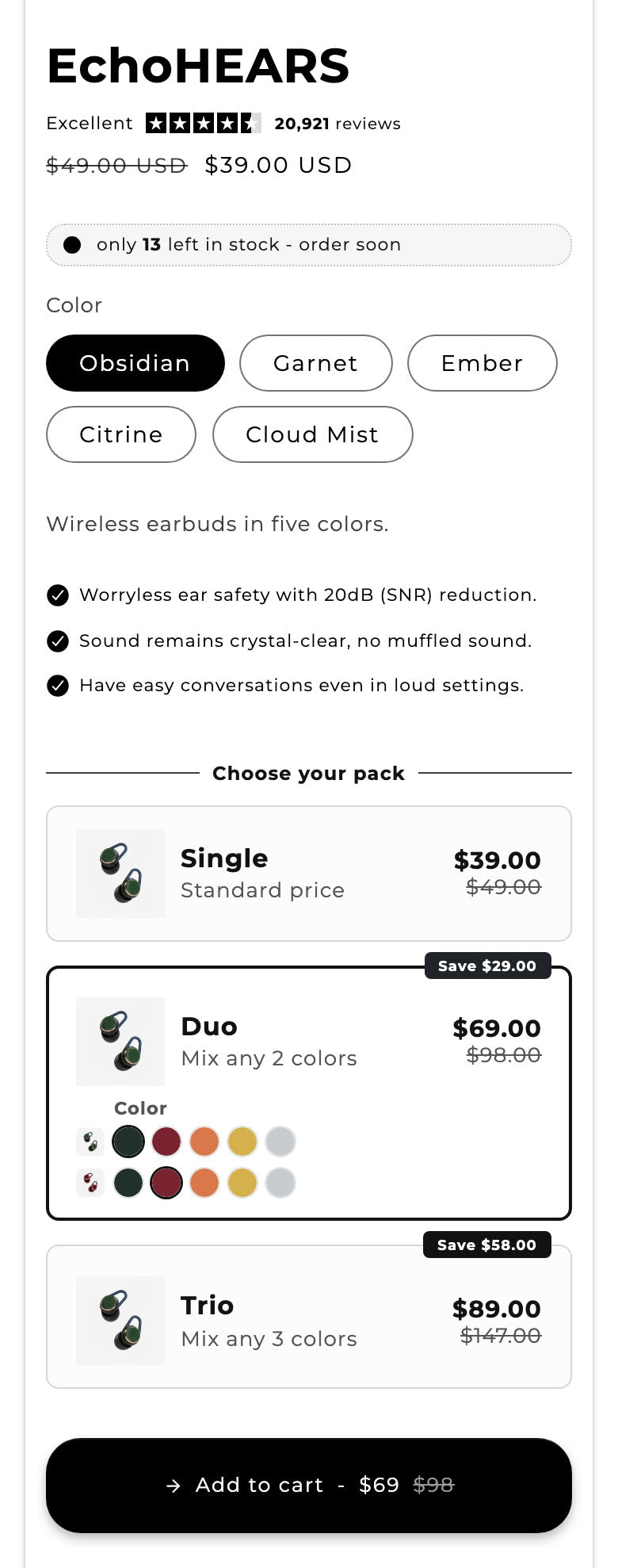
Quantity breaks
Buy 2 and save, buy 3 and save more.

Mix and match
Shoppers build their own set.

Buy X, get Y
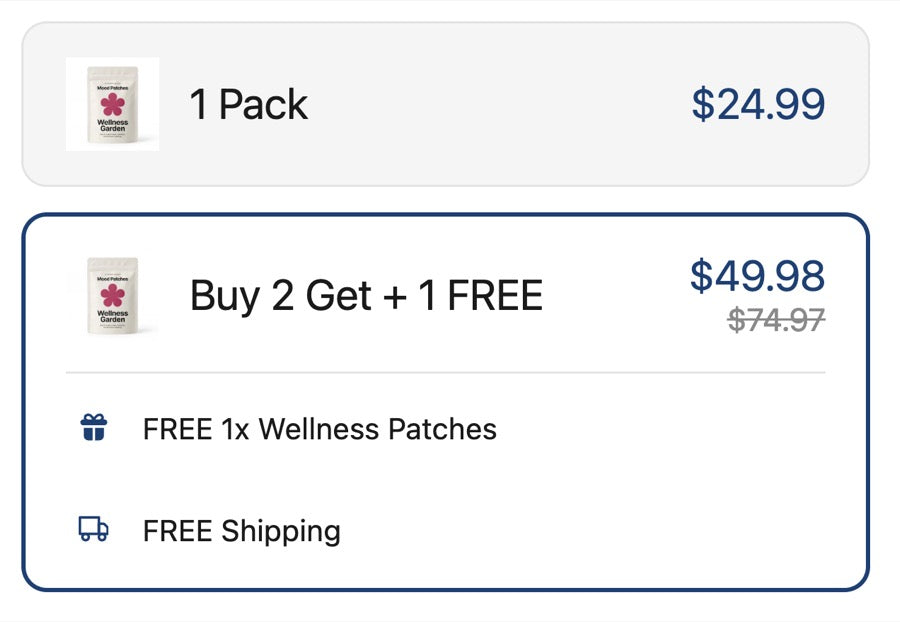
The free items go into the cart by themselves.

Free gifts
Everybody likes a free thing. Add one to any tier.
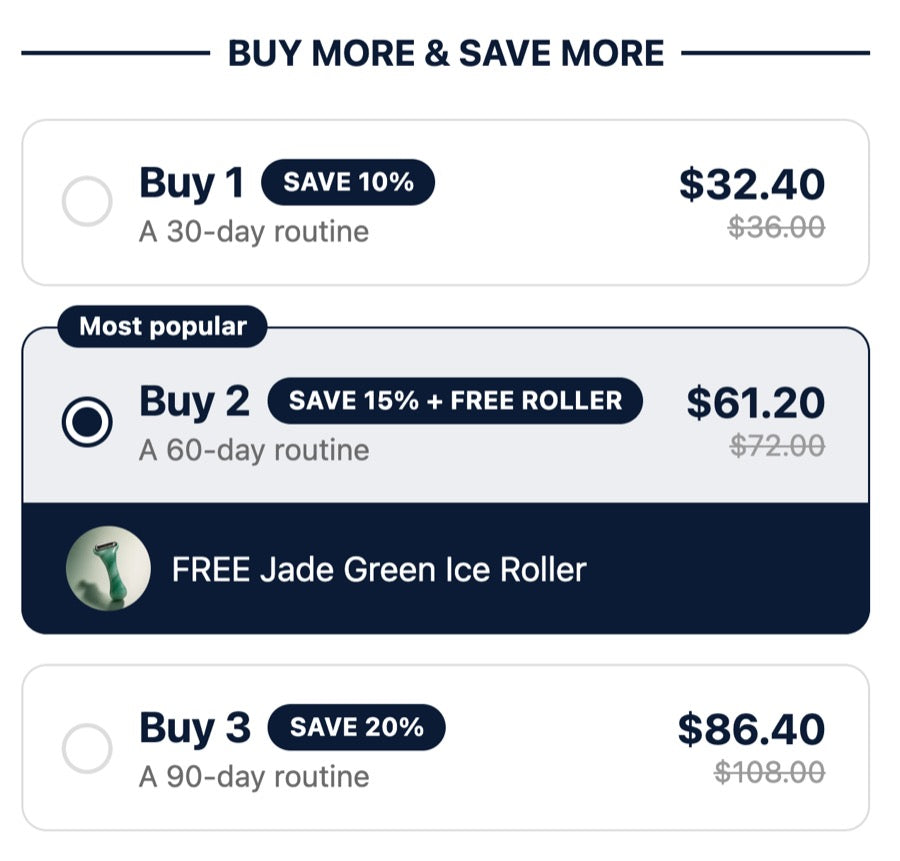

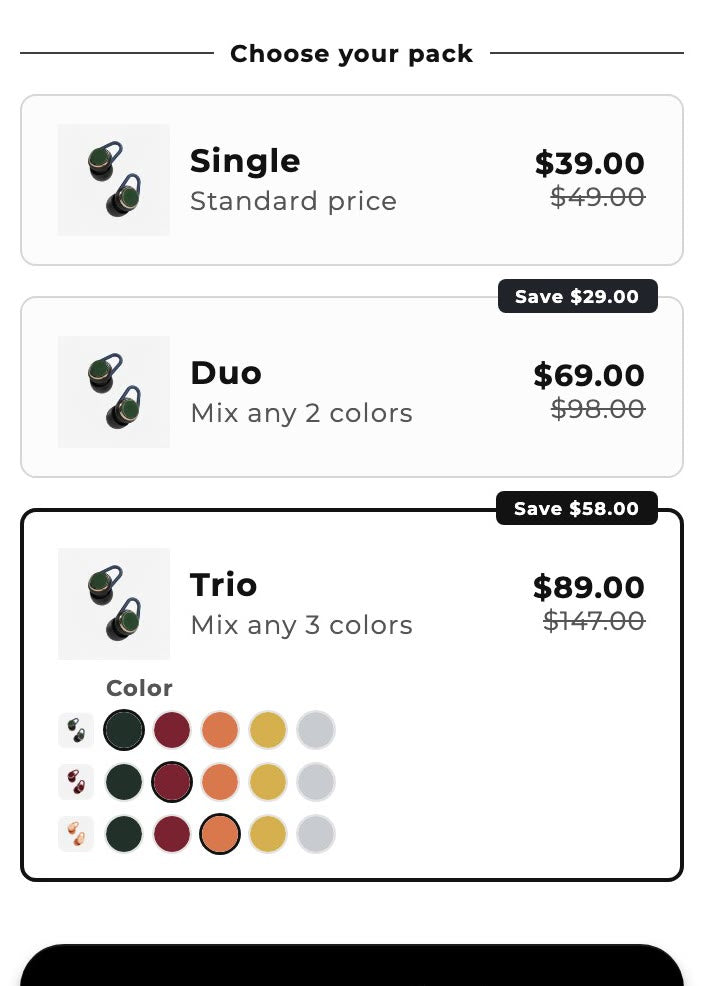
42 bundle templates from top stores.
Start from one, or borrow an idea. You change every word, price and color in the editor.

Build your bundles from Claude or ChatGPT.
Describe the deal you want, or send a screenshot. Your assistant builds it, and you approve every live change.
The settings you'd go looking for.
Deals for your storeWe line up deals from your best sellers.
Pack photosYour product photo, stacked for 2 and 3 packs.
Complete the bundleSell it with the things that go with it.
Add-on upsellsA tick box for extras, on any tier.
Subscribe and saveWorks with the subscription app you already use.
Variant pickersDropdowns or swatches for each item.
Badges and savingsShow the badge and what they save.
Discount combinationsYou decide which discounts stack.
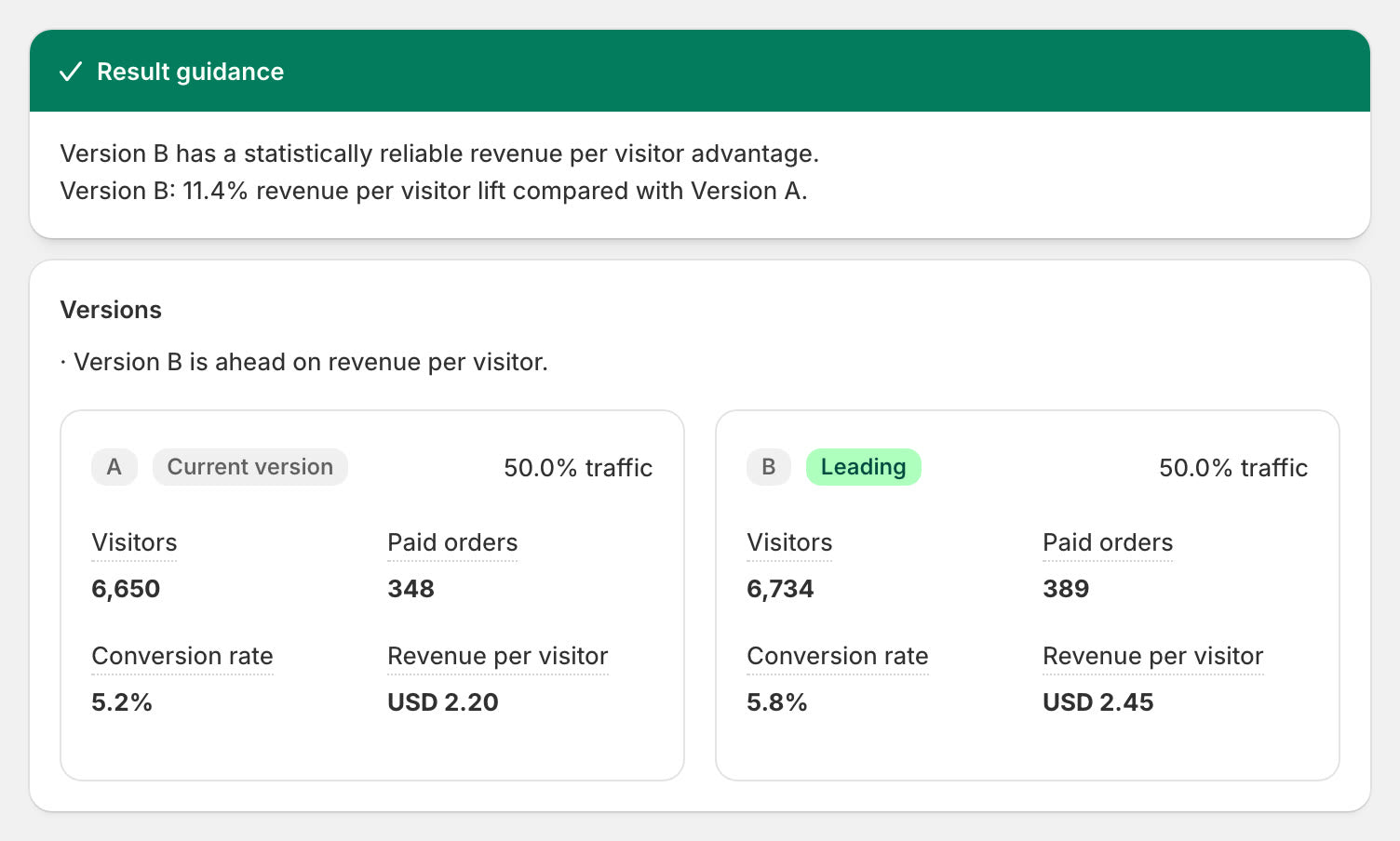
A/B testsRun up to four versions and keep what sells.
Create from a screenshotSend a deal you like. We rebuild it.
Rounded prices$29 instead of $28.73.
Markets and 31 languagesPrices and words follow the shopper.
Live in three steps.
1Install Section StoreIt's free on the Shopify App Store.Install free on Shopify
2Pick an offerStart from a template, a suggested deal or your own idea.
3Publish with PlusThe bundle shows up on the page, and Shopify takes care of the discount.
Real reviews from real stores.
“Now I can migrate all my bundles to this app.”
“…the section store approach to bundling is much better than other widgets out there, including shopify's native bundling app.”
“Love all the conversion blocks for my product pages. They were quick to help me with an issue with pricing on the bundle and quantity break section, and I've already seen an uptick in sales from it.”
Full feature list and FAQ
Section Store's bundles add quantity breaks, buy X get Y, mix and match, free gifts and add-on upsells to your Shopify product page. Shopify applies the discount at checkout through Section Store's discount function. Bundles come with Section Store Plus, $15 a month, flat.
What bundles can you build?
Each bundle sits on the product page, right above Add to cart. Pick the offer, then the look.
| Offer or feature | How it works |
|---|---|
| Quantity breaks | Buy 2 and save, buy 3 and save more. Each tier is full price, percent off, amount off or a fixed price. |
| Buy X, get Y (BOGO) | Shoppers buy a set number and get items free. The free items go into the cart by themselves. |
| Mix and match | Shoppers mix products to reach a quantity. Pull them from products you pick, a collection, all products or Shopify's recommendations. |
| Complete the bundle | Pairs the product with items you choose. |
| Free gifts | Add a free product to any tier. It goes into the cart at no charge. |
| Add-on upsells | Checkbox add-ons at full price, percent off, amount off or a fixed price. Show them on every tier or only on some. |
| Subscribe and save | Adds subscription choices on top of quantity breaks. It uses the selling plans from your subscription app. |
| Variant pickers | Dropdowns, swatches or swatch cards, so shoppers pick size and color per item. |
| Badges and savings | "Best Deal" or "Most Popular" badges, compare-at prices and the amount saved. |
| Countdown | Counts down to the bundle's real end date. With no end date, it stays hidden. |
| Look | New bundles start in your store's colors and language. Pick from 40+ templates and six color presets, or add custom CSS. |
| Markets | Amount-off and fixed prices convert to the shopper's currency. Bundle text ships in English and 30 more languages. |
| A/B tests | Test up to four versions of a bundle. Each version's discount applies at checkout. |
| Placement | The Bundles app embed places the bundle above Add to cart. An app block lets you place it yourself. |
How do you set up a bundle?
A bundle goes live in four steps.
- Install Section StoreInstall the app free from the Shopify App Store.
- Pick a starterChoose quantity breaks, buy X get Y, mix and match, complete the bundle, subscription or a template.
- Set products and tiersChoose the products, then the discount on each tier. Add gifts, badges and add-ons.
- Publish with PlusStart Plus and publish. The bundle shows on the product page, and Shopify applies the discount at checkout.
Frequently asked questions
How do I set up buy one get one free on Shopify?
Create a Buy X, get Y bundle. Set how many items the shopper buys and how many they get free. The free items go into the cart by themselves, and Shopify takes them off at checkout.
Does the bundle discount apply at checkout?
Yes. Each bundle creates one Shopify automatic discount that runs Section Store's discount function. It is set to combine with order, product and shipping discounts.
What if my store has too many automatic discounts?
Shopify caps how many automatic discounts a store can run at once. If you hit the cap, we save the bundle as a draft. We tell you to turn another discount off first.
Can shoppers pick sizes and colors in a bundle?
Yes. Each item gets its own variant picker: dropdowns, swatches or swatch cards.
Can I offer subscribe and save with quantity breaks?
Yes, when the product has selling plans from a subscription app. The bundle adds the subscription choice on top of the tiers. You choose how many renewals keep the bundle discount.
Can a bundle give free shipping?
Not as a discount. A bundle can say "free shipping" as text only. For real free shipping, use the reward bar in the cart drawer.
Do bundles work in other currencies and languages?
Yes. Amount-off and fixed prices convert to the shopper's currency. Bundle text ships in English and 30 more languages.
How much do bundles cost?
Bundles come with Section Store Plus, $15 a month, flat. There is no revenue share. You can build drafts on the free plan. Publishing needs Plus, and the first 14 days are free.