

PageFly alternatives (2026): 7 page builders compared, with AI
PageFly costs $24 to $299 a month on the App Store and deletes its pages if you uninstall. We compared 7 alternatives on price, AI and what happens to your pages when you leave. Prices checked October 2026.


Short answer
GemPages is the closest PageFly alternative: drag and drop, a free plan and unlimited published pages for $29 a month. Shogun keeps your pages as plain HTML if you leave, from $39. Section Store AI Pages is the lowest paid plan here that builds full pages with AI, at $15 a month inside your own theme.
- PageFly costs $24 to $299 a month on the App Store. Unlimited pages start at $99.
- PageFly deletes all its pages when you uninstall, and keeps no backups.
- GemPages publishes unlimited pages for $29 a month.
- Shogun pages stay as plain HTML after you uninstall. Its Build plan is $39 for 25 pages.
- Section Store AI Pages builds full pages in your theme for $15 a month, with 5 builds included.
GemPages is the closest PageFly alternative, with unlimited pages for $29 a month. Section Store AI Pages builds pages with AI inside your theme. Section Store is a Shopify app with theme sections, bundles, a cart drawer and AI Pages. Section Store Plus is its $15 monthly plan. We make it, so we say where others win.
PageFly is rated 4.9 from 5,905 App Store reviews, the most in this comparison. Its paid plans cost $24 to $299 a month on the App Store, and uninstalling it deletes its pages. We compared 7 alternatives on price, AI and exit terms. We checked every price on October 13, 2026.
What is the best PageFly alternative?
GemPages is the best PageFly alternative for most stores, with unlimited published pages for $29 a month. GemPages works the same way as PageFly, with drag and drop and a free plan. Shogun suits stores that want their pages to survive an uninstall. Section Store AI Pages is the lowest paid plan here that builds full pages with AI, at $15 a month inside your own theme.
Closest to PageFly
GemPages
Drag and drop with a free plan. Unlimited published pages from $29. Rated 4.9 from 4,267.
Safest exit
Shogun
Pages stay on your store as plain HTML if you uninstall. 25 pages for $39.
AI pages in your theme
Section Store AI Pages
AI writes the copy, makes images and builds native sections. $15 with bundles and a cart drawer.
AI drafts on a canvas
Instant
AI drafts the page and you finish it by hand. Pages stay live after you leave. From $39.
How much does PageFly cost in 2026?
PageFly costs $0 to $299 a month on the Shopify App Store, and its own pricing page lists more plans, up to $999. The price depends on how many pages or sections you publish. Each published page or section uses one slot.
The Free plan publishes one page, and unlimited pages start at $99.
| Plan | Price a month | Published pages or sections | AI credits a month | Adds |
|---|---|---|---|---|
| Free | $0 | 1 | 10 | Templates and analytics |
| Builder | $24 to $34 | 5 to 15 | 80 to 120 | $5 for each 5 extra slots |
| Optimize (pagefly.io only) | $39 to $94 | 20 to 75 | 140 to 360 | A/B tests, sales funnel, AI Translator |
| Accelerate | $99 | Unlimited | 400 | Heatmaps, cart drawer (beta) |
| Power (pagefly.io only) | $199 | Unlimited | 800 | More AI credits |
| Enterprise | $299 | Not listed | 1,600 | Priority support |
The App Store lists four plans: Free, Builder, Accelerate and Enterprise. PageFly's site adds Optimize and Power, and enterprise tiers at $499 and $999. Yearly billing on Accelerate and Power gives 12 months for the price of 10.
Example: a store with 10 published pages pays $29 a month on Builder. That is $24 for 5 slots plus $5 for 5 more. Adding A/B tests means Optimize at $39 or more.
What do PageFly reviews say?
PageFly reviews are mostly positive, with a 4.9 rating from 5,905 Shopify App Store reviews. 95% of its ratings are 5 stars. Shopify's review summary on the listing says merchants praise the layout control, separate mobile and desktop layouts, reusable sections and fast support.
Only 91 ratings are one or two stars. We read 50 of them in full and sorted the complaints. A review can fall into more than one group.
- Slow or unhelpful support on urgent problems: 22 reviews.
- A hard editor, crashes or server errors: 15.
- Live pages that differ from the editor or break after app updates: 14.
- Theme changes, leftover code or pages lost on uninstall: 8.
- Page slots and plan limits: 7.
Of the 50, 18 were posted in 2025 or 2026. Next to 5,905 reviews they are a small share. They still show where PageFly can hurt a store.
Why do merchants look for a PageFly alternative?
Merchants look for a PageFly alternative mainly over the cost per page, the uninstall terms and the time the editor takes.
- You pay per published page. Builder covers 5 pages or sections for $24. Unlimited pages cost $99.
- Testing costs more. A/B tests start on Optimize at $39 on PageFly's site. On the App Store list, the first plan with A/B tests is Accelerate at $99.
- Uninstalling deletes your pages. PageFly's help center says it removes all pages and published content and keeps no backups.
- Pages live in PageFly. You edit them in PageFly's editor, not in Shopify's theme editor.
- The editor takes time. A drag-and-drop canvas gives control, but someone still designs each section. 15 of the low reviews we read call the editor hard, slow or unstable.
How do the PageFly alternatives compare?
GemPages publishes the most pages for the money. Shogun, Instant and Replo keep pages after you leave. Section Store Plus has the lowest paid plan.
| Builder | Rating | First paid plan | AI | After you uninstall |
|---|---|---|---|---|
| PageFly | 4.9 (5,905) | $24 | Page from a description. Works in Sidekick and Claude | Deleted, no backup |
| Section Store AI Pages | 4.9 (2,976) | $15 | Full product, home and landing pages with copy and images, in your theme | Sections need Plus |
| Zipify Pages | 4.7 (421) | $19 | AI copy in the text editor | Stop working |
| EComposer | 4.9 (3,480) | $25 | Layouts, copy and images | Trash after 48 hours |
| GemPages | 4.9 (4,267) | $29 | Layout from an image or URL. MCP for AI agents | Can break |
| Instant | 4.9 (348) | $39 | AI first draft. Figma import | Stay live, no updates |
| Shogun | 4.8 (1,973) | $39 | No AI page builder listed | Stay as plain HTML |
| Replo | 4.7 (189) | $119 | Page from an ad, URL, screenshot or Figma | Stay live, no updates |
PageFly, GemPages and EComposer also have free plans that publish one page. The prices above are the first paid plan.
PageFly and Instant put their cart drawers on $99 plans. PageFly's cart drawer (beta) sits on its Accelerate plan, and Instant's on its Pro plan. Section Store Plus includes a cart drawer, bundles and quantity breaks next to AI Pages for $15 a month.
PageFly vs GemPages vs Shogun: which is better?
GemPages is better value for many pages, PageFly has more built-in tools, and Shogun has the safest exit. All three are drag-and-drop builders with their own editor.
| PageFly | GemPages | Shogun | |
|---|---|---|---|
| Rating | 4.9 (5,905) | 4.9 (4,267) | 4.8 (1,973) |
| Free plan | 1 page or section, 10 AI credits | 1 published page | Drafts only, no publishing |
| First paid plan | $24 for 5 pages or sections | $29 for unlimited pages | $39 for 25 pages |
| Unlimited pages | $99 | $29 | $199 |
| AI | Page from a description, in the app, Sidekick or Claude | Layout from an image or URL. MCP for AI agents | No AI page builder listed |
| A/B tests | From $39 on pagefly.io, $99 on the App Store | Offer tests in sales funnels | Separate Shogun A/B Testing app |
| After you uninstall | Pages deleted | Pages can break | Pages stay as plain HTML |
GemPages vs PageFly. GemPages publishes unlimited pages on its $29 Build plan. PageFly needs Accelerate at $99 for that. PageFly's AI builds a page from a description. GemPages' AI turns an image or URL into a layout.
PageFly vs Shogun. Shogun costs more: $39 for 25 pages and $199 for unlimited. Its A/B tests come in a separate app. Shogun wins on exit. Its help center says published pages stay on your store as plain HTML after you uninstall.
Pick GemPages for many pages on a budget. Pick PageFly for AI, heatmaps and A/B tests in one app. Pick Shogun if keeping your pages after you leave matters most.
What are the 7 best PageFly alternatives?
The 7 best PageFly alternatives are GemPages, Section Store AI Pages, Shogun, Instant, EComposer, Zipify Pages and Replo. Ratings and review counts come from each Shopify App Store listing on October 13, 2026. Prices are monthly billing. The order follows how close each builder is to PageFly. We make Section Store, listed second.
1. GemPages: closest to PageFly, unlimited pages for $29
$0–199/moGemPages is a drag-and-drop builder like PageFly, with a free plan that publishes 1 page. Per its App Store listing, Build is $29 for unlimited published pages and 300 AI image-to-layout sections. Optimize is $59 and adds sales funnels with post-purchase upsells. Enterprise is $199. GemPages MCP lets an AI agent draft content and HTML, then turns it into an editable page. Per its help center, uninstalling can remove files some pages need, and reinstalling restores them. For GemPages' own rivals, see our GemPages alternatives.
- Unlimited published pages at $29
- Free plan to start
- Sales funnels and post-purchase upsells
- Pages can break if you uninstall
- Image-to-layout capped at 300 sections on Build
2. Section Store AI Pages: full pages built in your theme for $15
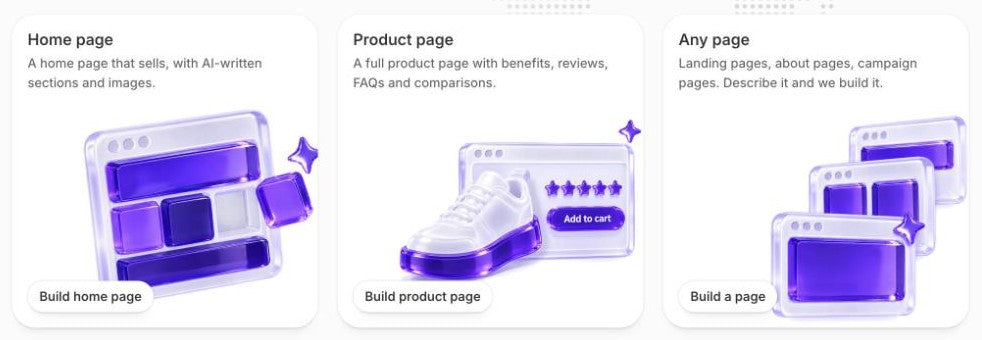
$15/moAI Pages builds a product page from your product, a home page from your store, and a landing, about or campaign page from a short description. It writes the copy, makes the images and places native sections in your current theme. You edit the result in Shopify's theme editor. Nothing goes live until you assign the template. A build takes about four minutes.
Section Store Plus costs $15 a month and includes 5 page builds in total, not per month. More cost $1 each, down to $0.75 at 100. The same plan includes bundles, quantity breaks and a cart drawer, which help you raise average order value on the pages you build.
- Full pages built for you in about four minutes
- Native sections, edited in the theme editor
- Bundles and a cart drawer in the same $15 plan
- 5 builds included, then about $1 each
- Less pixel control than a drag-and-drop canvas
- Sections stop showing if you cancel Plus
- Needs an Online Store 2.0 theme. No collection page builder
3. Shogun: pages stay after you leave
$0–499/moShogun's free Draft Mode builds pages but can't publish them. Per its App Store listing, Build is $39 for 25 published pages, Grow $199 for unlimited and Advanced $499. A/B testing is a separate Shogun app. Per its help center, published pages stay on your store as plain HTML after you uninstall.
4. Instant: AI drafts, finished by hand
$39–249/moInstant's AI builds a first draft that you finish on a drag-and-drop canvas, and it imports Figma designs. Per its App Store listing, Starter is $39 for unlimited landing pages, 3 product or collection templates and 1,000 AI credits. Pro is $99 and adds A/B tests and a cart drawer. Per its docs, published layouts stay live after you uninstall, but Instant can't update them. The App Store lists its free plan for development stores only. Instant's own site lists a free plan with 1 published page.
5. EComposer: AI credits on every plan
$0–129/moEComposer's AI builds layouts and writes copy and images. Per its App Store listing, the free plan has 1 live page and 50 AI credits. Standard is $25 for 15 pages, Pro $49 for 50 pages with A/B tests, and Premium $129 for unlimited. Per its help center, pages keep working for 48 hours after you uninstall. After that they move to the app's trash and may break.
6. Zipify Pages: split tests from $19
$19–99/moPer its App Store listing, Zipify Pages Starter is $19 for 5 landing pages, 1 product page and a custom home page, with split tests. Basic is $39 and Advanced $99 for unlimited pages. Its AI copy tool writes and rewrites text in the editor. Per its help center, pages stop displaying properly if you cancel, and a reinstall within 90 days restores them.
7. Replo: for design teams
$119–599/moReplo builds pages from an ad, a URL, a screenshot or a Figma file, from $119 a month. Our Replo alternatives guide covers it in full.
For Shopify's own free AI tools, see Shopify AI store builders. For more drag-and-drop options, see Shopify page builders compared.
What happens to your pages if you uninstall PageFly?
PageFly deletes all of its pages and published content when you uninstall it. Its help center says the deletion can't be undone, even if you reinstall, and PageFly keeps no backups.
PageFly suggests exporting your pages first, or moving to the Free plan instead. Other builders handle the exit differently.
PageFlyAll pages and published content go when you uninstall.
GemPages, EComposer, Zipify PagesGemPages pages can break. EComposer pages go to the trash after 48 hours. Zipify pages stop displaying properly.
Section Store AI PagesAI Pages sections stop showing when Plus ends. Your theme and products stay.
Shogun, Instant, ReploShogun keeps pages as plain HTML. Instant and Replo keep pages live but can't update them.
Move your pages before you uninstall PageFly:
- List your live PageFly pages and which ones still get traffic.
- Rebuild the pages that matter in the new tool while PageFly still runs. Start with your best-selling product page.
- Keep the same URLs so links and ads keep working. If a URL must change, add a URL redirect. Shopify redirects only from URLs that no longer load a page.
- Assign the new templates in your Shopify admin, from the Theme template menu on each product or page. Check each page on mobile.
- Uninstall PageFly, then search your theme code for leftover PageFly files.
When should you stay with PageFly?
Stay with PageFly if you design many pages by hand and want AI, heatmaps and A/B tests in one app. Drag and drop gives you more pixel control than AI Pages, and PageFly builds collection and blog pages too. Its 5,905 reviews are the most of any builder here.
Which PageFly alternative should you pick?
Pick GemPages for unlimited pages on a budget. Pick Shogun if your pages must survive an uninstall. Pick Instant for AI drafts you finish on a canvas. Pick EComposer or Zipify Pages for a low entry price. Pick Section Store AI Pages if you want AI to build full pages in your own theme for $15 a month. Bundles and a cart drawer come in the same plan.
How we compared these builders
On October 13, 2026 we read each builder's Shopify App Store listing, its pricing page and its help center article on uninstalling. Prices are monthly billing in USD. We read 50 of PageFly's one- and two-star reviews in full and sorted the complaints by hand. We didn't install each rival. We built the Section Store facts from our own product. The list order follows how close each builder is to PageFly. It is not a score. Sources: PageFly AI Page Builder, GemPages Landing Page Builder, Shogun Landing Page Builder, Instant AI Page Builder, EComposer Landing Page Builder, Zipify Landing Page Builder, Replo Landing Page Builder and Section Store: Theme Sections.
Frequently asked questions
Is PageFly free?
Yes. PageFly has a free plan with no time limit. It publishes 1 page or section and includes 10 AI credits a month. More pages need Builder, from $24 a month for 5 pages or sections. Unlimited pages start at $99 a month on Accelerate.
How much does PageFly cost per month?
PageFly costs $24, $99 or $299 a month on the Shopify App Store, plus a free plan. Its own pricing page adds Optimize from $39 and Power at $199. Builder and Optimize rise $5 for each 5 extra published pages. Yearly billing on Accelerate and Power gives 12 months for the price of 10.
What is PageFly used for?
PageFly is a Shopify page builder app. Merchants use it to design home, product, collection, landing and blog pages with drag and drop, 320+ templates and an AI page builder. Higher plans add A/B tests, heatmaps and a cart drawer, which is in beta.
Is PageFly good?
PageFly is a strong builder for stores that design pages by hand. The App Store rates it 4.9 from 5,905 reviews, and 95% are 5 stars. The one- and two-star reviews we read mostly cite slow support, editor crashes and live pages that drift from the editor.
Which is better, GemPages or PageFly?
GemPages is better value if you publish many pages. Unlimited pages cost $29 a month on GemPages and $99 on PageFly. PageFly is better if you want an AI page builder, heatmaps and A/B tests in one app. Both have free plans that publish one page, and both are rated 4.9.
Is Shogun better than PageFly?
Shogun is better if you might leave, because its pages stay on your store as plain HTML after you uninstall. PageFly is cheaper to start, at $24 against $39. Its unlimited plan costs $99 against Shogun's $199. Shogun sells A/B testing as a separate app.
What happens to PageFly pages if I uninstall the app?
PageFly deletes all its pages and published content from your theme. Its help center says the deletion is permanent, even if you reinstall, and it keeps no backups. Rebuild your important pages in another tool before you uninstall, and keep the same URLs.
What is the cheapest PageFly alternative with AI?
Several builders include some AI for free. PageFly's free plan has 10 AI credits a month and EComposer's has 50. The lowest paid plan here is Section Store Plus at $15 a month. It builds full product, home and landing pages, with 5 builds included.
Can AI build a Shopify landing page inside my own theme?
Yes. Section Store AI Pages builds a landing page from a short description as native sections in your current theme. The page stays hidden until you publish it, and you edit it in Shopify's theme editor. Instant also publishes pages to your theme, but you edit them in Instant.
Will I lose my page URLs if I switch page builders?
Switching page builders won't cost you your URLs if you plan the move. Rebuild each page in the new tool and give it the same URL before you remove the old builder. If a URL must change, add a URL redirect in Shopify. Shopify redirects only from URLs that no longer load a page.
Prices and features checked on October 13, 2026. We update this page when they change.


