
How to build a landing page on Shopify.
Shopify builds a landing page from a page template: you create one in the theme editor, add sections and assign it to a page. AI Pages builds the page for you from a description, in your theme's own sections, and you edit it in the theme editor.
Try free for 14 days, then $15 a month. You can cancel any time.
4.9★ from 3,000+ reviews · Built for Shopify
Watch a page get built
Our own tutorial, which builds a product page with AI Pages.
Build a Shopify Store Using AI: 4 Minute Product Page Tutorial 🚀Watch on YouTube
A template per page in every Shopify theme
Every Shopify theme can do it, and it costs nothing. You do the writing, the photos and the layout yourself, which is the slow part.
1Create a templateIn the theme editor, pick a template type and click Create template. Base it on one you have.
2Add your sectionsAdd, remove or hide sections. Pages on the old template stay as they are.
3Assign it to a pageIn Online Store, then Pages, pick the template under Theme template.
Checked 24 November 2026 against Shopify's help center: Templates.
Where Shopify stops and what we add
Shopify and DawnOn their own
Any themeWith Section Store
Words and photos
–You write them and shoot them.
✓AI writes the copy and makes the images.
Layout
✓Your theme's sections, placed by you.
✓Built from sections in your own theme.
Editing
✓In the theme editor.
✓In the theme editor. No new editor.
Going live
✓Assign the template to a page.
✓A new page stays hidden until you publish it.
Limits
✓1,000 templates a theme, 25 sections each.
✓Extra builds are $1 each, in packs.
Six parts of a landing page that sells
AI Pages builds the page, and the rest of Plus works on the part where a shopper buys. We'd get the brief right before the offer, because a discount won't save a page that says the wrong thing.
1
Describe it
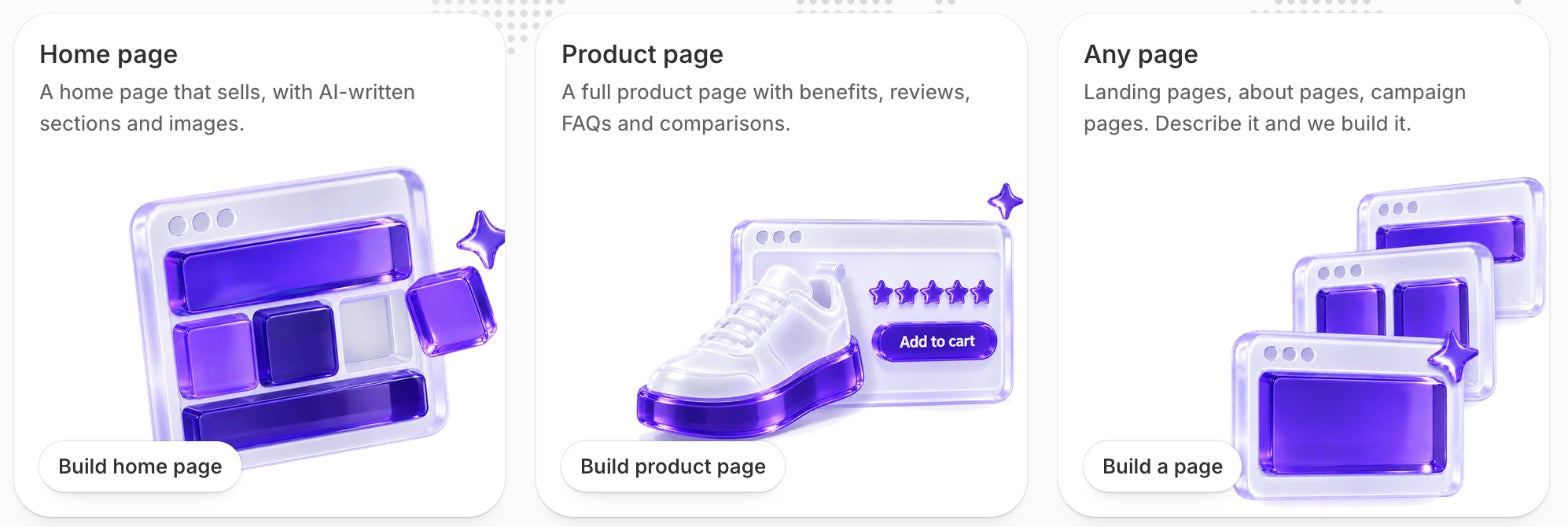
Pick a product page, your home page or any page, such as a landing page, an about page or a campaign. Then say what it is for and who it is for.
- Product page
- Home page
- Any page
2
Words and photos, made for it
We write the copy in your store's language, and the AI images start from your own product photo. Those images are made scenes. We'd still keep one real photo of the product on the page.
- AI copy
- AI images
- Your colors
3
Edit in the theme editor
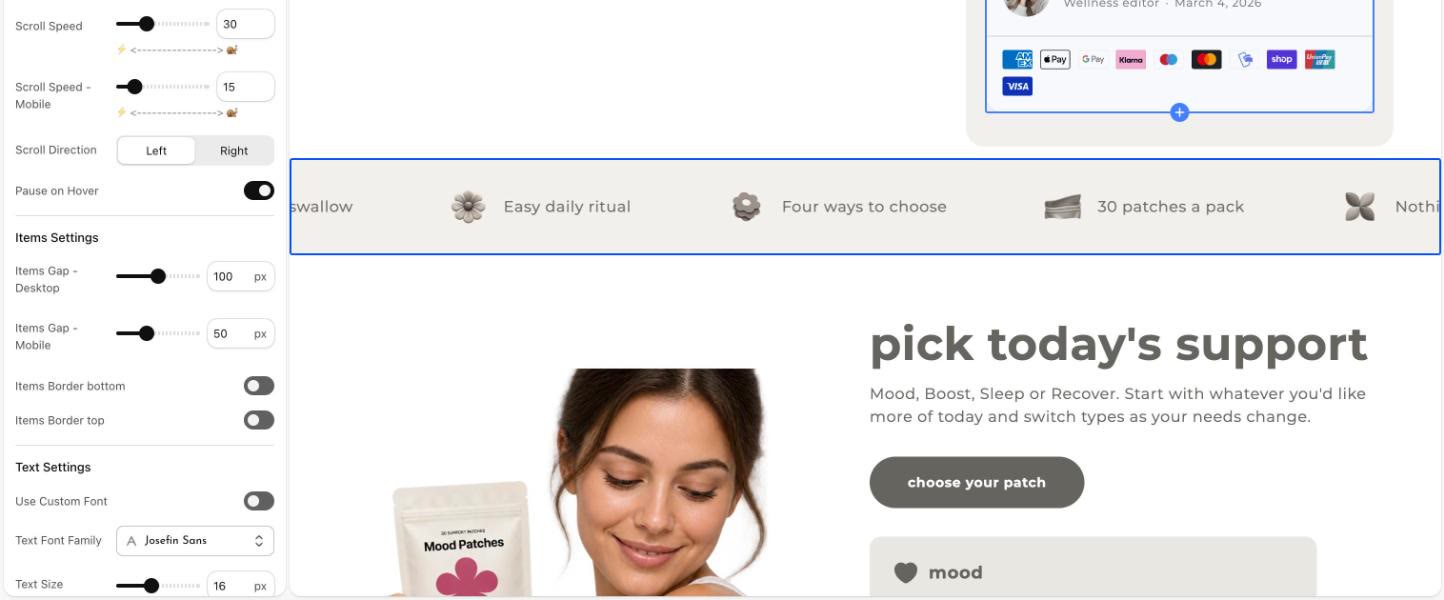
The page is built from sections in your theme. You change any of them in the theme editor like your own. Nothing is locked.
- Theme editor
- Nothing locked

4
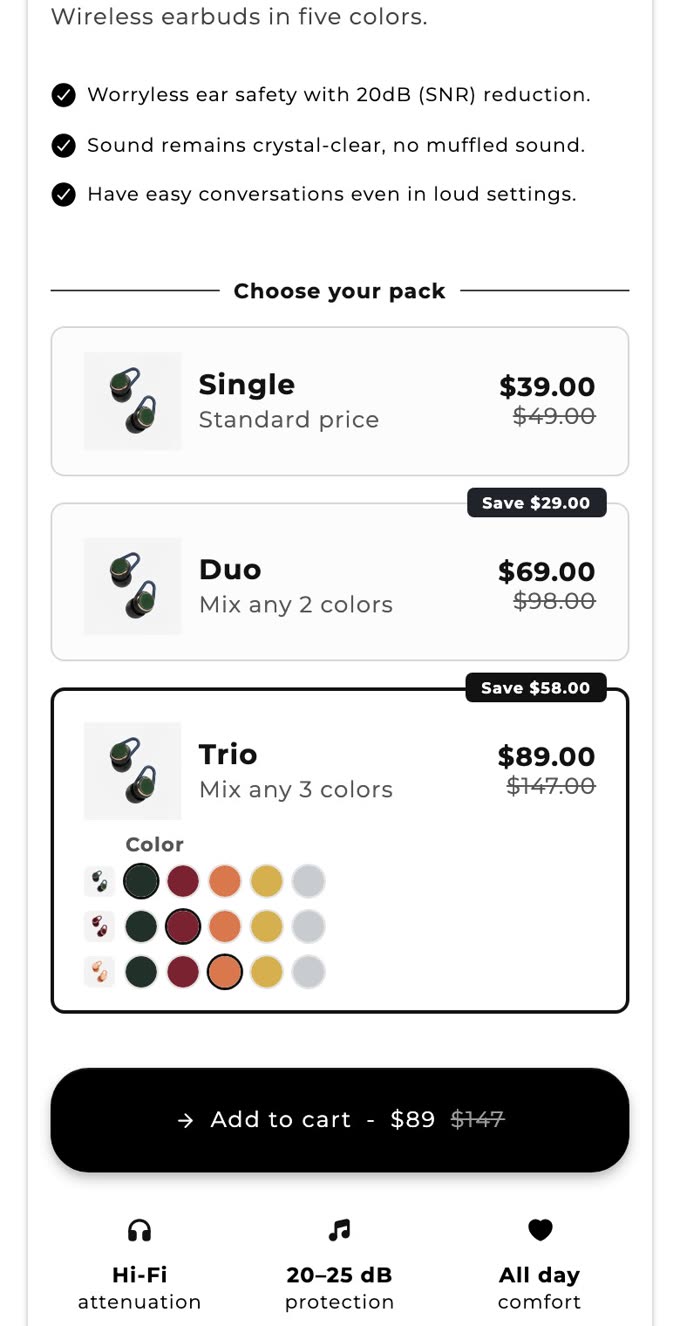
An offer above Add to cart
If the landing page sells one product, a ladder above Add to cart sells the second item as well.
- Quantity breaks
- Free gifts
- Mix and match
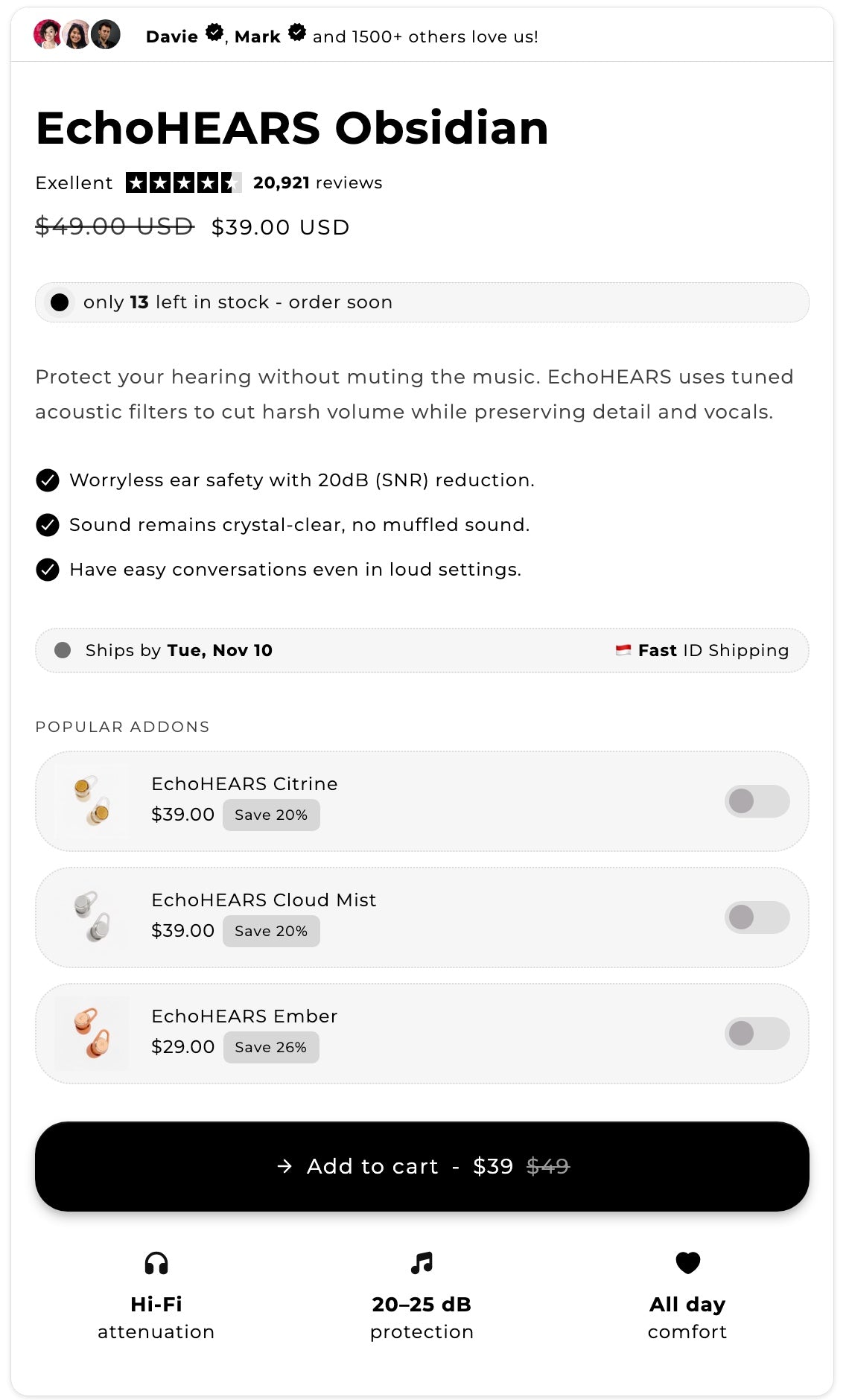
5
Proof by the button
Reviews, a delivery date and benefits go next to the price.
- Social proof
- Shipping info
- Benefits list
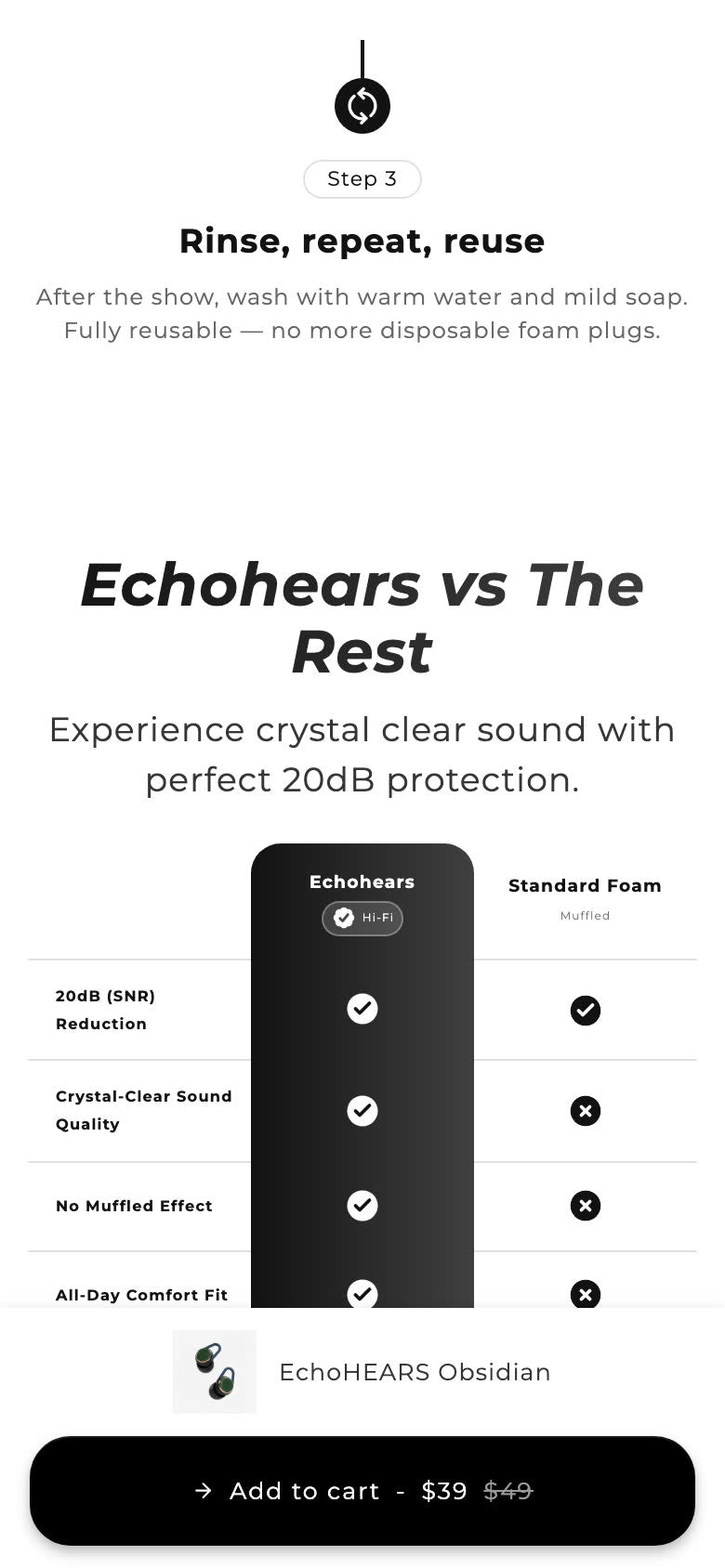
6
A buy bar that follows
Pages from AI Pages carry their own sticky bar, which appears once the buy button scrolls away. You don't need a separate app for it.
- Sticky bar
- Product pages
Three pages AI Pages built on our demo store
We built each one from a product and a short brief. Open AI Pages if you want to see them live.
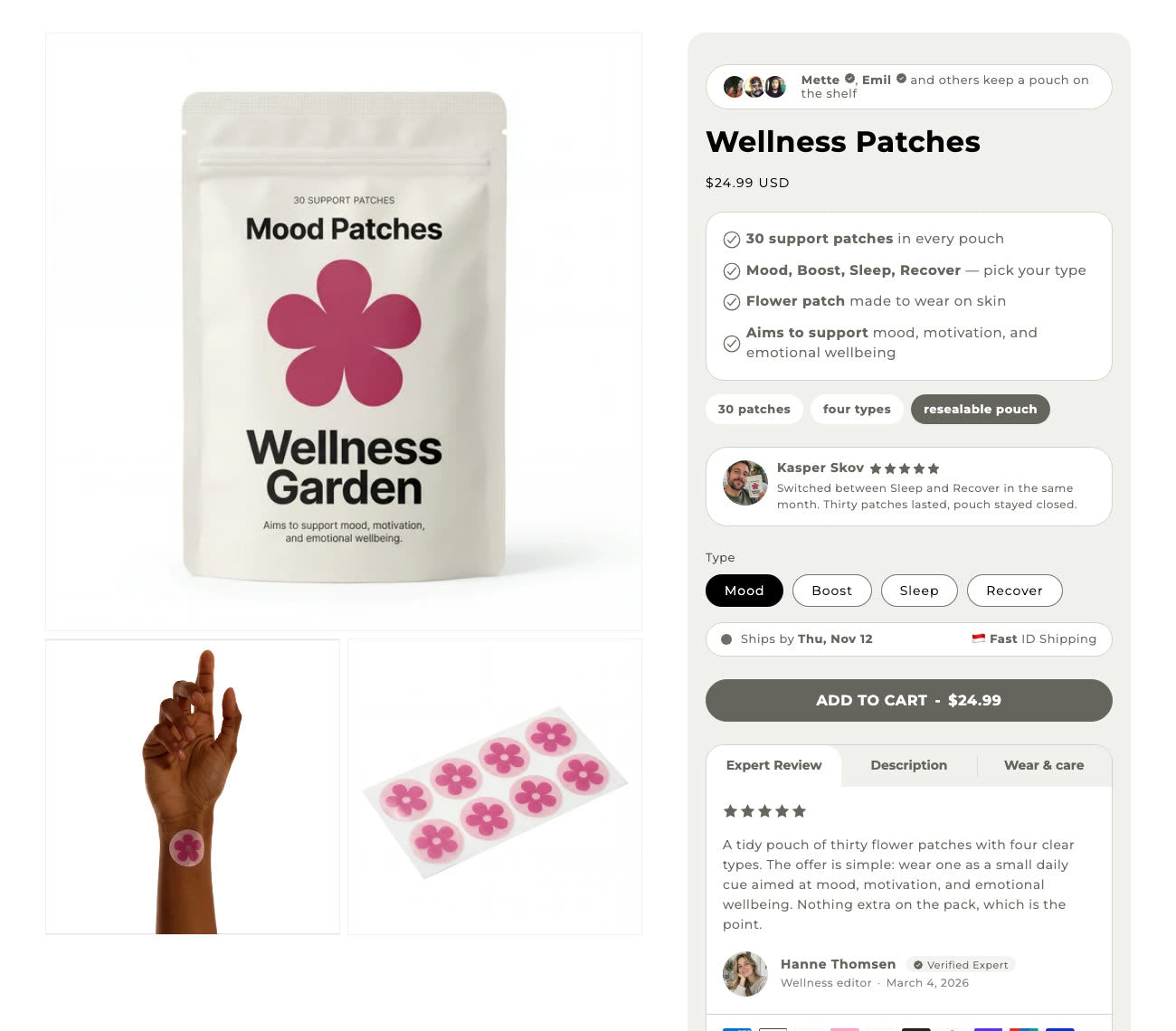
 Wellness PatchesA product page, from one product photo.
 A clothing storeA home page, with AI-written sections and images.
 Teeth Whitening KitA product page on the same demo store.
AI Pages and Shopify's limits
$1For each extra build, in packs.
$15A month for Plus, with AI Pages in it.
1,000Templates a Shopify theme can hold.
25Sections a template can hold.
The build price is from section.store/pages/ai-pages. The template and section caps are Shopify's, from its help center. We read both on 24 November 2026.
Everything else in Plus for $15 a month, flat
You get bundles, the cart drawer, AI Pages, conversion blocks, A/B tests and sections on one plan. The price stays at $15 however much you sell.
Bundles
Quantity breaks, mix and match, free gifts and add-ons, already live in 2,000+ stores.
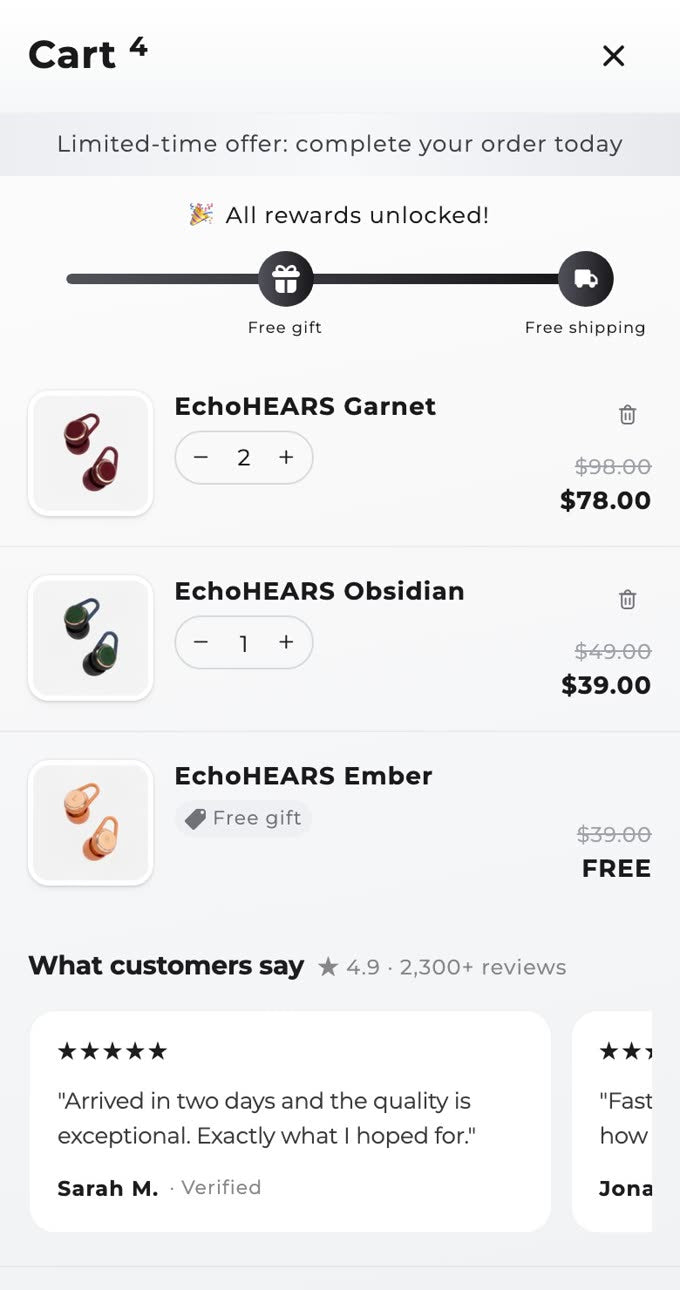
Cart drawer
Your cart gets a reward bar, free gifts, upsells and express checkout. It's live in about 3,000 stores.
AI Pages
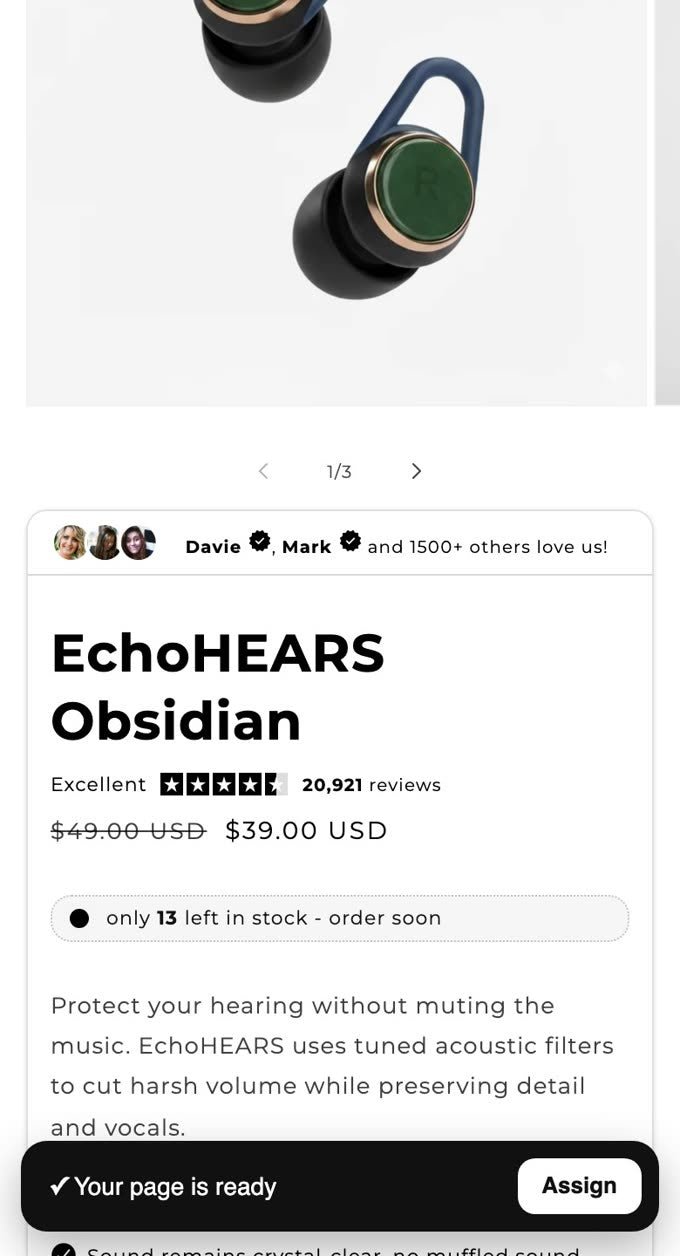
You describe a page, and AI writes it, makes the photos and builds it in your theme.
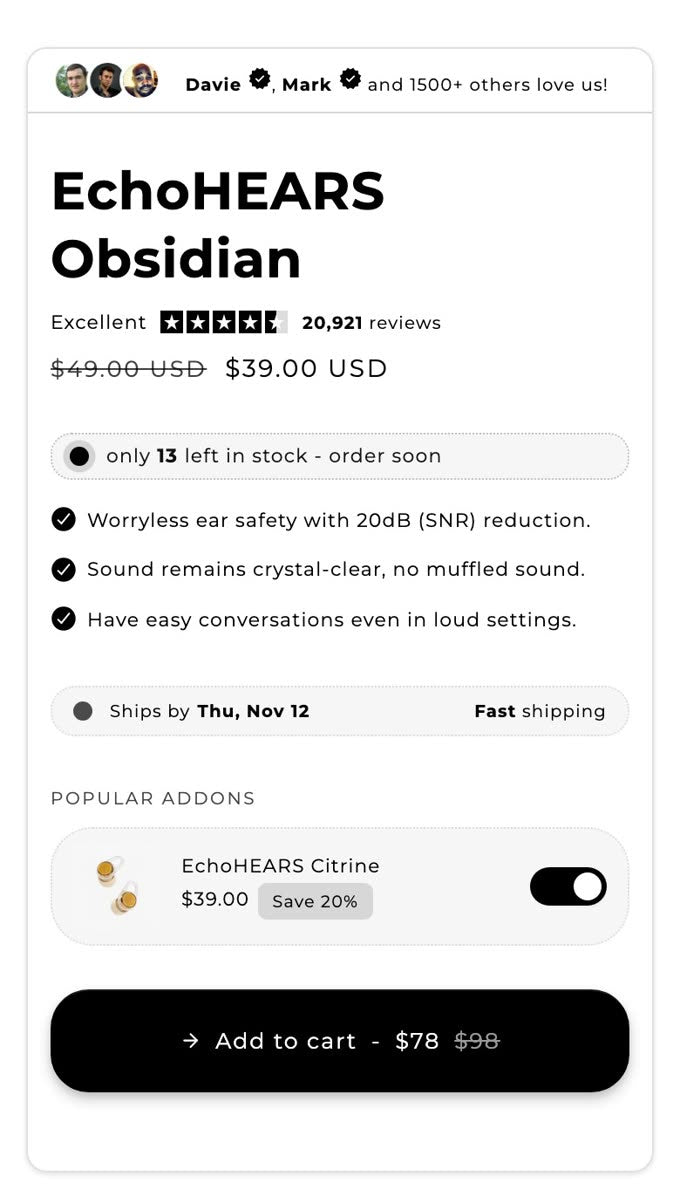
Conversion blocks
Proof, reviews, stock and shipping dates go right next to your Add to cart button.
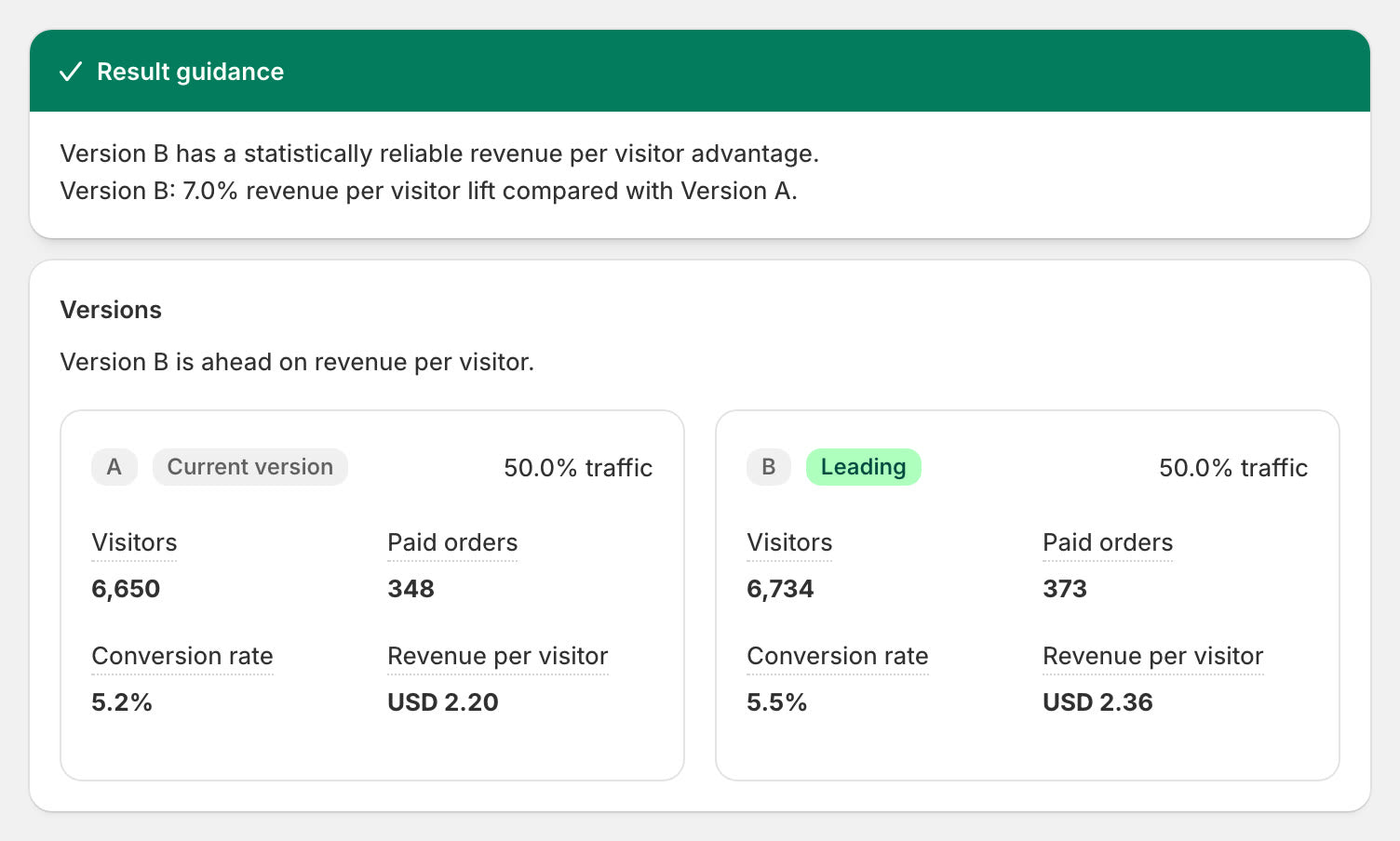
A/B tests
Run up to four versions of a bundle or a cart, and we call the winner on revenue per visitor.
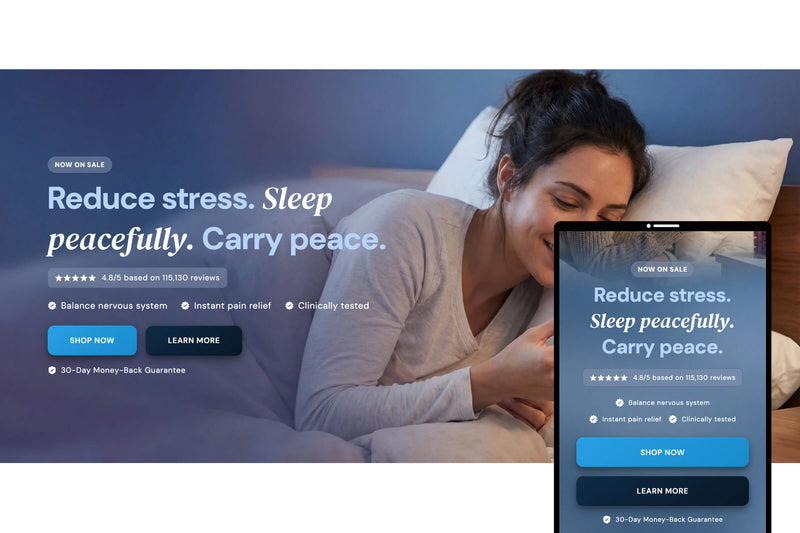
Sections
They drop into the theme you already have. Most cost $0 to $9, and they're yours to keep.
How to get it live
1Install Section StoreIt's free on the Shopify App Store. You need no code, and your theme files stay as they are.Install free on Shopify
2Describe the pagePick Any page, Product page or Home page. Add a focus such as tone or audience.
3Preview, then publishCheck every section in the theme editor. Nothing goes live until you say so.
Questions stores ask
How do I make a landing page on Shopify?
Create a page template in the theme editor, add sections, then assign the template to a page in Online Store, then Pages. If you'd rather skip the writing and the layout, AI Pages builds the page from a description.
Can AI Pages build a landing page?
Yes. Use “Any page” and describe it, and it builds landing, about and campaign pages. It does not build checkout, cart or payment pages.
Does AI Pages replace my theme?
No. It adds sections to your theme's JSON templates. You edit them in the theme editor like any other section.
Will it change my live store without asking?
No. A new page stays hidden until you publish it, and a product page goes live only when you assign it. Your home page stays live until you switch it.
How many pages can I build?
Plus comes with builds to start you off. Extra builds are $1 each, in packs of 5 to 100, and credits never expire. If a build fails, you get its credit back.
What does it cost?
AI Pages comes with Section Store Plus, $15 a month, flat. The cart drawer, bundles, conversion blocks and A/B tests are on the same plan, and the first 14 days are free.
Where to read next
AI PagesDescribe it. We build it in your theme.
All sectionsThe whole catalog, free sections included.
BundlesAn offer above Add to cart.
Conversion blocksProof and shipping dates next to the button.
More answers for Shopify stores
Average order valueHow to raise average order value on Shopify
Conversion rateHow to raise your Shopify conversion rate
Cart abandonmentHow to cut cart abandonment on Shopify
A/B testingA/B testing on Shopify
Free gift with purchaseHow to add a free gift with purchase on Shopify
Black FridayBlack Friday on Shopify: what to set up
UpsellHow to upsell on Shopify
PlusEverything here, $15 a month.
Describe the page and we build it
Section Store is free to install, and you get 14 days of Plus free before it costs $15 a month.