
How to raise your Shopify conversion rate.
Shopify counts conversion as sessions that complete checkout, divided by all sessions. You raise it where shoppers decide, with proof by the button, a clear offer and a cart that opens on add. Section Store adds all three. 79% of 1,275 live offers we studied show the old price.
Try free for 14 days, then $15 a month. You can cancel any time.
4.9★ from 3,000+ reviews · Built for Shopify
Watch a product page get its blocks
Our own full tutorial on conversion blocks, if you want to see them on a page first.
Optimise Shopify Product Page With CONVERSION BLOCKS | Full TutorialWatch on YouTube
Shopify measures the rate and tests theme changes
Shopify gives you the rate and a way to test theme changes. What goes next to the buy button is left to you and your theme, and that is the part we work on.
1Read the rateOnline store conversion is sessions that completed checkout, divided by sessions.
2Compare like with likeShopify changed how it counts sessions on 21 to 23 September 2026. Bot sessions are filtered out, so rates either side differ.
3Test a theme changeRollouts run an Experiment: a control and a treatment, 50/50 by default. On the Grow plan and up.
Checked 24 November 2026 against Shopify's help center: Analytics fields, Session measurement update, Rollouts, Rollout types, Buy X get Y discounts. Dawn's sections: Dawn 16.2.0 on GitHub.
Where Shopify stops and what we add
Shopify and DawnOn their own
Any themeWith Section Store
Your rate
✓Sessions that completed checkout over sessions.
✓Per version: conversion rate, order value and revenue per visitor.
An offer on the product page
–Dawn shows one price and a quantity box.
✓Bundles above Add to cart, with the old price struck through.
A free gift
–Buy X get Y: the shopper adds the free item themselves.
✓Added to the cart for the shopper.
A/B tests
✓Experiments test theme changes, on Grow and up.
✓Up to four versions of a bundle or a cart.
How a winner is read
✓Conversion rate, add to cart, reached checkout and bounce.
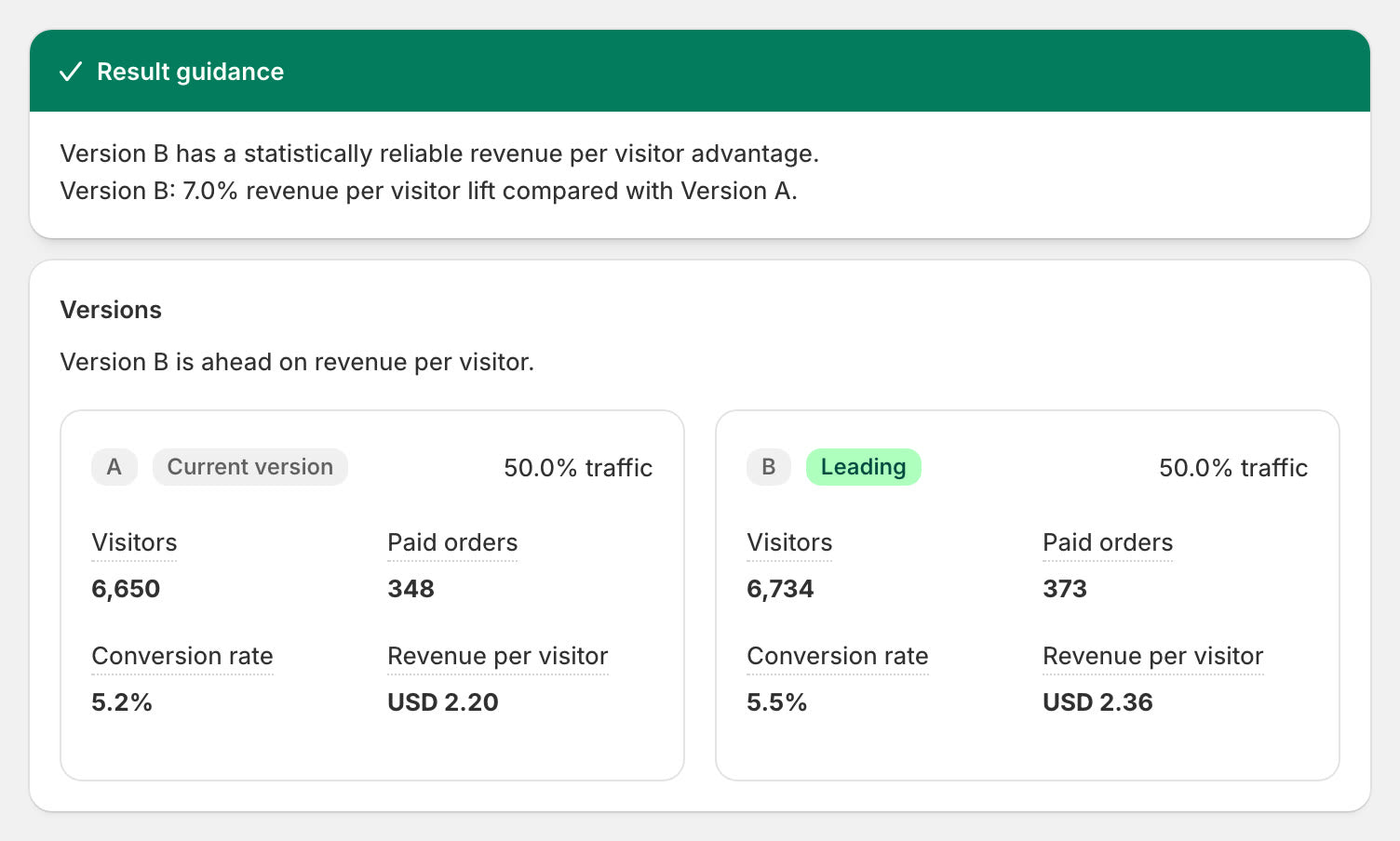
✓Revenue per visitor, after 7 days, 500 visitors and 20 paid orders a version.
Six fixes that sit next to Add to cart
Each one is a block or a setting, and none needs code. You could try one this afternoon. We'd start with proof and a delivery date, because they answer who else bought it and when it will arrive.

1
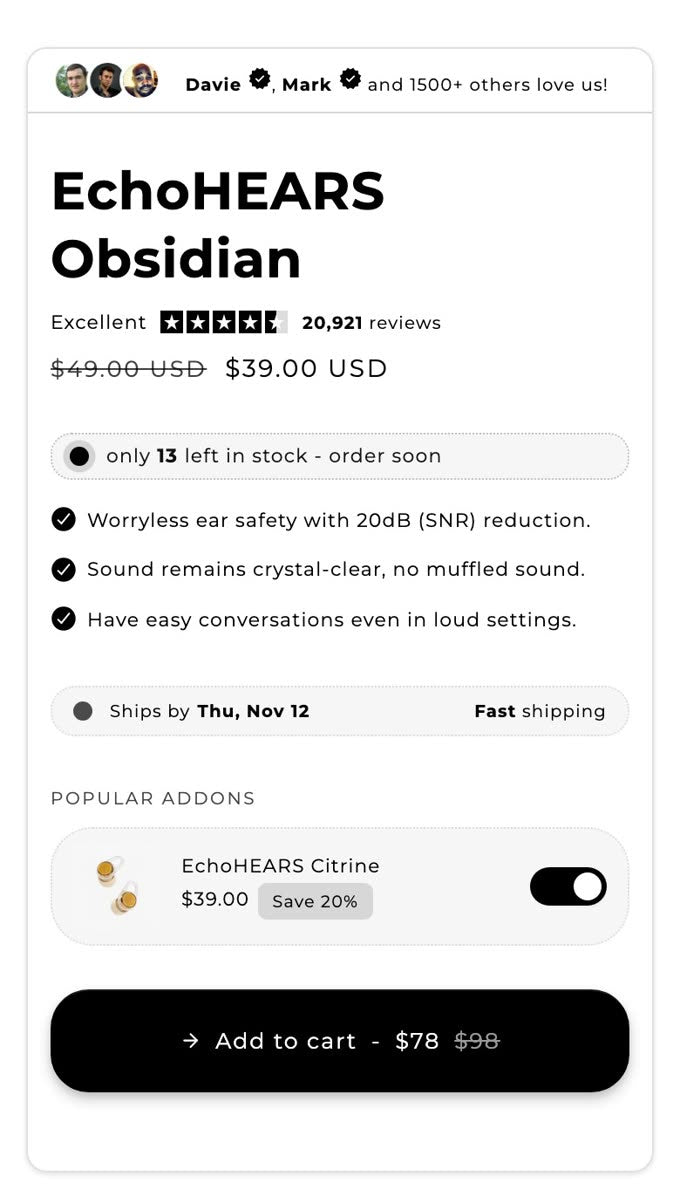
Proof next to the button
Other shoppers' faces and words sit right where the price is. Nobody has to scroll to a review tab to find them.
- Social proof
- Comments
- Badges

2
A delivery date under the button
Say when it ships, with the date right under the button. A date answers the question that a vague “fast shipping” leaves open.
- Shipping info
- Pulse badge
3
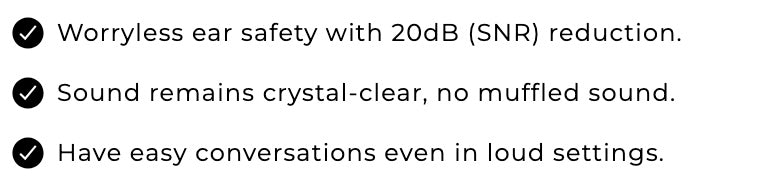
Answer “why this one?”
Three short reasons with ticks, placed before the shopper scrolls away. Keep them to what your product does that the one in the next tab doesn't.
- Benefits list
- Benefit boxes
- Tabs
4
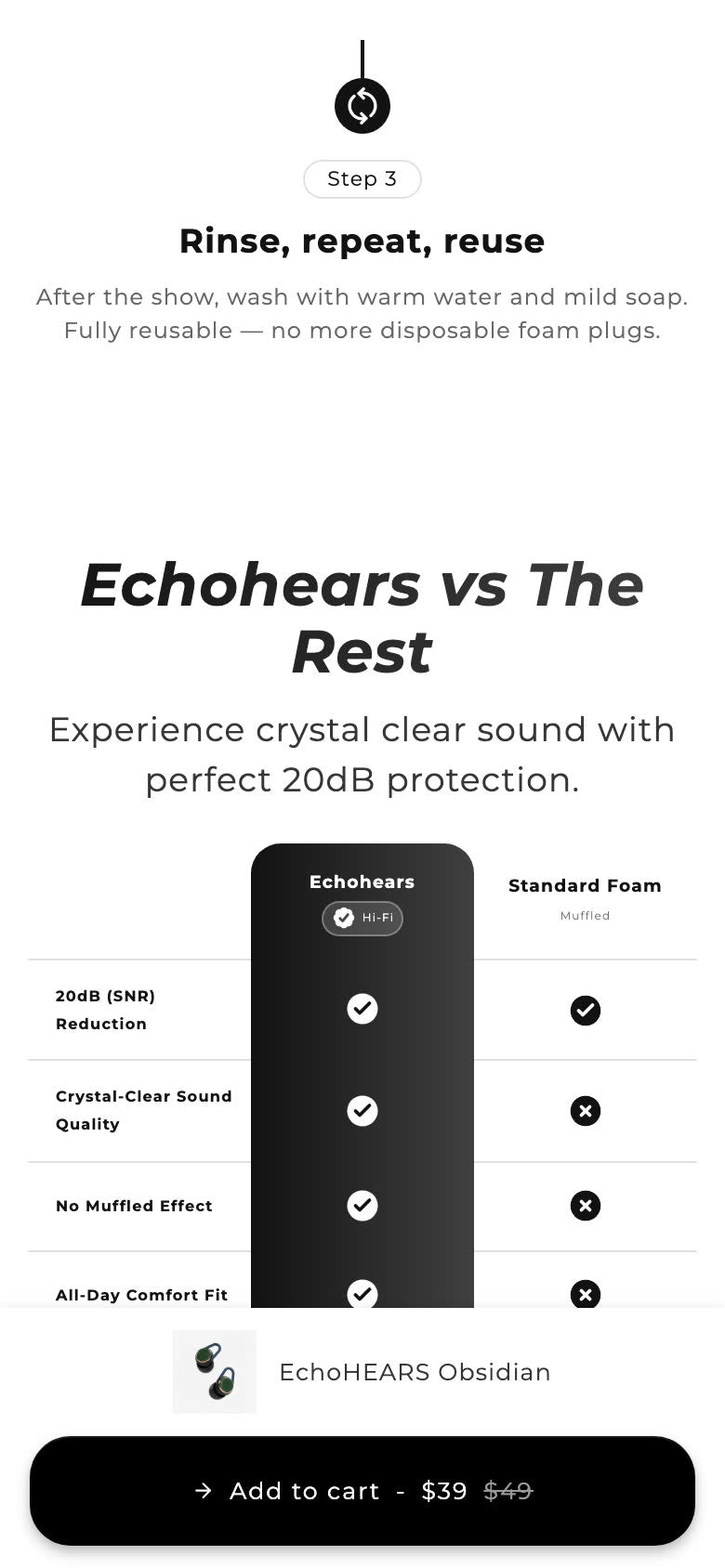
Keep Add to cart in view
When the buy box scrolls away, a bar follows with the photo, the variant and your own button. Someone reading a long page never has to scroll back up to buy.
- Sticky add to cart
- Your theme's button
5
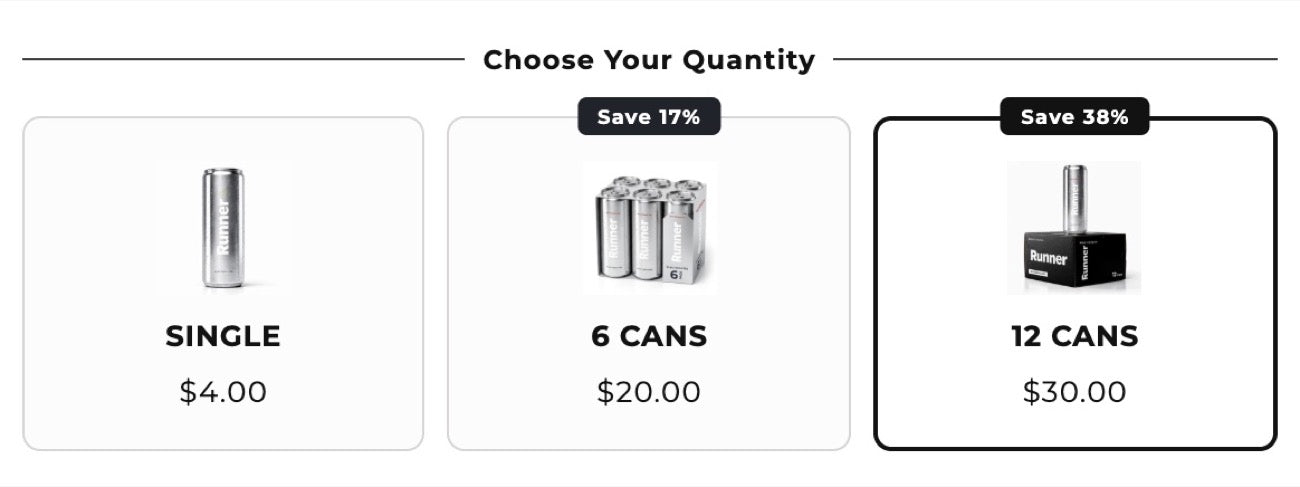
Make the offer plain
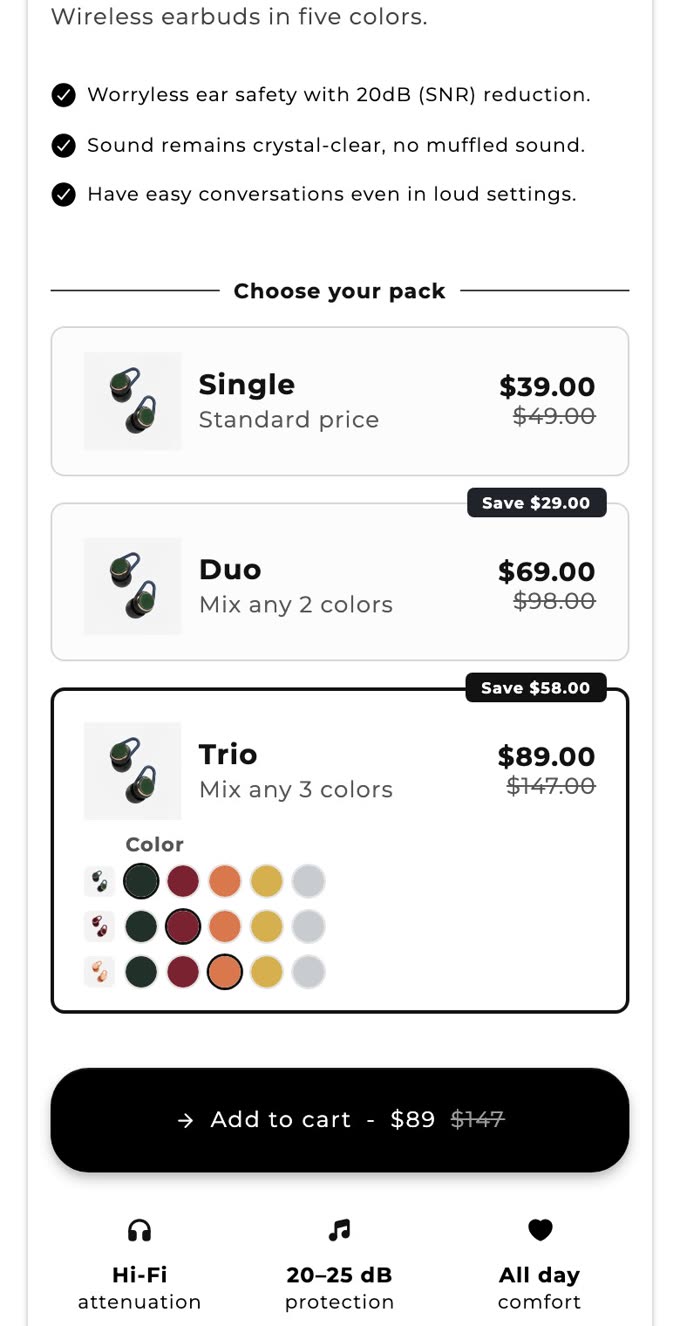
Show the pack price, the price per item and the old price side by side. Only 36% of the offers we studied show a price per item. It is an easy way to look clearer than the rest.
- Quantity breaks
- Compare-at prices
- Per item or total
6
Open the cart on add
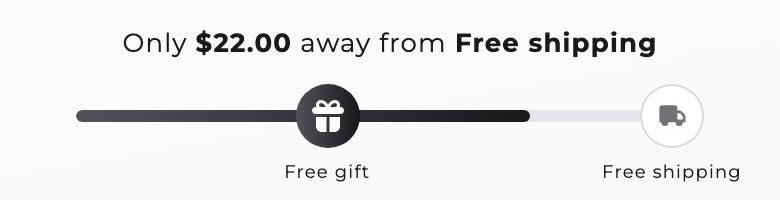
The drawer opens on add to cart, with a goal to reach and Shop Pay, PayPal, Apple Pay and Google Pay. When a shopper is ready, they can pay from there.
- Cart drawer
- Reward bar
- Express checkout
Build a plain offer here
Type your price and move the sliders. Every row shows the old price and the saving. This is how the offer would read on your store.
Wireless earbuds
Five colors · Free shipping over $50
Buy more & save more
The sliders start at 15% off two and 25% off three. That is the median in the 397 stores where we could read the exact discount.
What your shoppers already see on other stores
79%Show the old price next to the deal.
36%Show a price per item.
34%Mark one tier “Most popular”.
31%Add a list of benefits.
Source: Section Store's study of 1,275 live bundle offers on high-traffic Shopify stores, captured 16 to 23 October 2026. The 15% and 25% medians come from the 397 stores where we could read the exact discount. We name no store.
Everything else in Plus for $15 a month, flat
You get bundles, the cart drawer, AI Pages, conversion blocks, A/B tests and sections on one plan. The price stays at $15 however much you sell.
Bundles
Quantity breaks, mix and match, free gifts and add-ons, already live in 2,000+ stores.
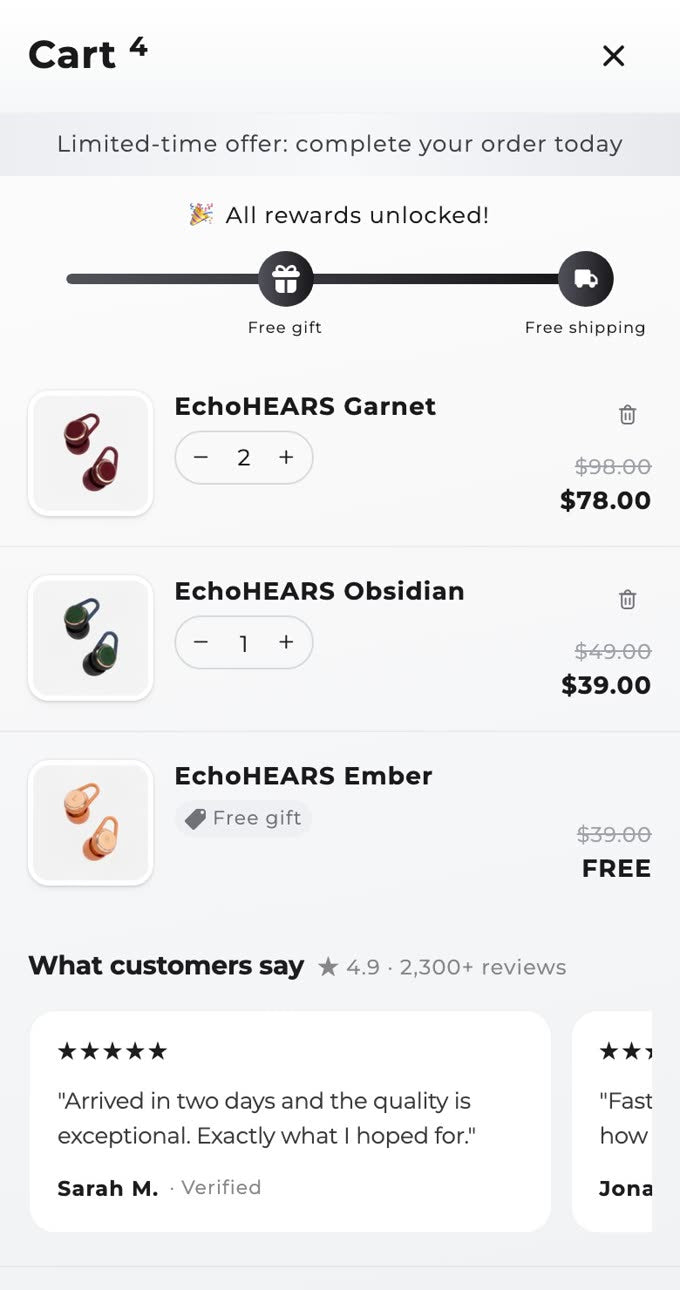
Cart drawer
Your cart gets a reward bar, free gifts, upsells and express checkout. It's live in about 3,000 stores.
AI Pages
You describe a page, and AI writes it, makes the photos and builds it in your theme.
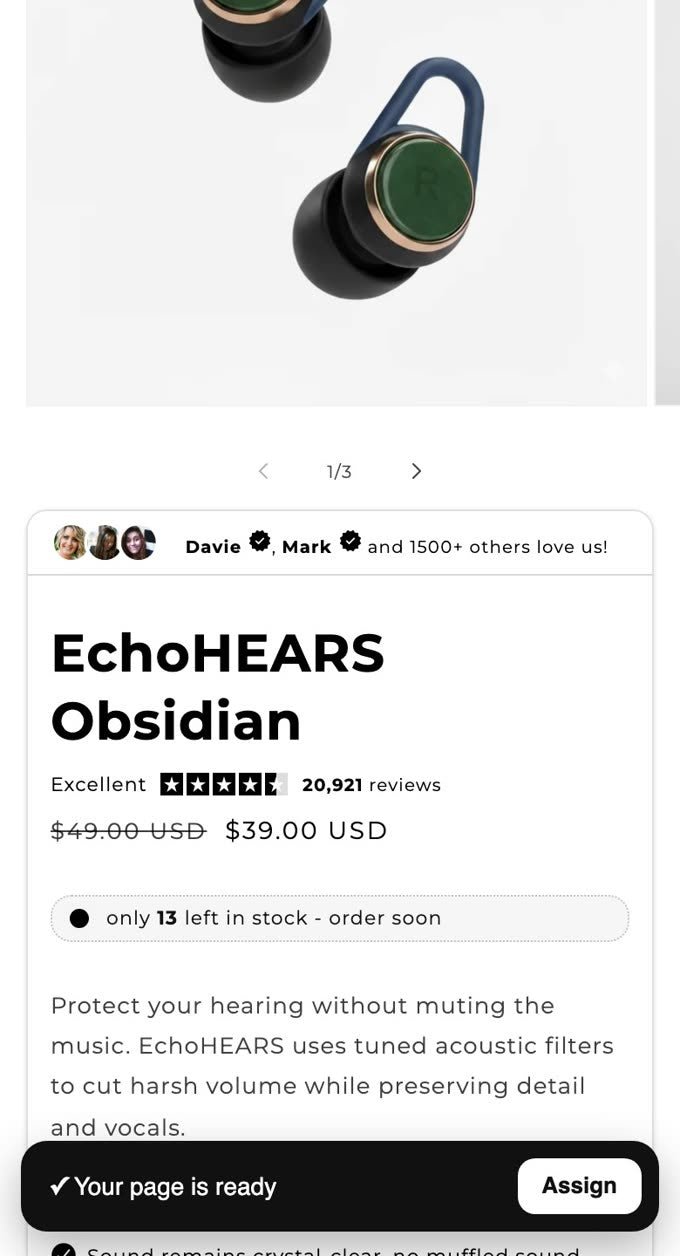
Conversion blocks
Proof, reviews, stock and shipping dates go right next to your Add to cart button.
A/B tests
Run up to four versions of a bundle or a cart, and we call the winner on revenue per visitor.
Sections
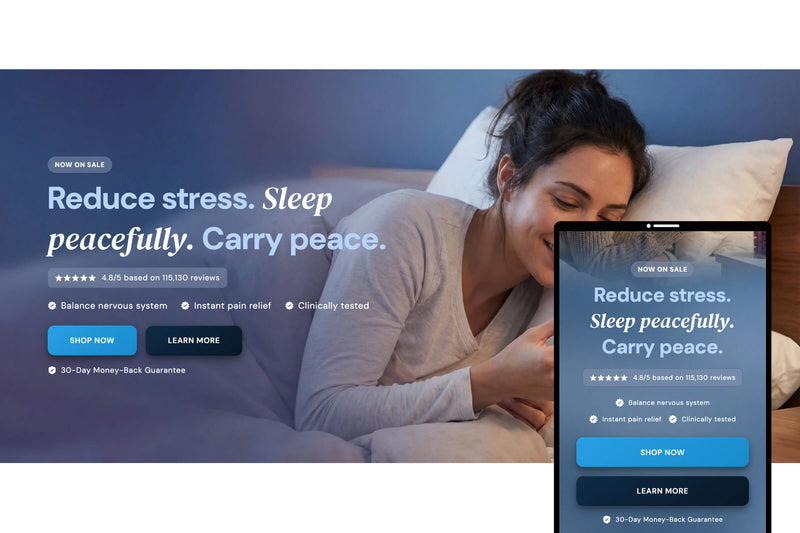
They drop into the theme you already have. Most cost $0 to $9, and they're yours to keep.
How to get it live
1Install Section StoreIt's free on the Shopify App Store. You need no code, and your theme files stay as they are.Install free on Shopify
2Add your blocksOpen Conversion blocks and add proof, a shipping date and a sticky bar to your product page.
3Publish an offerPick a bundle template. It lands above Add to cart, and Shopify applies it at checkout.
Questions stores ask
What is a good conversion rate on Shopify?
One higher than your own last month, because other stores' rates mix niches, prices and traffic that aren't yours. Shopify changed how it counts sessions on 21 to 23 September 2026. Your rate before and after those dates differs even with the same orders.
How does Shopify calculate conversion rate?
Online store conversion is the share of sessions that end in a sale: sessions that completed checkout, divided by all sessions. A session ends after 30 minutes without activity, and Shopify filters bot sessions out by default.
What raises conversion rate fastest?
Fix the buy box first, because that is where the shopper decides. Put proof next to the price, a delivery date under the button, a plain offer with the old price and a cart that opens on add. When that is done, A/B test the offer.
Should I test on conversion rate or revenue per visitor?
Revenue per visitor. A deeper discount can raise conversion and still lose you money. A conversion rate alone won't show that. Our tests call a winner on revenue per visitor and show conversion rate and order value beside it.
Does it work with my theme?
Yes. If your product section takes app blocks, conversion blocks go into it, and bundles work on every Shopify theme. The cart drawer has seven theme adapters and a general one for the rest.
What does it cost?
Section Store Plus is $15 a month, flat. You get every conversion block, along with bundles, the cart drawer, AI Pages and A/B tests, and the first 14 days are free.
Where to read next
Conversion blocksProof, shipping dates and add-ons next to the button.
Sticky add to cart on DawnKeep the button in view on Shopify's free theme.
Trust badgesHow to add them to Shopify.
BundlesEvery offer type and 42 templates.
More answers for Shopify stores
Average order valueHow to raise average order value on Shopify
Cart abandonmentHow to cut cart abandonment on Shopify
A/B testingA/B testing on Shopify
Free gift with purchaseHow to add a free gift with purchase on Shopify
Landing pageHow to build a landing page on Shopify
Black FridayBlack Friday on Shopify: what to set up
UpsellHow to upsell on Shopify
PlusEverything here, $15 a month.
Win the shopper at the button
Section Store is free to install, and you get 14 days of Plus free before it costs $15 a month.