

Black Friday on Shopify: what to set up.
Set up three things before the sale: a product page offer, a cart reward and a test to choose between them. The usual ladder, where we could read the exact discount in 397 stores, is 15% off two and 25% off three. Section Store runs all three.
Try free for 14 days, then $15 a month. You can cancel any time.
4.9★ from 3,000+ reviews · Built for Shopify
Watch the ladder go up
Our own tutorial adds “Buy more, save more” to any theme.
Shopify Bundles Tutorial: Add "Buy More, Save More" to Any ThemeWatch on YouTube
Shopify's prep list: dates, discounts and reminders
Shopify's help center groups sale prep into promotions, the shopper's experience and order handling. The parts below are the ones that touch your offers.
1Date the discountEach discount takes a start and an end date. With no end date, it never expires.
2Count your discountsA store can run 25 automatic discounts at once, apps included.
3Recover checkoutsTurn on abandoned checkout emails before the traffic comes.
4Plan for the rushShopify asks for special steps only for flash sales with tens of thousands of checkouts in minutes.
Checked 24 November 2026 against Shopify's help center: Preparing for seasonal sales, Automatic discounts, Flash sales, Abandoned checkouts. Dawn's sections: Dawn 16.2.0 on GitHub.
Where Shopify stops and what we add
Shopify and DawnOn their own
Any themeWith Section Store
The deal on the product page
–Dawn shows one price. The discount comes off at checkout.
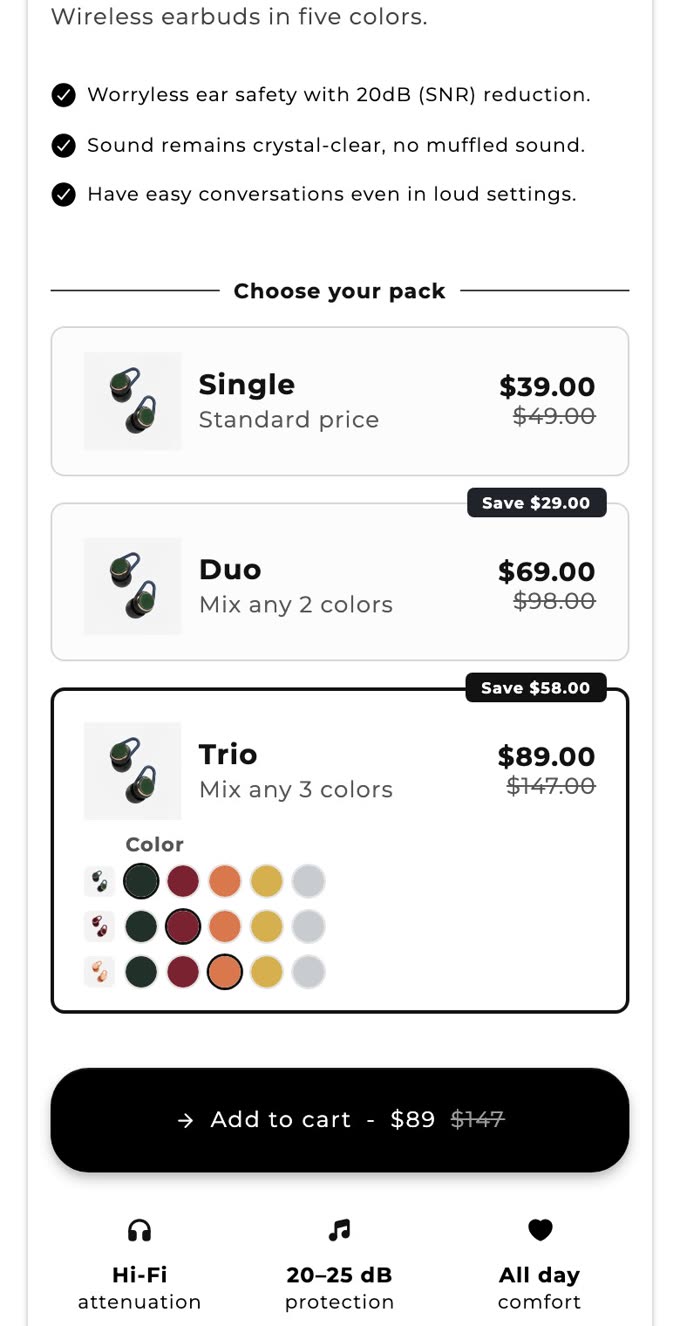
✓Tiers with the saving and the old price, above Add to cart.
Start and end
✓Start and end dates on each discount.
✓Start and end dates on each bundle. The discount follows them.
A countdown
–Not in Dawn.
✓A countdown bar to the bundle's real end date.
A spend goal in the cart
–A free shipping minimum applies at checkout. Showing it is up to your theme.
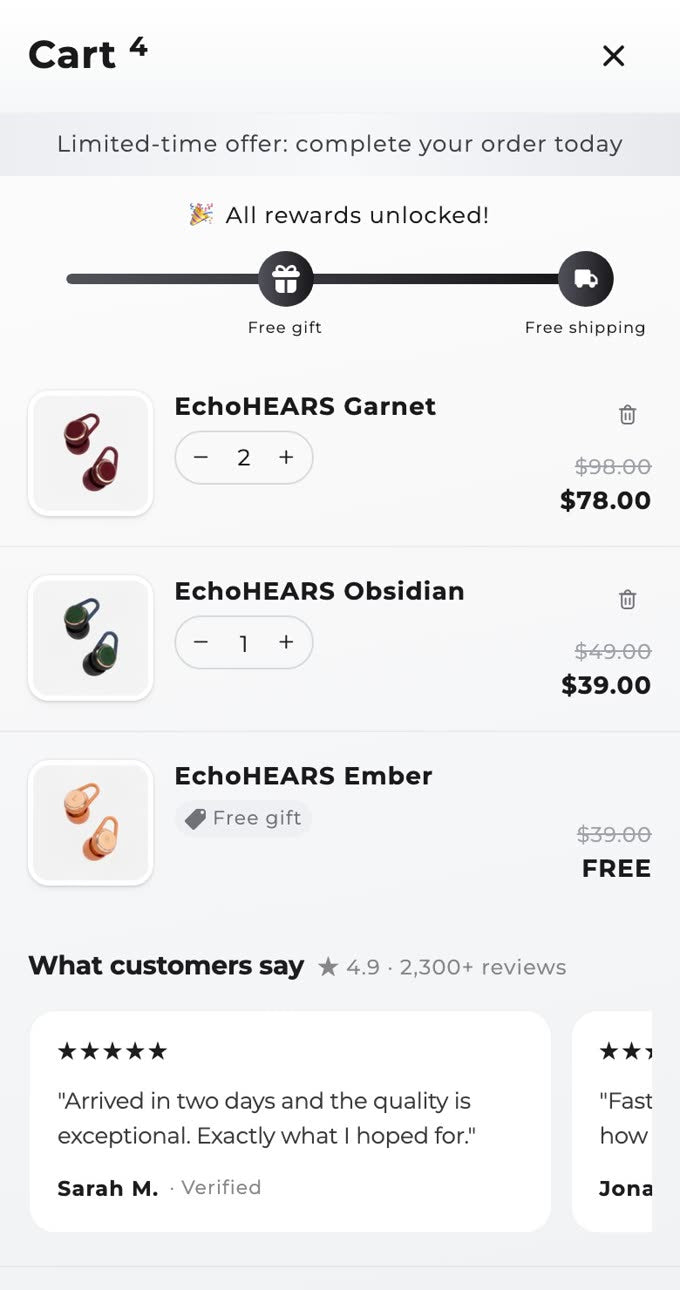
✓Reward bar steps, in each market's currency.
Pick the offer before the day
✓Experiments test theme changes, on Grow and up.
✓A/B test bundles and carts. A winner needs 7 days.
Six things to set up and switch off after
Every one has dates or a switch. We'd set the dates first, because a discount with no end date never expires.
1
A ladder for the sale
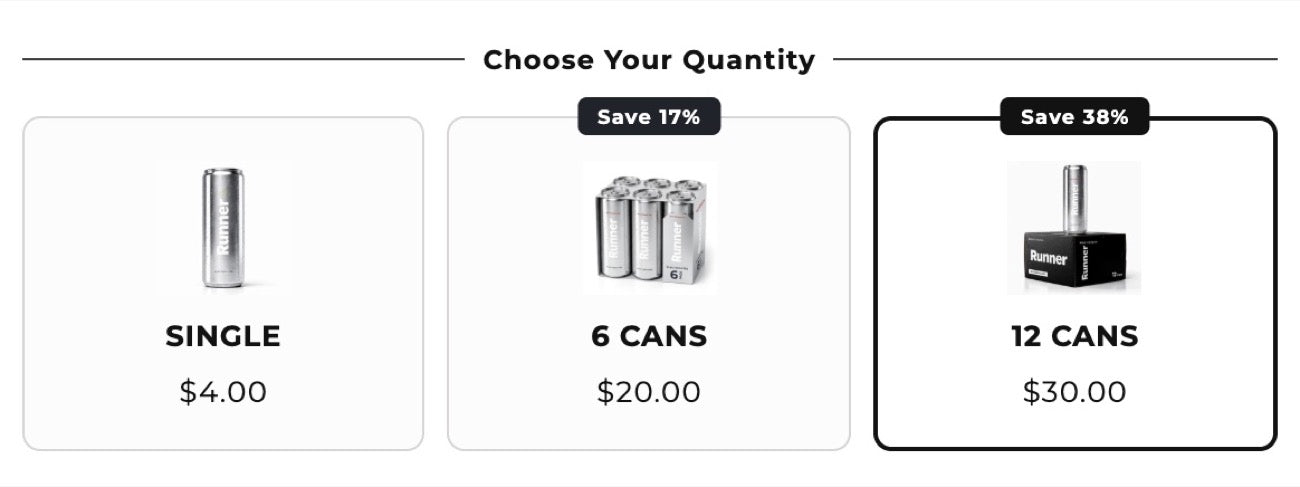
Raise the year-round 15% and 25% for the sale, and shoppers see the saving on every tier. Set the bundle's start and end dates so the deeper ladder comes off by itself.
- Quantity breaks
- Start and end dates

2
A gift instead of a deeper cut
A gift on the top tier can cost you less than more off, and its value shows on the offer. If your margins are already thin, this is the one we'd try.
- Free gifts
- Gifts to unlock
Ends when your sale ends.
3
A countdown that tells the truth
The bar counts to the bundle's end date. When the sale ends, the countdown and the discount end together.
- Countdown bar
- Real end date
4
A spend goal in the cart
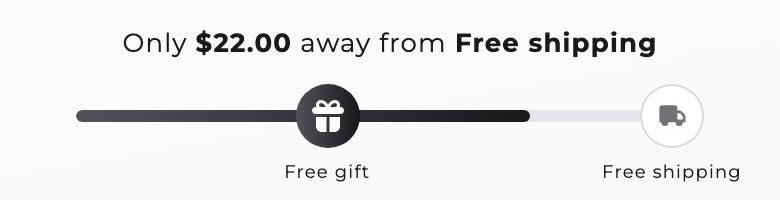
Free shipping, then a gift, on the cart's reward bar. Amounts convert for every market. If a shopper pays in another currency, they see the goal in their own money.
- Reward bar
- Per-market amounts
5
One more in the cart
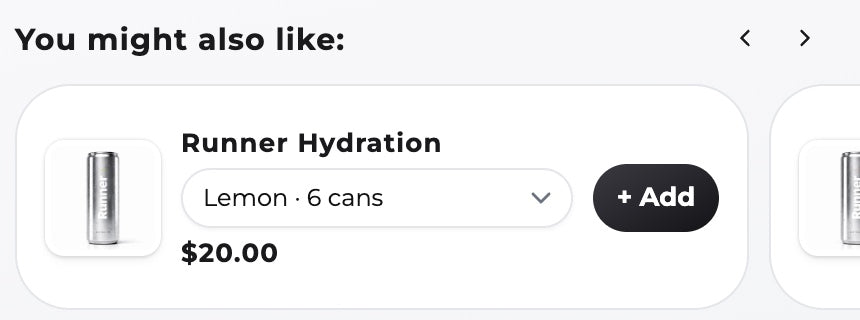
Upsell cards come with a variant picker, and one tick adds gift wrap or shipping protection. When people are buying gifts, gift wrap is the add-on we'd put first.
- Product upsells
- Order add-ons
6
Test it the week before
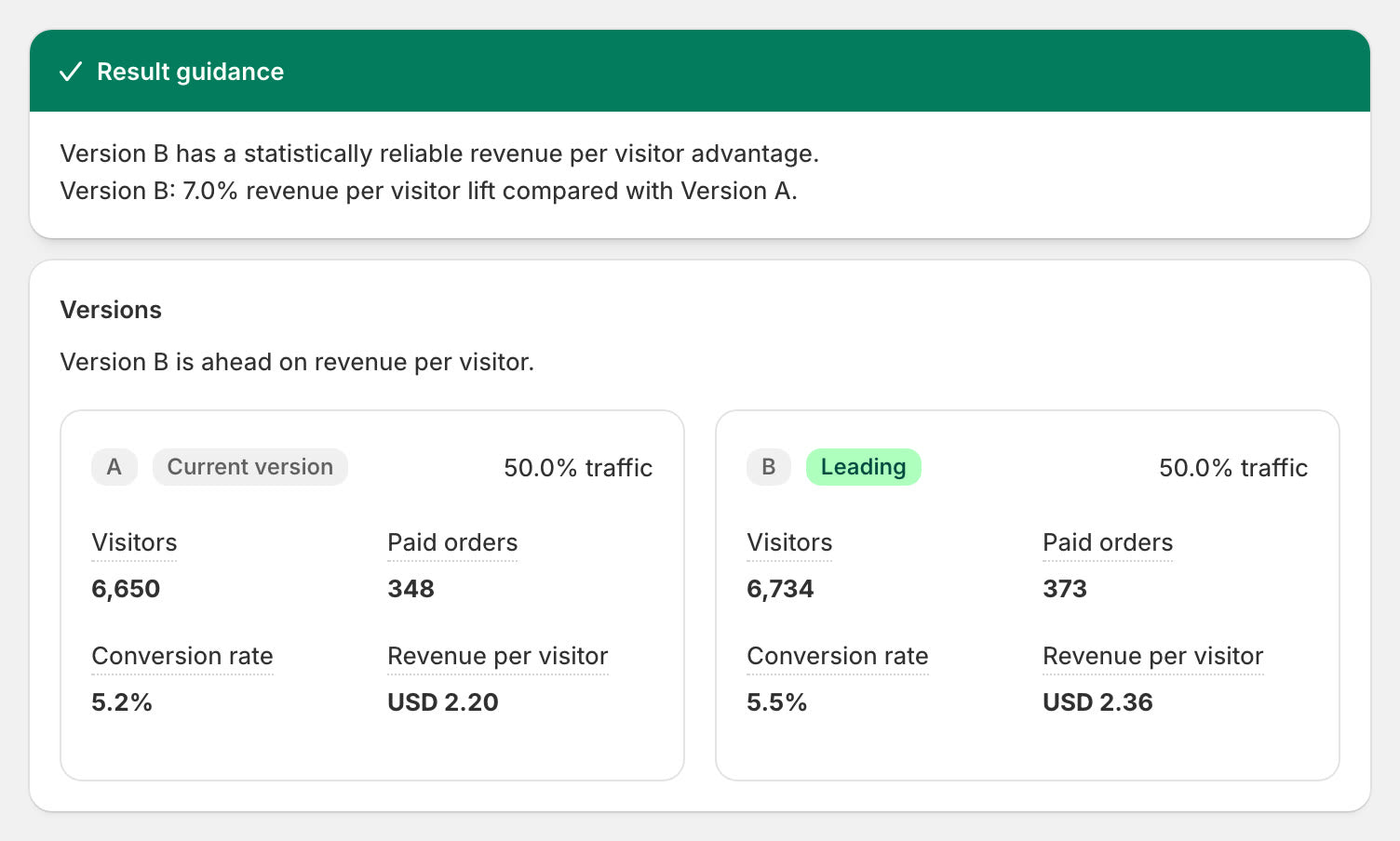
A winner needs 7 days, 500 visitors and 20 paid orders a version. A test started on the day itself won't finish in time. Start it a week early.
- A/B tests
- Revenue per visitor
Build the sale ladder before you install
We start you on the usual ladder. Move the sliders to your sale prices and watch the savings change on every row.
Wireless earbuds
Five colors · Free shipping over $50
Buy more & save more
The sliders start at 15% off two and 25% off three. That is the median in the 397 stores where we could read the exact discount.
The year-round ladder to start your sale from
15%The median saving for buying 2.
25%The median saving for buying 3.
7%Show a countdown timer.
79%Show the old price next to the deal.
Source: Section Store's study of 1,275 live bundle offers on high-traffic Shopify stores, captured 16 to 23 October 2026. The 15% and 25% medians come from the 397 stores where we could read the exact discount. We name no store. We captured these in October, outside the sale. Treat them as the floor for your sale offer.
Everything else in Plus for $15 a month, flat
You get bundles, the cart drawer, AI Pages, conversion blocks, A/B tests and sections on one plan. The price stays at $15 however much you sell.
Bundles
Quantity breaks, mix and match, free gifts and add-ons, already live in 2,000+ stores.
Cart drawer
Your cart gets a reward bar, free gifts, upsells and express checkout. It's live in about 3,000 stores.
AI Pages
You describe a page, and AI writes it, makes the photos and builds it in your theme.
Conversion blocks
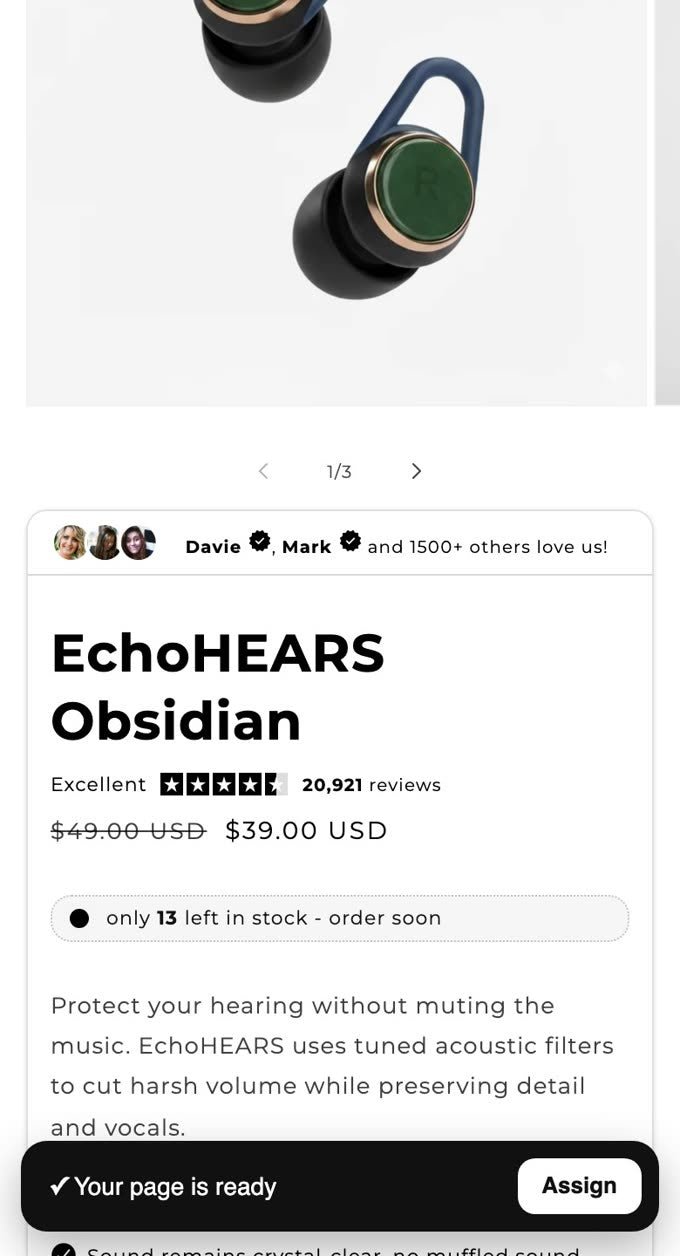
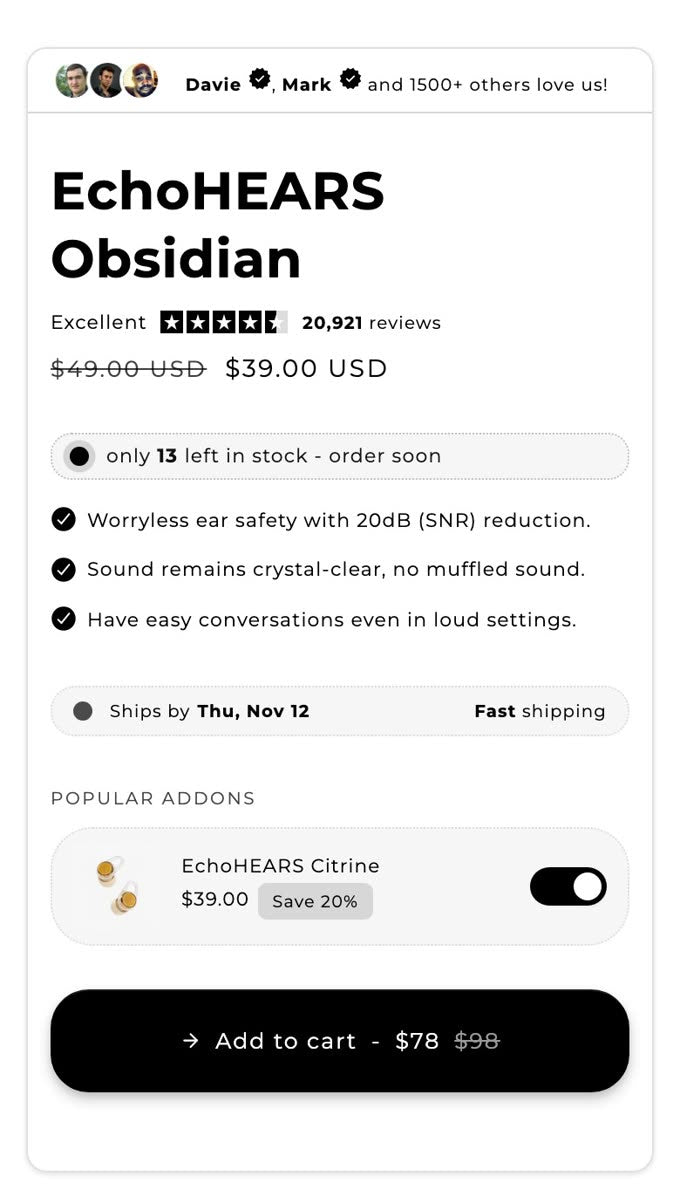
Proof, reviews, stock and shipping dates go right next to your Add to cart button.
A/B tests
Run up to four versions of a bundle or a cart, and we call the winner on revenue per visitor.
Sections
They drop into the theme you already have. Most cost $0 to $9, and they're yours to keep.

How to get it live
1Install Section StoreIt's free on the Shopify App Store. You need no code, and your theme files stay as they are.Install free on Shopify
2Date your offerPick a template, set the sale ladder and the start and end dates.
3Test, then go liveRun two versions the week before, then keep the winner for the sale.
Questions stores ask
When should I set up Black Friday offers on Shopify?
At least a week before. A test needs 7 days, 500 visitors and 20 paid orders a version to call a winner. If you set the start and end dates, the offer switches on and off by itself. You can set it up early and leave it.
What discount should I offer?
Start from the year-round ladder: 15% off two and 25% off three, the median where we could read the exact discount, in 397 stores. Go deeper for the sale or add a gift instead, and test which earns more, because the deepest cut is not always the one that pays.
Can I show a countdown for the sale?
Yes, to a real end. The bundle's countdown bar counts to the bundle's end date. The countdown and the discount end together.
How many discounts can run at once?
Shopify allows 25 active automatic discounts per store, apps included. Each live bundle uses one. Switch off what you don't run before the sale starts.
Will my sale discounts stack?
You choose. Each bundle combines with order, product and shipping discounts by default, and you can untick any of them if a stacked price would cut too deep.
What does it cost?
Section Store Plus is $15 a month, flat, with bundles, the cart drawer, AI Pages, conversion blocks and A/B tests in it. The first 14 days are free.
Where to read next
BundlesDated offers, gifts and a countdown bar.
Cart drawerA reward bar, upsells and free gifts in the cart.
Countdown timerHow to add one to Shopify.
Quantity breaks on DawnThe ladder on Shopify's free theme.
More answers for Shopify stores
Average order valueHow to raise average order value on Shopify
Conversion rateHow to raise your Shopify conversion rate
Cart abandonmentHow to cut cart abandonment on Shopify
A/B testingA/B testing on Shopify
Free gift with purchaseHow to add a free gift with purchase on Shopify
Landing pageHow to build a landing page on Shopify
UpsellHow to upsell on Shopify
PlusEverything here, $15 a month.
Set up the sale once
Section Store is free to install, and you get 14 days of Plus free before it costs $15 a month.