
Quantity breaks on Broadcast
Broadcast, the $420 theme from Presidio, has no quantity breaks. Section Store adds them above Add to cart, along with buy X get Y, mix and match, free gifts, add-ons and subscribe and save. Shopify takes the discount off at checkout, and the app costs $15 a month, flat.
Try it free for 14 days, then $15 a month. You can cancel any time.
4.9★ from 3,000+ reviews · Built for Shopify
Where Broadcast stops and what we add
Broadcast lists quick buy, cross-selling, color swatches, a slide-out cart, a sticky cart and a countdown timer in the Theme Store. It shows one price for any quantity, though. Nothing on the page gives a shopper a reason to take a second item.
BroadcastOn its own
BroadcastWith Section Store
Quantity breaks on the product page
–No. A shopper sees one price.
✓Buy 1, Buy 2 and Buy 3, above Add to cart.
Buy X get Y, mix and match, kits
–Buy X get Y only, and only in the cart.
✓Every deal type, shown where shoppers decide.
The saving, shown
–Only in the cart.
✓Badges, struck-through prices and “you save”.
Free gifts and add-ons
–The shopper adds the gift by hand.
✓Gifts go into the cart by themselves. Add-ons are one tick.
A variant for each item
–One variant for the whole quantity.
✓Swatches or dropdowns for every item.
Discount at checkout
✓One automatic discount per tier, set up by hand.
✓One offer. Shopify applies it.
Find the best offer
–No test.
✓A/B test up to four versions and keep the winner.
Watch the tutorial
Our own video on adding “Buy more, save more” to any theme, if you would rather watch than read.
Shopify Bundles Tutorial: Add "Buy More, Save More" to Any ThemeWatch on YouTube
Try your own prices before you install
Type your price for one and move the sliders. The preview on the right is what a shopper on your Broadcast store would pick from.
Wireless earbuds
Five colors · Free shipping over $50
Buy more & save more
The median ladder is 15% off two and 25% off three
We captured 1,275 live bundle offers on high-traffic Shopify stores from 16 to 23 October 2026. In the 397 stores where we could read the exact discount, the median was 15% for two and 25% for three. That is where we would start.
15%The median saving for buying 2.
25%The median saving for buying 3.
49%Offer exactly three choices.
79%Show the old price next to the deal.
How to get it live on Broadcast
1Install Section StoreIt's free on the Shopify App Store. You add no code, and your Broadcast files stay as they are.Install free on Shopify
2Pick your ladderStart from one of 42 templates, or from a deal we build from your best sellers.
3Publish with PlusThe offer lands above Add to cart on Broadcast, and Shopify takes the discount off at checkout.
Other deals that fit on the same offer
We would start with the ladder alone, because it is the easiest deal for a shopper to read. Add a gift, an add-on or a subscription row later if you want more from it.
Quantity breaks
Buy 2 and save, buy 3 and save more. The bigger the pack, the less each item costs.
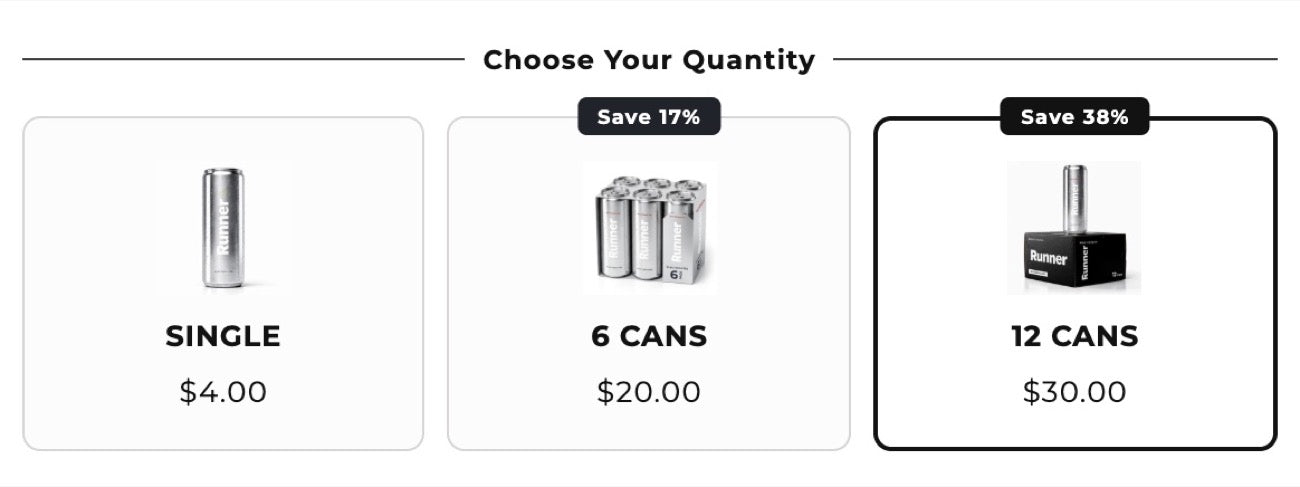
Mix and match
Shoppers build their own set from the products you pick.
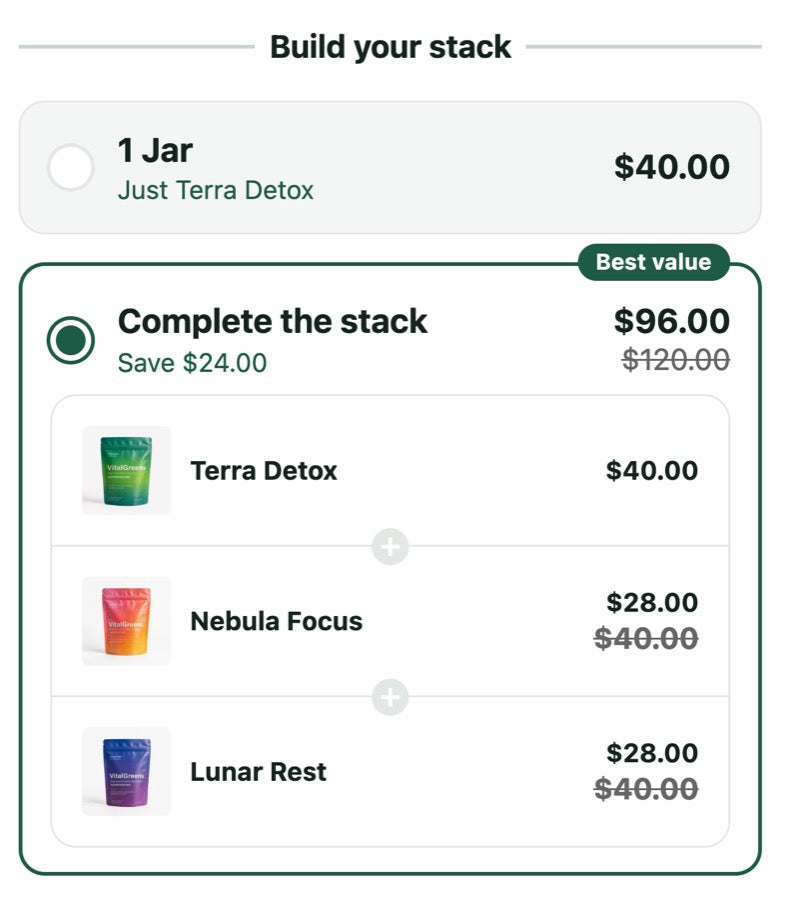
Buy X, get Y
The free items go into the cart by themselves.
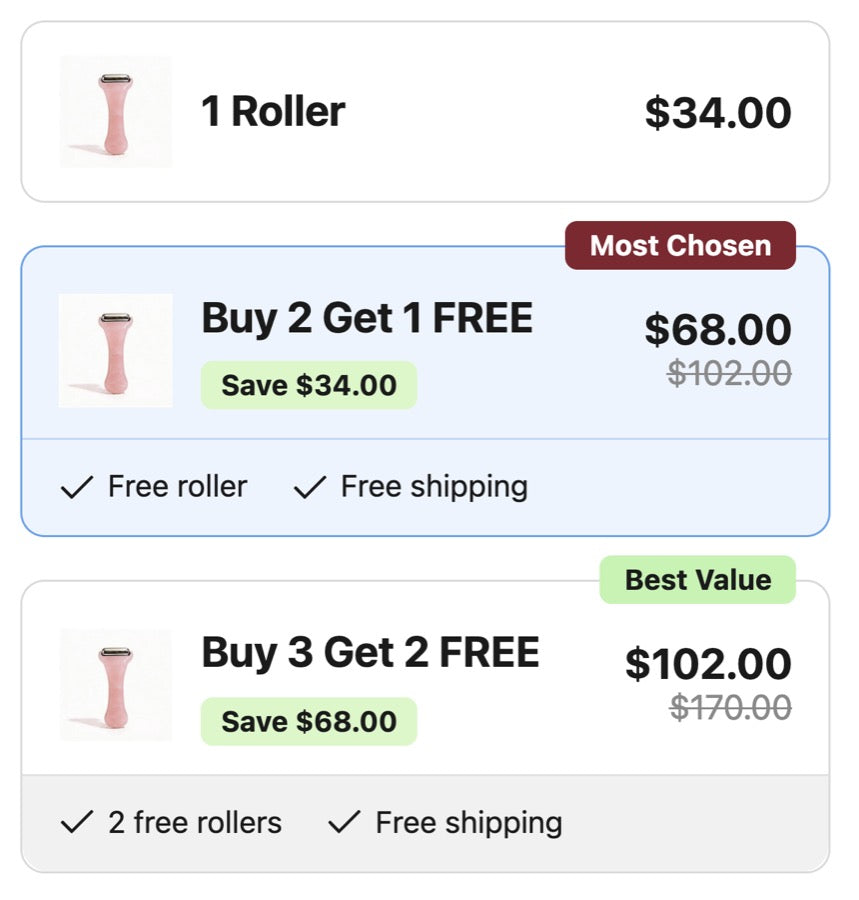
Free gifts
Put a gift on any offer and we add it to the cart for the shopper.

Gifts to unlock
Up to four gifts that open up one by one as the shopper picks a bigger offer.
Add-ons
Tick-box extras under the offer, each with its own discount.
Subscribe and save
Subscribe rows on the same offer. They run through the subscription app you already use.
Complete the bundle
Sell the product with the things that go with it, like a case with the earbuds.
Everything bundles can do for $15 a month
These are the 53 things you would go looking for, and every one of them is included in the $15 plan.
OffersYou can mix any of these in one bundle, even a gift and an add-on on the same 3-pack.
Quantity breaksPercent off, amount off or a fixed price for each tier.
Buy X get YBuy 2, get 1 free. It repeats for every full set.
Mix and matchSets from your products, a collection or Shopify's recommendations.
Complete the bundlePair the product with what goes with it.
Free giftsA product gift goes into the cart free, on any offer.
Gifts to unlockUp to four gifts that unlock from the offer you choose.
Checkbox add-onsExtras with their own discount, on all offers or some.
Subscribe and saveThe bundle discount can apply to subscription orders too.
PricingThe price on the page is the price the shopper pays at checkout.
Three kinds of discountPercent off, amount off or a fixed pack price.
Rounded pricesRound up, down or to .99. Checkout charges the same.
Compare-at pricesShow your compare-at price struck through.
Total, per item or bothShow the price the way your shoppers think.
Discount combinationsChoose whether it stacks with order, product and shipping discounts.
Every currencyAmounts convert to the shopper's currency.
Skip the cartSend shoppers straight to checkout.
Runs on Shopify FunctionsShopify applies the discount. No draft orders, no scripts.
On every offerEach tier gets its own badge, photo and wording.
BadgesA corner badge and a pill next to the title.
Savings in the textTitles and badges fill in the amount and percent saved.
Benefits listBullet lines with 20 icons or your own.
Pack photosYour product photo, stacked for 2 and 3 packs.
Offer imagesUpload one, use the product photo or make one with AI.
Selected by defaultStart shoppers on the offer you want.
Quantity selectorShoppers change the quantity and the offer follows.
VariantsIf a shopper buys three, each one can be a different size or color.
A variant for each itemEach item in the pack gets its own picker.
10 swatch stylesColor swatches, image swatches, pills, cards and dropdowns.
Photos that followPick a variant and the row photo changes.
Sold-out handlingHide unavailable options or label them sold out.
Product pickerA searchable pop-up for mix and match.
DesignStart from a template and stop there, or tune every part if your brand needs it.
42 templates from top storesIn 10 categories, previewed on your own best seller.
Match my store lookOne click takes your colors and corners.
Colors and gradientsSix presets, your store's look, or any color you pick.
Stack or gridA vertical stack, or two or three offers side by side.
Type and spacingSize, weight, borders, corners and gaps for every part.
Countdown barCounts down to the offer's real end date.
Custom CSSFor one deal or all of them.
Where it showsOn Broadcast, and everywhere else.
Every Shopify themeFree or paid, new or old. It works on all of them.
Above Add to cartIt finds Broadcast's buy box by itself. Or place the block yourself.
Other premium themesPrestige, Impulse, Symmetry and Empire too.
Any productsAll, chosen products or collections, or all except.
Start and end datesSchedule the offer. The discount follows the dates.
Page buildersGemPages, PageFly, EComposer and Shogun pages.
31 languagesBuilt in, and any other language your store publishes.
TestingWe would test the discount first, because it is the one number you would otherwise guess.
A/B testsUp to four versions, with the traffic split you choose.
The right price at checkoutEach shopper pays the version they saw.
Revenue per visitorPlus conversion rate, order value and net revenue.
A real winnerCalled after 7 days, 500 visitors and 20 orders a version.
CSV exportTake the numbers with you.
AI and assistantsTell us the deal in plain words and we build it, but nothing goes live until you approve it.
Deals for your storeFive deals built from your best sellers.
Create from a screenshotSend a deal you like. We rebuild it.
Describe your bundle“Buy 2 get 1 free on my best seller.”
Customize with AIEdit copy, colors and offers in plain words. Undo any time.
Claude and ChatGPTYour assistant builds and tests bundles. You approve every live change.
Shopify SidekickStart a bundle from Sidekick.
What Broadcast has built in
Broadcast is made by Presidio, and costs $420. We read what version 8.1.1 lists in the Shopify Theme Store on 24 November 2026. It is worth knowing what you already have before you add an app.
Quantity breaks–Not in Broadcast
Bundles and free gifts–Not in Broadcast
Slide-out cart✓Built in
Sticky cart✓Built in
Countdown timer✓Built in
Quick buy✓Built in
Cross-selling✓Built in
Color swatches✓Built in
What stores say about Section Store
“Now I can migrate all my bundles to this app.”
“…the section store approach to bundling is much better than other widgets out there, including shopify's native bundling app.”
“Love all the conversion blocks for my product pages. They were quick to help me with an issue with pricing on the bundle and quantity break section, and I've already seen an uptick in sales from it.”
Set it up from Claude or ChatGPT
You can also tell Claude or ChatGPT to “add quantity breaks to my best seller”. Your assistant builds the offer on your Broadcast store, but nothing goes live until you approve the change.
Questions Broadcast stores ask
Does the Broadcast theme have quantity breaks?
No. Broadcast shows one price and a quantity box, so two items cost exactly twice one. Shopify's own volume pricing lives in B2B catalogs, which everyday shoppers never see. For a normal store you need an app for quantity breaks, and Section Store puts them above Add to cart.
How do I add quantity breaks to Broadcast without code?
Install Section Store, pick a ladder and publish. The offer finds Broadcast's buy box by itself, so you never open a Liquid file. If you want it somewhere else on the page, place the block yourself.
Does the discount show at checkout?
Yes. The offer runs on Shopify Functions, and Shopify itself applies the discount. The price a shopper sees on the product page is the price in the cart and at checkout.
Can it do more than quantity breaks?
Yes. The same bundle can carry buy X get Y, mix and match, free gifts, gifts that unlock, tick-box add-ons and subscribe and save. Each item can have its own variant picker, and stock comes off your real variants.
Does it work with page builders and other themes?
Yes. It works on every Shopify theme, free or paid, so your offers stay if you ever move off Broadcast. It also runs on GemPages, PageFly, EComposer and Shogun pages.
What discount should I offer?
Start at 15% off two and 25% off three. That is the median in the 397 stores where we could read the exact discount, and close to what your shoppers have seen elsewhere. Then run an A/B test, because your store may do better with a steeper ladder, and keep whichever earns more per visitor.
What does it cost?
Quantity breaks come with Section Store Plus, at $15 a month, flat. We take no revenue share and set no order limit. The cart drawer, bundles and AI Pages are on the same plan, and the first 14 days are free.
Quantity breaks on other themes
It works on every Shopify theme. These ten have a page of their own, with what each one lists in the Theme Store.
More for your Broadcast store
Cart drawerA reward bar, upsells and free gifts in the cart.
Free shipping barShow shoppers how close they are.
All of bundlesEvery offer type and 42 templates.
Free FAQ sectionAdd it in the theme editor. No plan needed.
Sell the second item on Broadcast
It is free to install, and Plus is free for 14 days before it costs $15 a month.