
Sticky add to cart on Symmetry, and what to add next
Symmetry has a sticky cart built in, by its Shopify Theme Store listing. Section Store adds what sells the second item: quantity breaks, a cart drawer with rewards and AI Pages, and a bar of its own if you'd rather use ours. All for $15 a month, flat.
Try free for 14 days, then $15 a month, and cancel any time.
4.9★ from 3,000+ reviews · Built for Shopify
Watch us add one in under four minutes
Our own walkthrough of a sticky Add to cart button on a Shopify product page, if you'd rather watch than read.
How to Add STICKY Add To Cart Button on Shopify [Easy Sales Boost]Watch on YouTube
Symmetry has the bar but no bundles
Clean Canvas lists a sticky cart and a countdown timer for Symmetry. It lists no quantity breaks, bundles or free gifts. We'd put the effort there.
SymmetryOn its own
SymmetryWith Section Store
Sticky add to cart
✓Listed as built in.
✓Photo, name, variant and your own button.
Quantity breaks
–No. A shopper sees one price.
✓Buy 1, Buy 2 and Buy 3, above Add to cart.
Bundles and free gifts
–Not in Symmetry.
✓Mix and match, buy X get Y, gifts and add-ons.
Find the best offer
–No test.
✓A/B test up to four versions and keep the winner.
A bar that uses your own Add to cart button
Our bar copies Symmetry's Add to cart button and presses the real one when tapped. Nothing about how Symmetry adds to cart changes.
Shows when it's neededIt comes up when Add to cart scrolls out of view. It leaves when the button is back.
Your own buttonThe bar copies your theme's Add to cart button. The look and the words match.
The right variantIt names the variant the shopper chose and shows that variant's photo.
One tap to change“Change” takes shoppers back to the options.
No second priceThe bar has no price of its own. It shows one when your theme's button does.
Sold out stays sold outThe bar follows your button. When the button is off, the bar's is too.
Other apps still runA tap presses your real button. Whatever runs on that button still runs.
Three widthsFull width, edge to edge, or a 485px bar in the middle.
Made for phonesHide the photo or stack the button under the name on small screens.
Your lookBackground, border, corners and padding. Custom CSS for the rest.
Steps aside for the cartOpen our cart drawer and the bar gets out of its way.
31 languagesThe “Change” link is translated for you.
Try the settings before you install
These are the block's real settings. What you pick here is what you'd pick in the Symmetry theme editor.
Also in the block: background color, padding, hide the photo on phones, stack on phones and custom CSS.
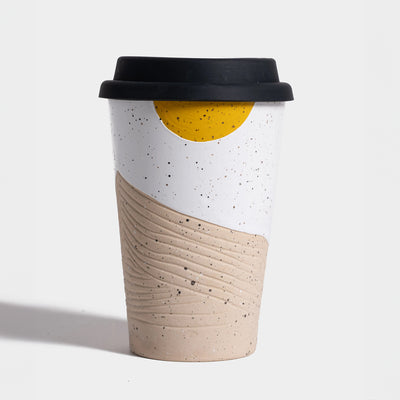
Desert travel mugSand – Change
Add to cart
How to get it live on Symmetry
1Install Section StoreIt's free on the Shopify App Store, and your Symmetry files stay as they are.Install free on Shopify
2Start your 14-day trialPlus includes every conversion block, bundles, the cart drawer and AI Pages.
3Add the blockOpen Conversion blocks, pick Sticky add to cart and add it to your Symmetry product page. If Symmetry's own sticky cart is on, turn it off first, so shoppers see one bar.
What else comes with Plus
Symmetry already lists a sticky cart. We'd spend the effort on the offer and the cart. The same $15 runs your bundles, cart drawer, AI Pages, conversion blocks and A/B tests, however much you sell.
Bundles
Quantity breaks, mix and match, free gifts and add-ons, live in 2,000+ stores.
Cart drawer
Reward bar, free gifts, upsells and express checkout, live in about 3,000 stores.
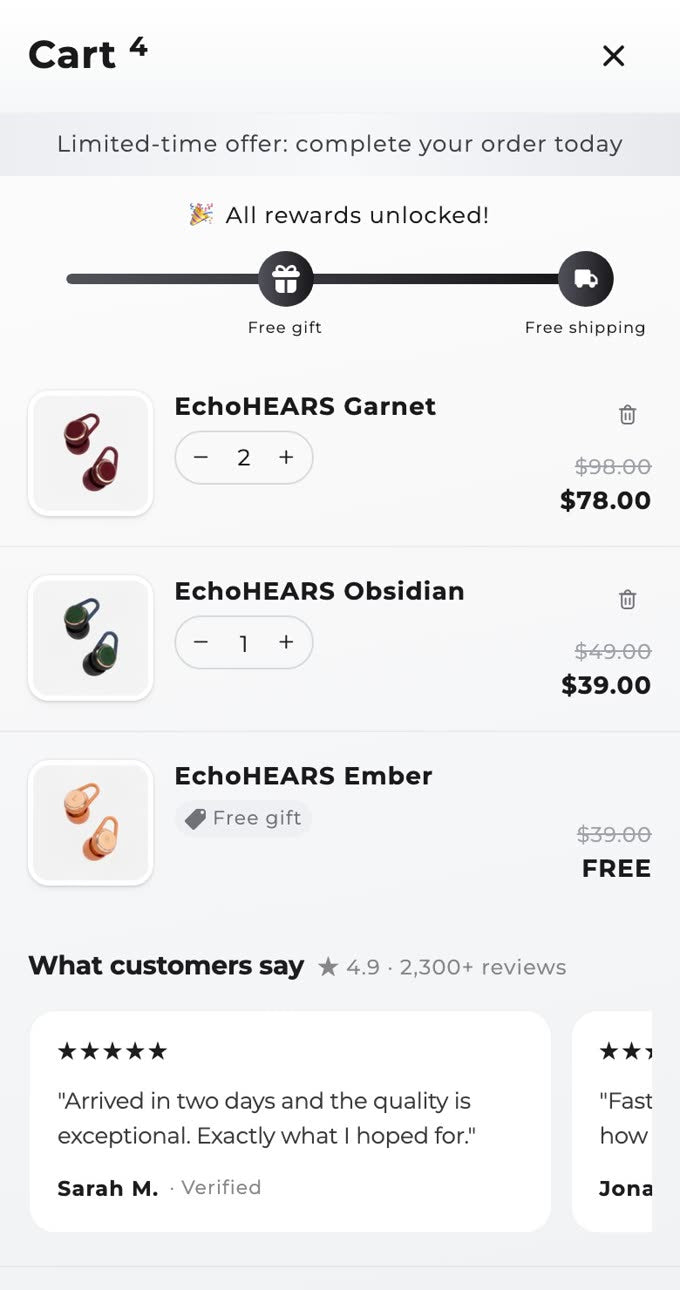
AI Pages
You describe a page, and AI writes it, makes the photos and builds it in your theme.
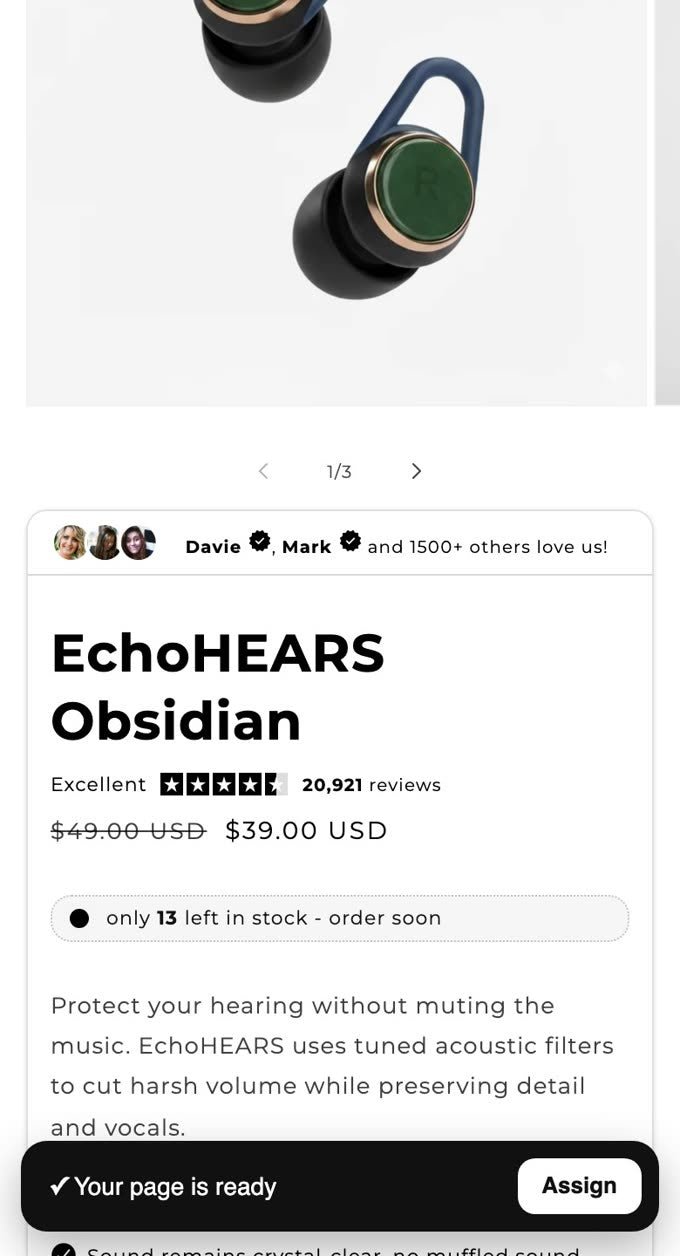
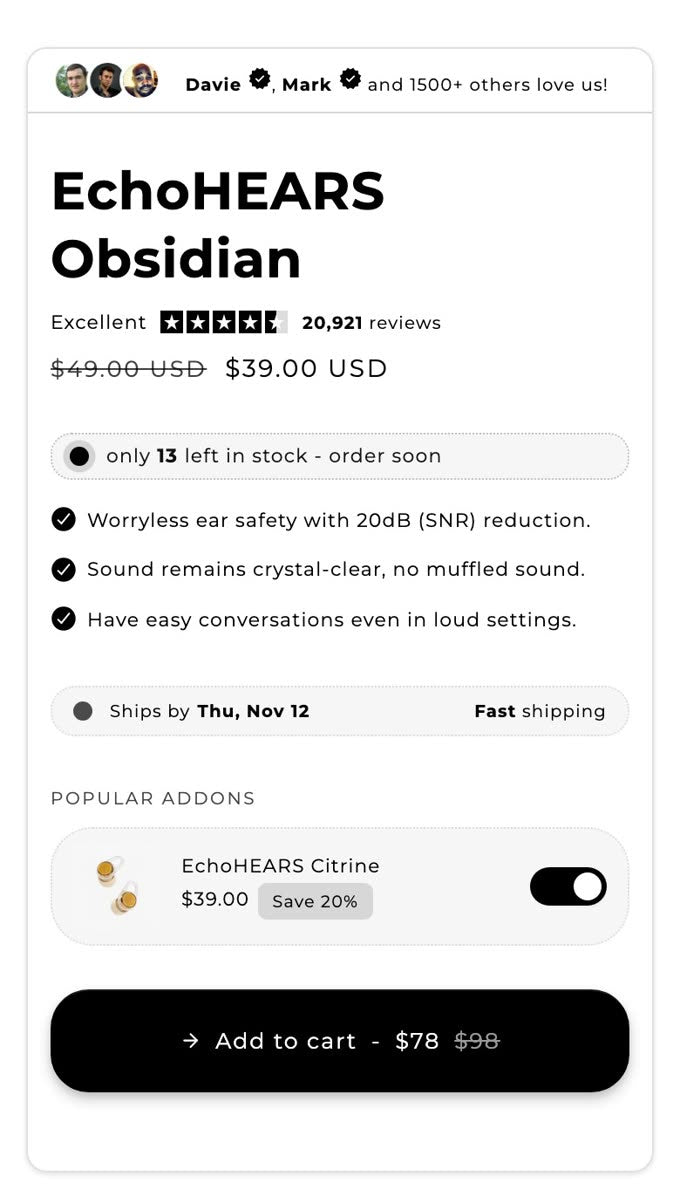
Conversion blocks
Proof, reviews, stock and shipping dates next to Add to cart.
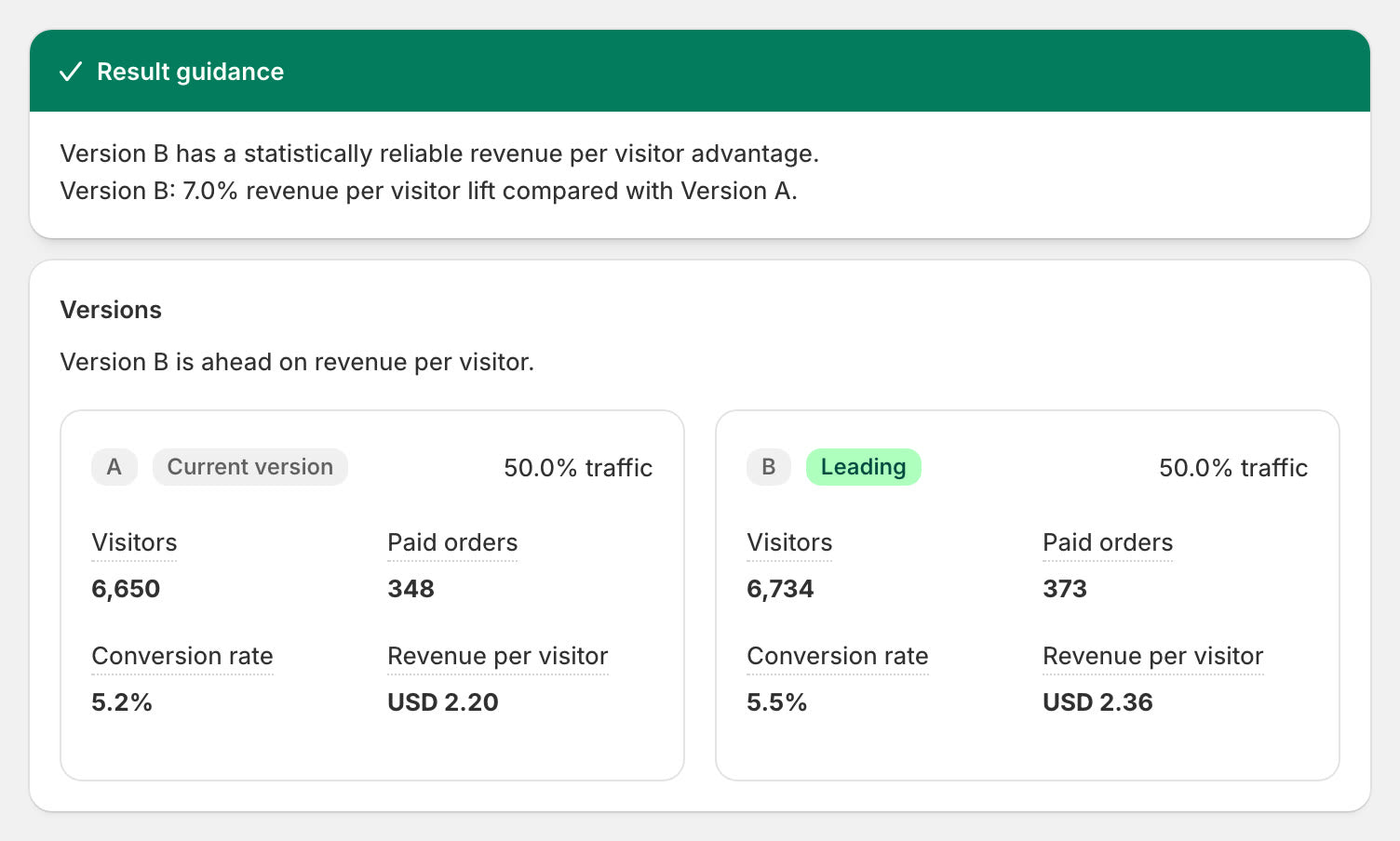
A/B tests
Run up to four versions. We call the winner on revenue per visitor.
Sections
They drop into the theme you already have. Most cost $0 to $9, and they're yours to keep.
More blocks around the button
The sticky bar is one of our conversion blocks, and you get every one of them with Plus.
Social proofOther shoppers, next to the price.
Benefits listAnswers “why this one?” at a glance.
Product add-onsExtras a shopper adds with one tick.
Shipping infoShipping dates where shoppers decide.
UpsellSuggest a second product before they leave the page.
Video carouselLet people watch it in use.
CommentsLet past buyers do the selling.
Countdown timerCounts down to a real sale end.
Coupon codeOne tap copies the code.
Payment iconsCards, wallets and Klarna in one neat row.
TabsFold details into tidy tabs.
Add to cart styleMatch the button to your brand.
BadgesFlag what's new, low or on sale.
Pulse badgeA live dot that can show stock level.
Benefit boxesYour best points, boxed up and easy to scan.
Everything else in the $15 plan
30 more things you would go looking for, and every one is included in the $15.
BundlesSell the second item
Quantity breaksPercent off, amount off or a fixed price for each tier.
Buy X get YBuy 2, get 1 free. It repeats for every full set.
Mix and matchSets from your products, a collection or Shopify's recommendations.
Free giftsA product gift goes into the cart free, on any offer.
Checkbox add-onsExtras with their own discount, on all offers or some.
Subscribe and saveSubscribe rows on the same offer, with your subscription app.
42 templates from top storesPreviewed on your own best seller.
Runs on Shopify FunctionsShopify applies the discount at checkout.
Cart drawerThe last screen before they pay
Reward barFree shipping, a discount or a free gift at each step.
Free giftsAdded when the tier is reached. Shoppers pick the variant.
Product upsellsShopify's recommendations or your own rules.
Order add-onsOne toggle for shipping protection or gift wrap.
Upgrade offersMove a cart line to a bigger pack or a subscription.
Express checkoutShop Pay, PayPal, Apple Pay and Google Pay.
Trust badges and timer25 icons, a countdown and a discount code box.
31 templates from top storesMatch your store's look in one click.
AI PagesBuilt in your own theme
Words, photos and layoutBuilt from sections in your own theme.
Its own sticky barPages from AI Pages carry a sticky buy bar.
5 builds includedThen $1 each in packs.
You decide what goes liveNothing shows on your store until you assign it.
TestingLet the numbers decide
A/B testsUp to four versions of a bundle or a cart.
The right price at checkoutEach shopper pays the version they saw.
Revenue per visitorPlus conversion rate, order value and net revenue.
CSV exportTake the numbers with you.
AssistantsYou approve every change
Claude and ChatGPTYour assistant builds and tests bundles and carts. You approve every live change.
Shopify SidekickStart a bundle or check your cart setup from Sidekick.
UndoReverse an assistant's change for 30 days.
Where it worksOn Symmetry and every other theme
Every Shopify themeFree or paid, new or old.
Page buildersGemPages, PageFly, EComposer and Shogun pages.
31 languagesBuilt in for bundles and the cart.
Symmetry at a glance
Symmetry is made by Clean Canvas and costs $420. These are the features version 8.3.2 lists in the Shopify Theme Store, as we read it on 24 November 2026.
Sticky add to cart✓Built in
Quantity breaks–Not in Symmetry
Bundles and free gifts–Not in Symmetry
Slide-out cart✓Built in
Countdown timer✓Built in
Quick buy✓Built in
Cross-selling✓Built in
Color swatches✓Built in
What stores say about our conversion blocks
“The conversion blocks have been a game changer for our store.”
“Love all the conversion blocks for my product pages.”
“Great conversion focused add-ons for shopify shops!”
Build your bundles from Claude or ChatGPT.
Describe the deal you want, or send a screenshot. Your assistant builds it, and you approve every live change.
Questions Symmetry stores ask
Does the Symmetry theme have a sticky add to cart?
Yes. Symmetry's Shopify Theme Store listing lists a sticky cart as built in. Clean Canvas makes the theme, and its listing doesn't say what the bar shows.
How do I add a sticky add to cart to Symmetry without code?
Install Section Store and start the Plus trial. Then open Conversion blocks, pick Sticky add to cart and add it to your Symmetry product page. The link opens the theme editor with the block already in your product section. You style it there and never open a Liquid file.
Should I use Symmetry's bar or Section Store's?
Use one, because nothing in our code stops two bars showing at once. Symmetry's is already in your theme. Ours copies your theme's button, names the chosen variant with a “Change” link, and has settings for width, corners, colors and phones. Pick the one that looks better on your page.
Does it work with quantity breaks and bundles?
Both come with Plus and can sit on the same Symmetry product page: the bundle above Add to cart, the bar at the bottom of the screen once shoppers scroll past it. See quantity breaks on Symmetry.
Does it work on phones?
Yes. On phones the bar runs the full width of the screen, and the photo is hidden by default. If you want it back, turn it on, or stack the button under the product name.
Does it work with other themes?
Yes. Section Store works on every Shopify theme. The sticky bar is a conversion block. It goes into any product section that takes app blocks. A few product sections can't take them. When that happens we tell you, and you can choose another product template.
What does it cost?
The sticky bar comes with Section Store Plus, $15 a month, flat, with no revenue share and no order limit. Bundles, the cart drawer, AI Pages and every conversion block are on the same plan, and the first 14 days are free.
What happens if I cancel Plus?
Plus keeps working until the end of the period you paid for. After that the bar stops showing on your store, and Symmetry's own sticky cart is still there if you switch it back on.
Sticky add to cart on your theme
The bar works on every Shopify theme. These ten have a page of their own, with what each one does before you add anything.
More for your Symmetry store
Quantity breaks on SymmetryBuy 2 and save, above Add to cart.
All conversion blocksProof, shipping dates and add-ons next to the button.
Cart drawerA reward bar, upsells and free gifts in the cart.
All of bundlesEvery offer type and 42 templates.
Sell the second item on Symmetry
It's free to install, and Plus is free for 14 days, then $15 a month.