
Product page for jewelry stores.
The jewelry product page we build has 8 blocks, in this order: buy box, close-ups, hotspots, shop the look, materials and care, reviews, warranty and FAQ. Section Store's AI Pages builds it from your product in your theme, and you can edit every block. $15 a month, flat.
Try free for 14 days, then $15 a month. Cancel any time.
4.9★ from 3,000+ reviews · Built for Shopify
1Buy box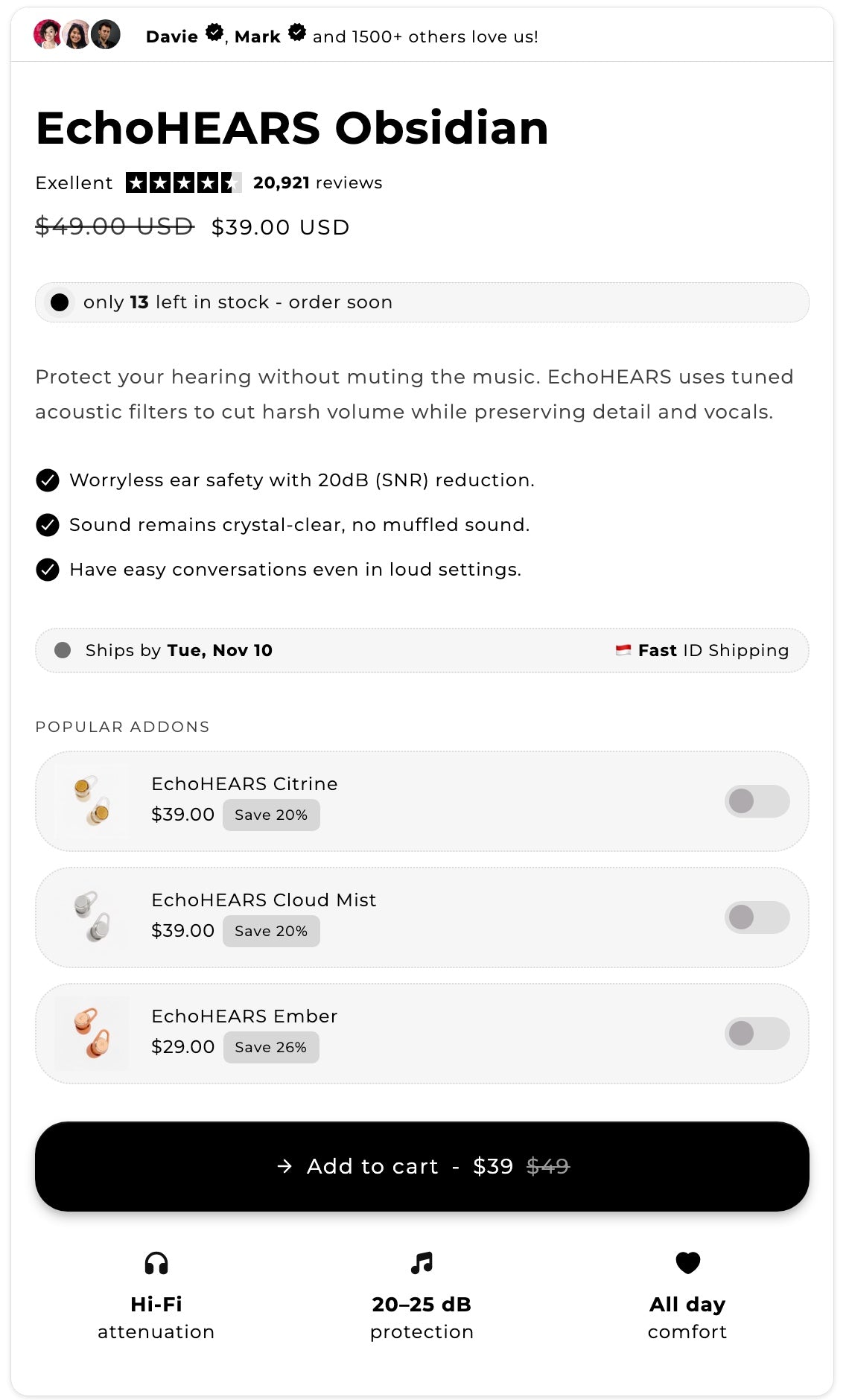 2Close up
 3The details
 4Wear it with
 5Materials and care
 6Reviews with photos
 7Warranty and returns
 8FAQ
2Close up3The details4Wear it with5Materials and care6Reviews with photos7Warranty and returns8FAQWatch a product page get built
Our own tutorial. Watch it here or on YouTube.
Build a Shopify Store Using AI: 4 Minute Product Page Tutorial 🚀Watch on YouTube
The 8 blocks we'd put on a jewelry product page
Each block is a real Section Store section, and the picture beside it is that section on a demo store. The order is our view of what someone shopping for jewelry wants settled first. Move blocks if your buyers ask in a different order.
1
Buy box
Metal, size and the button, with a gift box add-on below. If you sell pieces as gifts, the box sits one tick away from the button.
Conversion blocksIn PlusSee the blocks
AI PagesAI Pages writes the promise, the reasons and the fold-outs. Title, price, variants and subscriptions stay your store's.
2
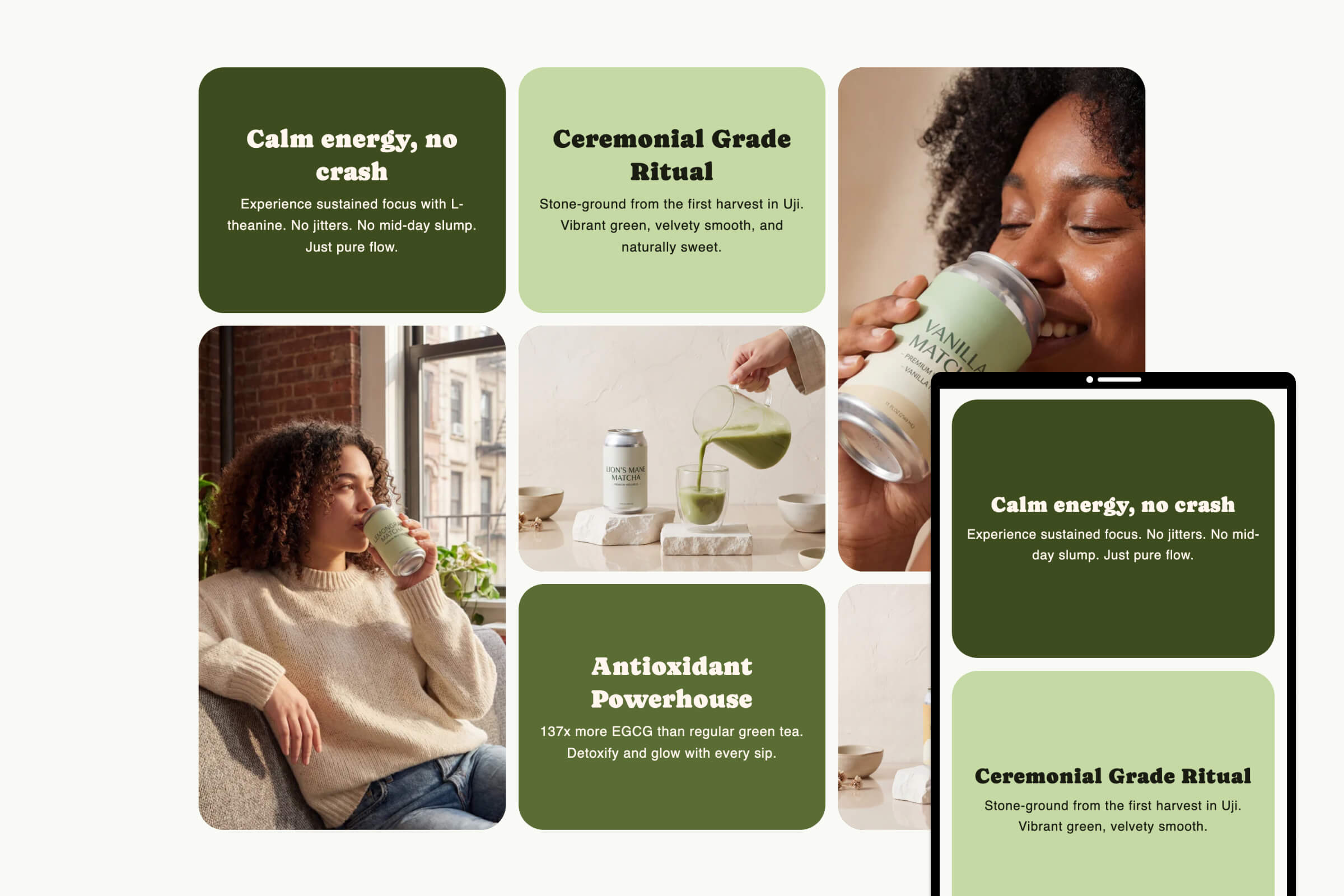
Close up
The piece worn and up close, in a grid. Worn shots show the size, which a white background hides.
Bento grid #5In PlusSee the demo
AI PagesAI Pages makes about 20 photos for the page, or uses your own if you'd rather.
3
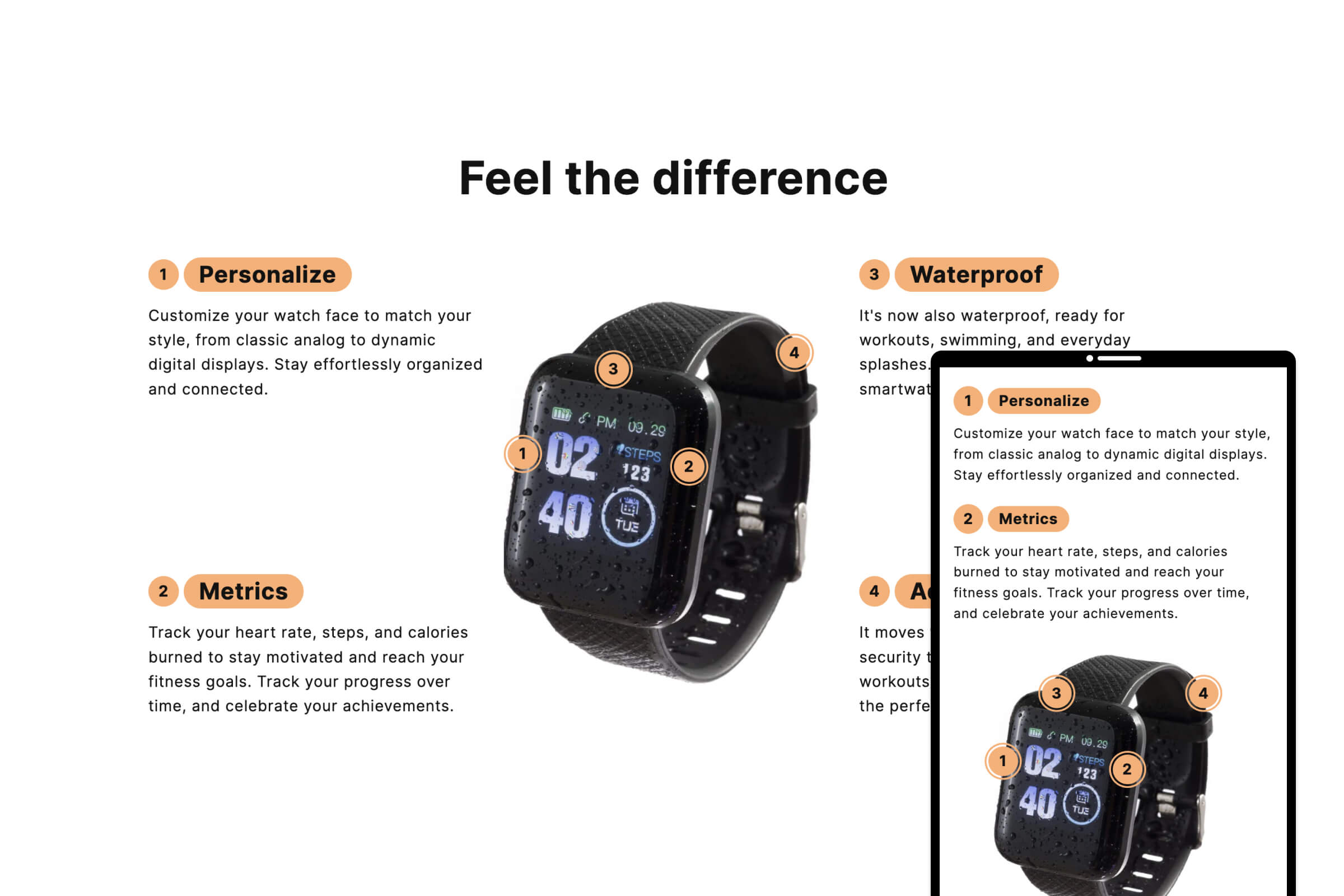
The details
The clasp, the stone and the chain, each a point on the photo. Each point answers what someone behind a counter would answer in person.
Hotspots #9In PlusSee the demo
AI PagesAI Pages puts markers on the product's parts, placed on a cut-out of your photo.
4
Wear it with
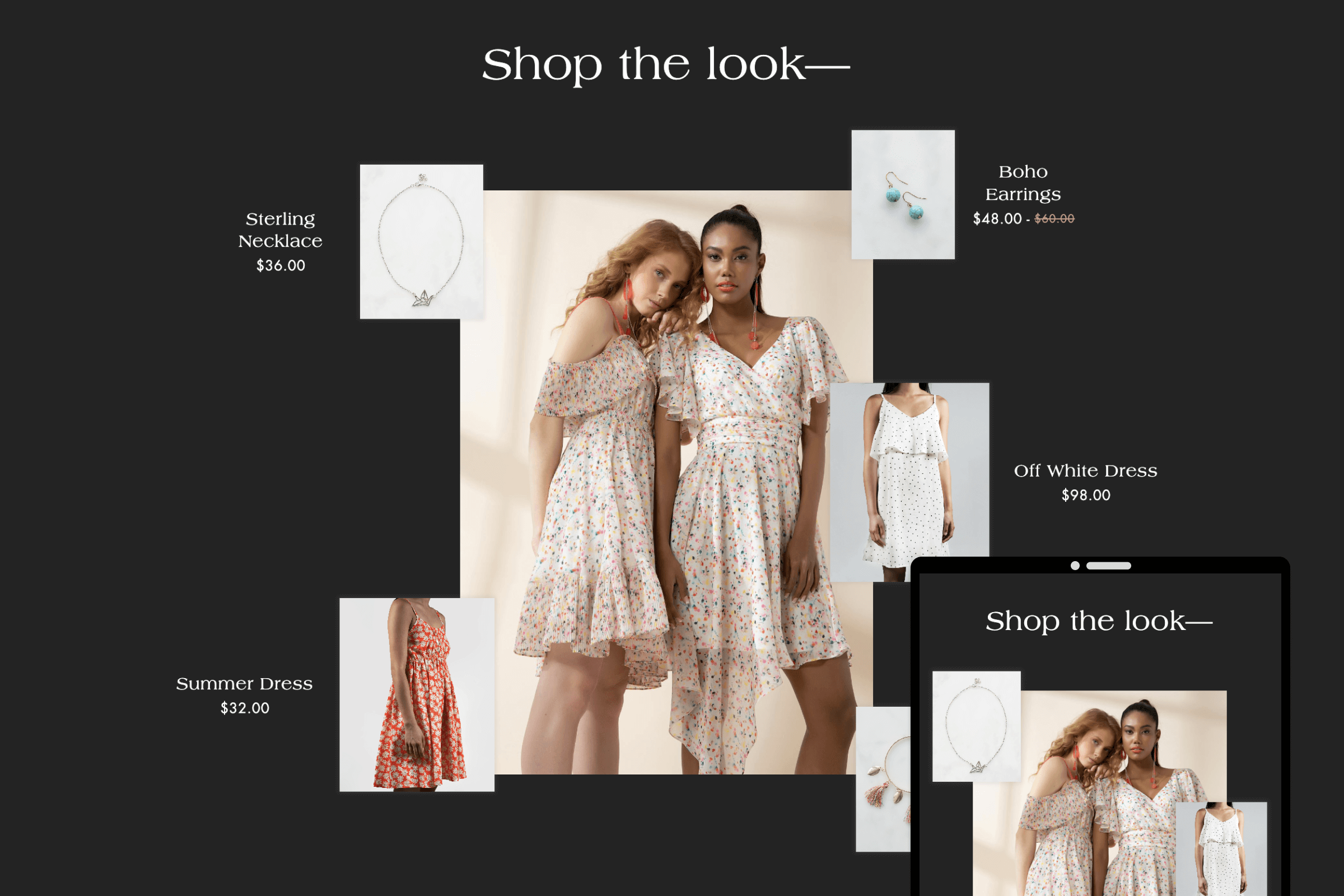
One photo with each piece pinned on it. A ring can bring the matching earrings along.
Shop the look #2$9 onceSee the demo
AI PagesAI Pages shows up to three products used together, with their total.
5
Materials and care
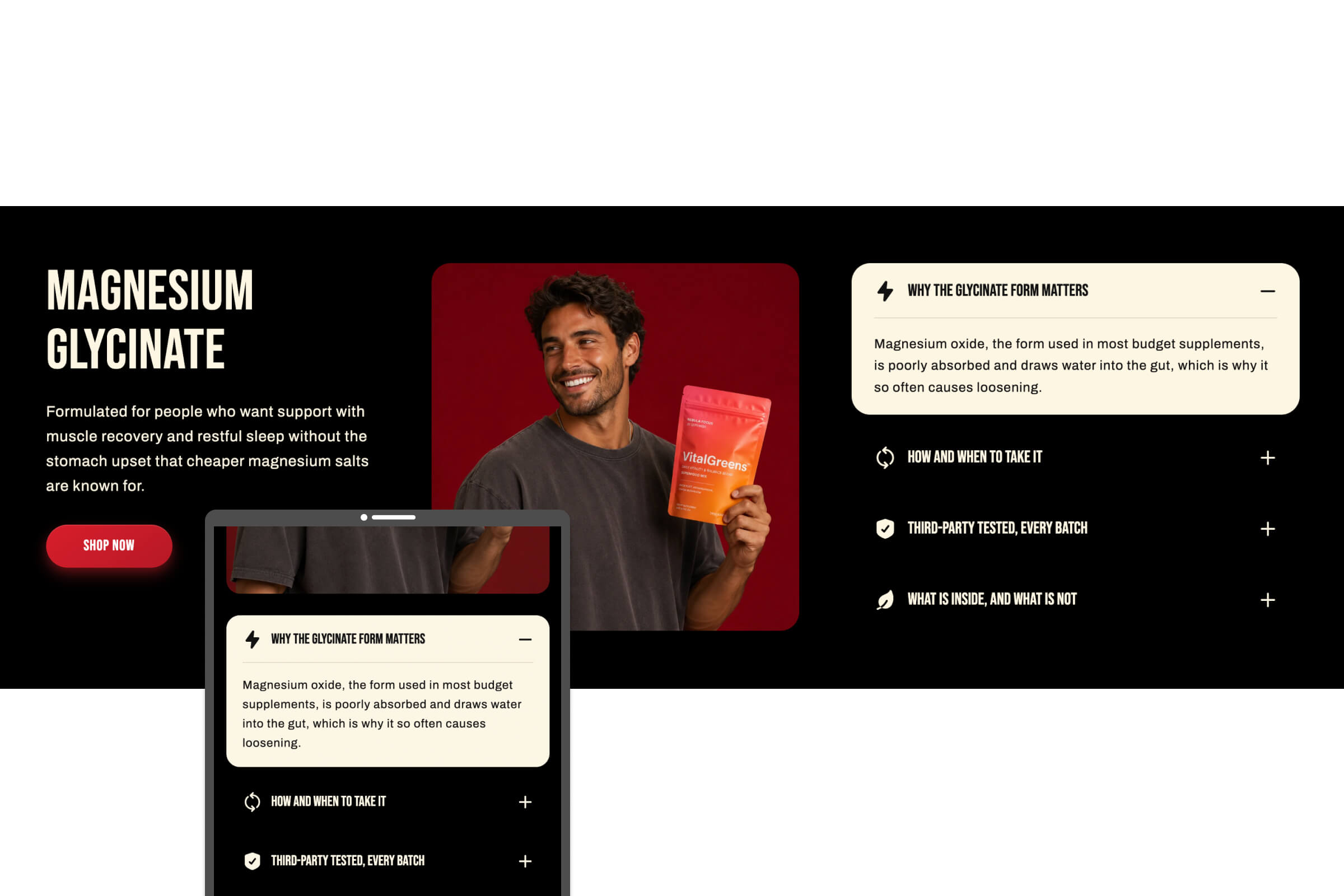
Metal, stone, size and how to clean it, in rows. Say the metal plainly, because plated and solid are different purchases.
Tabs #3In PlusSee the demo
AI PagesAI Pages writes up to four fold-out rows in the buy box. The last one holds your own description.
6
Reviews with photos
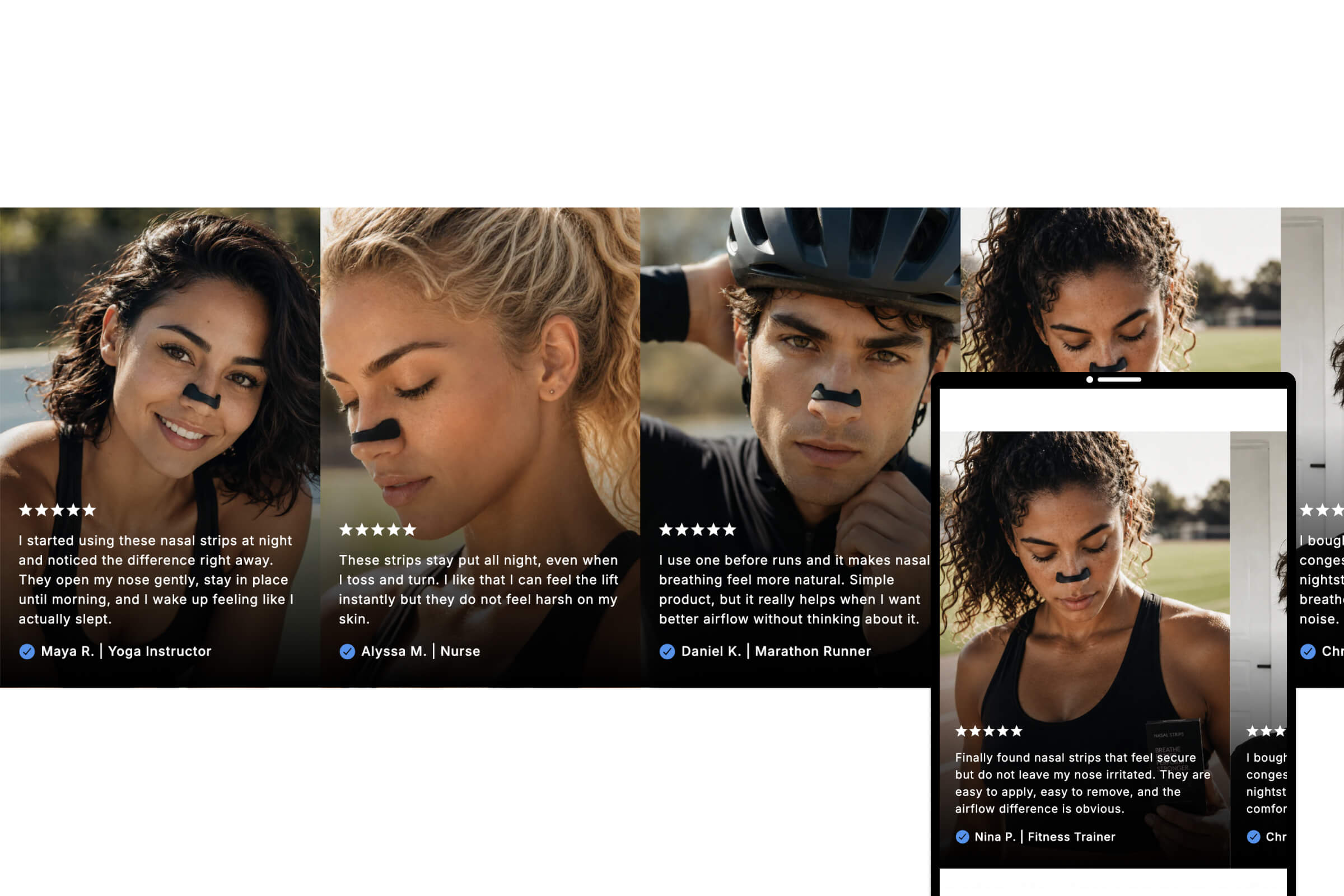
Buyers wearing it, with their words. Real wrists and necks show the true size of a piece.
Testimonial #53In PlusIn the app
AI PagesAI Pages lays out reviews and buyer photos. Example reviews stay marked until you swap in your own.
7
Warranty and returns
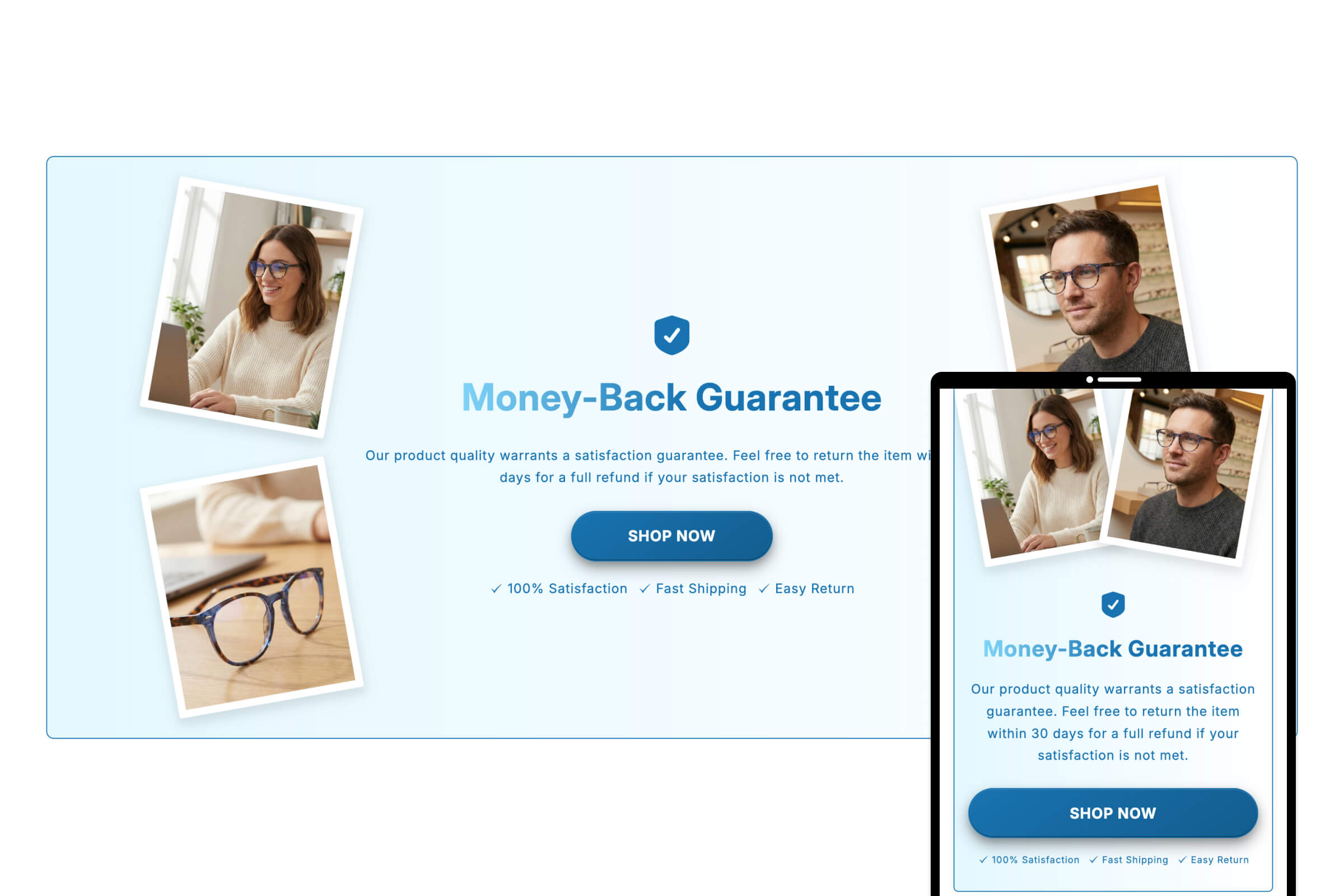
Your promise, in one panel. If you cover the clasp or the plating, this is where to say for how long.
GuaranteeFreeSee the demo
AI PagesAI Pages marks any guarantee it fills in, because a promise you didn't write is still one you'd have to keep.
8
FAQ
Sizing, gifting and returns. If you resize rings or engrave, say it here.
FAQ proIn PlusSee the demo
AI PagesAI Pages writes the doubts of the buyer you picked, and the first answer starts open.
What your theme does on its own and where it stops
Dawn is Shopify's free theme. Its product section has a title, price, variant picker, buy buttons, description, collapsible rows and a rating block. That covers the buy box well, but it has nothing built for hotspots, reviews and a guarantee. Those blocks come from Section Store.
DawnOn its own
Any themeWith Section Store
Buy box
✓Title, price, variant picker and buy buttons, with text, collapsible rows and icons.
✓Social proof, benefits, shipping dates and add-ons next to the button.
Close up
✓The product's media gallery, and Collage for a few images.
✓A grid of photo and text cards, some big, some small.
The details
–No hotspots.
✓Numbered points on a product photo, each with a title and a line.
Wear it with
✓Complementary products, filled by Shopify's Search and Discovery app.
✓One photo with each product pinned on it.
Materials and care
✓Collapsible rows in the product section.
✓Accordion rows with icons, beside a photo.
Reviews with photos
–A rating block that shows a reviews app's stars. No reviews section.
✓Tall buyer photos with their words and stars on each.
Warranty and returns
–No guarantee section. Icon with text comes closest.
✓A guarantee panel with photos, points and a button. Free.
FAQ
✓Collapsible content: rows of questions and answers.
✓Questions in tabs, with a way to ask the shop.
Checked 24 November 2026 against Dawn 16.2.0's sections on GitHub. Your theme may differ.
What AI Pages does with your piece
Pick your piece and AI Pages writes the page, makes the photos and builds it in your theme. It works only from what your product text says. A fuller product text gives you a fuller page.

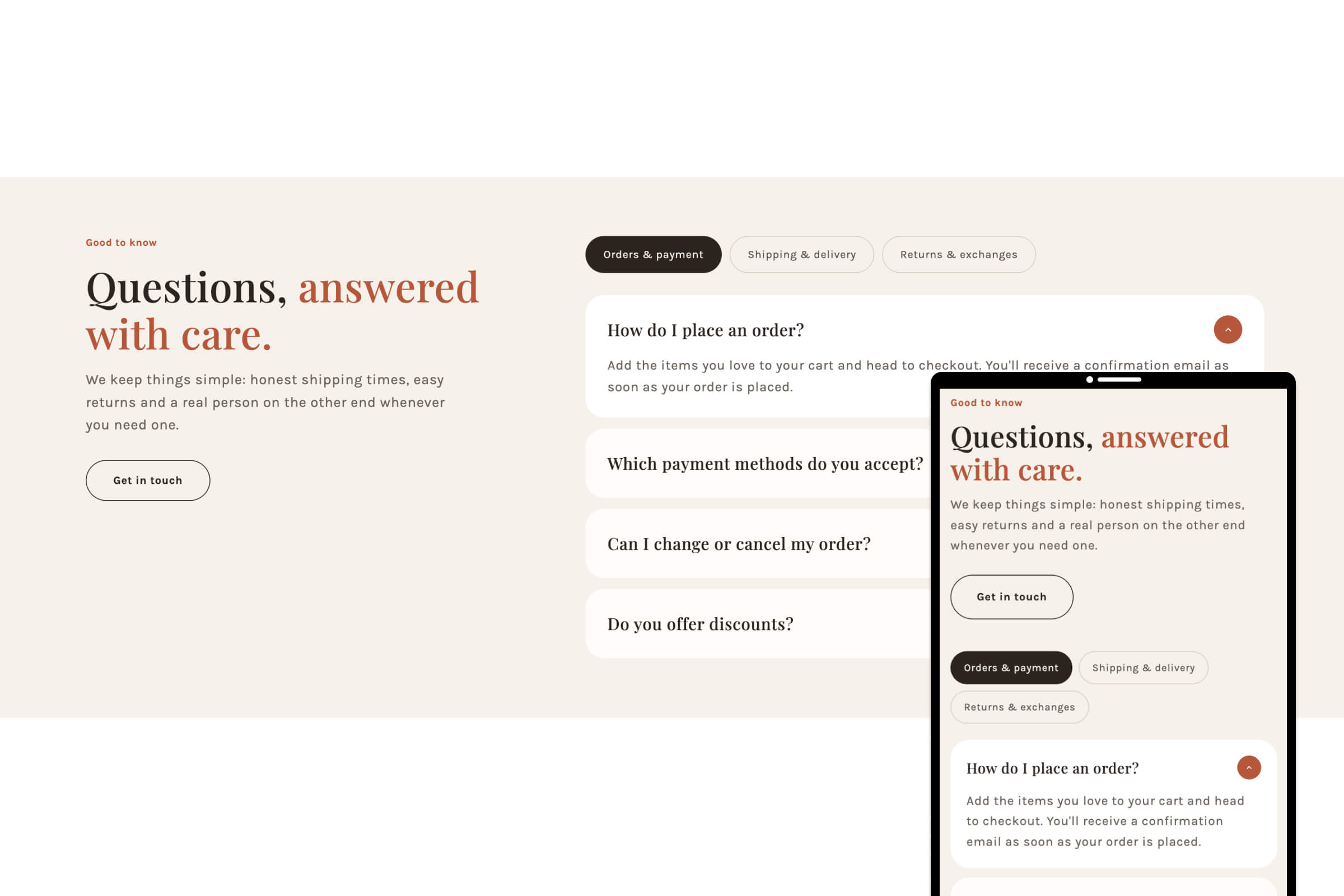
One real AI Pages build on our demo store: a product page with a steps guide and an FAQ.
It reads your productThe description, the photos and what buyers say.
You pick who it's forIt names four kinds of buyer. You pick one, or describe your own.
It plans the pageA buy box, then five to eight sections, in the order that buyer's doubts come up.
Only your factsIt adds no ingredient, material, size or result your product text doesn't give.
Example proof is markedReviews and ratings it writes stay flagged until you swap in your own.
Photos and lookAbout 20 new photos, or your own. Your store's look, or a fresh one.
In 76 languagesThe page and the words on its photos follow the language you pick.
You publish itNothing changes in your theme until you do. Switch the product back any time.
Sections AI Pages can pick for jewelry:SpotlightHotspotsColoursComplete the lookCertificatesFounder
95% of jewelry offers show the old price
AI Pages keeps your title, price, variants and subscriptions. What sits beside them is up to you, and these are the habits of the 21 jewelry offers we captured.
38%Add a free gift to the offer.
95%Show the old price next to the deal.
Source: Section Store's study of 1,275 live bundle offers on high-traffic Shopify stores, captured 16 to 23 October 2026. 21 of them are jewelry offers. No store is named.

A bundle above the button
Quantity breaks, mix and match, buy X get Y and free gifts. It works on every Shopify theme and shows in your AI page's buy box, right above the button. Bundle offers for jewelry stores


Proof next to the price
Badges, shipping dates, payment icons and social proof. Each conversion block does one job. Add only the ones your piece needs. See the blocks
A button that stays
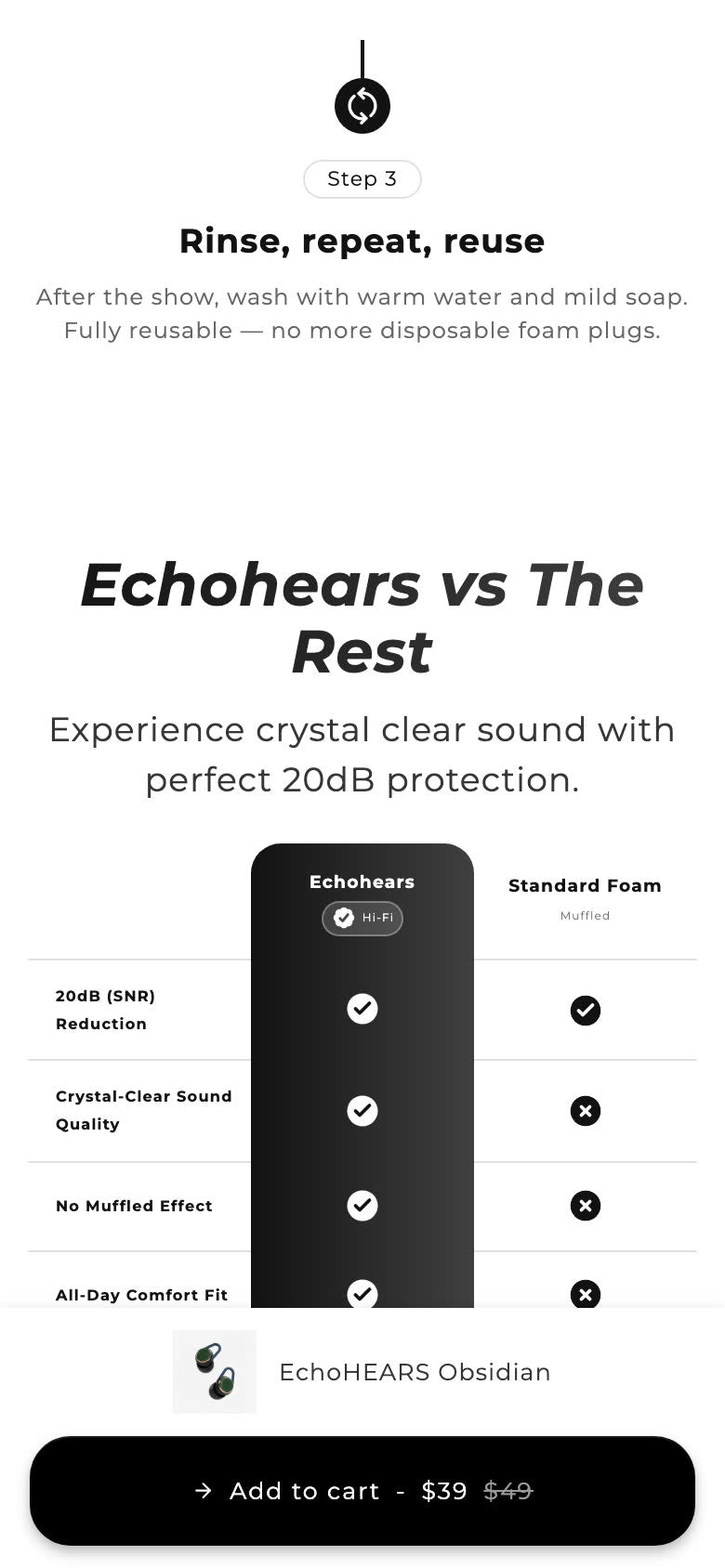
The sticky bar keeps Add to cart in view while shoppers scroll a long page like this one. Then the cart drawer offers one more item. Cart upsells for jewelry stores
One plan for the whole store at $15 a month, flat
AI Pages builds the page. The rest of Plus is there for what happens next, from the bundle in the buy box to the upsell in the cart.
AI PagesBuilds the whole product page from your product.
BundlesQuantity breaks, mix and match, buy X get Y and free gifts.
Cart drawerA reward bar, upsells and free gifts in the cart.
Conversion blocksProof, benefits and shipping dates next to Add to cart.
A/B testsTwo to four versions of a bundle or a cart. Keep the winner.
SectionsThe whole catalog, free sections included.
How to get it live
1Install Section StoreIt's free on the Shopify App Store. No code.Install free on Shopify
2Pick your pieceAI Pages reads it and asks who the page is for. Pick a look and a language.
3Check it, then publishEdit any block, or ask in chat. Publish to your theme with Plus.
Questions jewelry stores ask
What should a jewelry product page have?
We'd build it in this order: buy box, close-ups, hotspots, shop the look, materials and care, reviews, warranty and FAQ. Each one is a Section Store section you can edit or move, and AI Pages builds the whole page from your product.
Can AI build a jewelry product page on Shopify?
Yes. Section Store's AI Pages reads your product and names four kinds of buyer, and you pick the one the page is for. It then plans a buy box and five to eight sections in the order that buyer's doubts come up, writes them and makes the photos. You edit it, then publish it to your theme.
Will it make up claims about my product?
No. It takes what the product is, contains and does only from your product text, and adds no ingredient, material, size, certification or result. Reviews and ratings it writes as examples stay marked until you swap in your own. If a claim is missing, add it to the product text first.
What do jewelry stores put in the buy box?
Of the 21 jewelry offers we captured in October, 38% add a free gift and 95% show the old price. Section Store's bundles build each of these above Add to cart on any theme. Start with what is common, then test.
Does it keep my bundle and subscriptions?
Yes. The buy box keeps your title, price, variants and subscription plans. If you run a Section Store bundle on the product, it shows right above the button.
Does it change my live store?
Not until you publish, and you pick the theme. On your live theme the product points at the new page, and you can switch it back under Theme template if you change your mind. Your header and footer stay as they are.
What does it cost?
Section Store is free to install. Publishing needs Section Store Plus, $15 a month, flat, with a 14-day free trial. Plus also brings bundles, the cart drawer, conversion blocks and A/B tests. Extra credits cost $1 each, in packs, and never expire.
More for jewelry stores and every other kind
Bundle offersBundle offers for jewelry stores
Cart upsellsCart upsells for jewelry stores
SkincareProduct page for skincare stores
BeautyProduct page for beauty stores
TeaProduct page for tea stores
CandlesProduct page for candle stores
ElectronicsProduct page for electronics stores
Print on demandProduct page for print on demand stores
SupplementsProduct page for supplement stores
CoffeeProduct page for coffee stores
PetProduct page for pet stores
ClothingProduct page for clothing stores
FitnessProduct page for fitness stores
FoodProduct page for food stores
BabyProduct page for baby stores
Home decorProduct page for home decor stores
Build your jewelry page today
Free to install, with 14 days of Plus free. We'd start with the piece you sell most.